vaPlanview - Layout Plans from 3d model Hidden mode

Hello,

i am trying to have a correct print preview in layouts but cannot achieve it for both available plan and section options in visualarq.

When using vaPlanview (default style, no overrides) everything comes out both in print and viewport as black, even if hatches and/or other geometry have a print color assigned and no assigned print widths are considered, everything is in a single width.

Now lets say we need to to edit this to get the needed results. After exploding the view nothing is a polyline. I am trying to think of practical applications of having every outline curve of a wall, split in every neighboring element like walls, windows etc. I was expecting to have every outline of walls or columns in both section and projection as a discreet polylines, without any extra vertices in every apparent intersection with other elements. Does this make sense?

In the following image, the wall section has 4 segments, which when joined end up with 0-4 vertices, in places wherever the wall touches another element like a window etc., where i think it makes sense to have the blue version, ie 1 closed polyline with 0-1 etc vertices.

The above applies also for vadwgexport of layouts with plan views in hidden mode.

Coming back to print preview, when using plan view in hidden mode in layout print display does not work as expected. Projected geometry is displayed ok with both print color and width, but section parts have only correct print width but wrong color. How can someone make an accurate print display?

Now the above, while not diplayed correctly they plot ok to pdf vector, with the right color and width.

But, draw order is a mess and i cannot find a way to send to back or bring forward 3d walls, columns windows etc.

If there were to be default draw order rules, maybe the following could be valid for most cases:

hatches should always be in the back, then section curves should always be above projection curves and lastly for both, section and projection curves, thicker widths are always above thinner ones.

Then, is there a way to control hatch print width? Cannot find one, making any hatch pattern other than solid kinda useless, printing in default print width(?), but cannot find where to reduce or increase width.

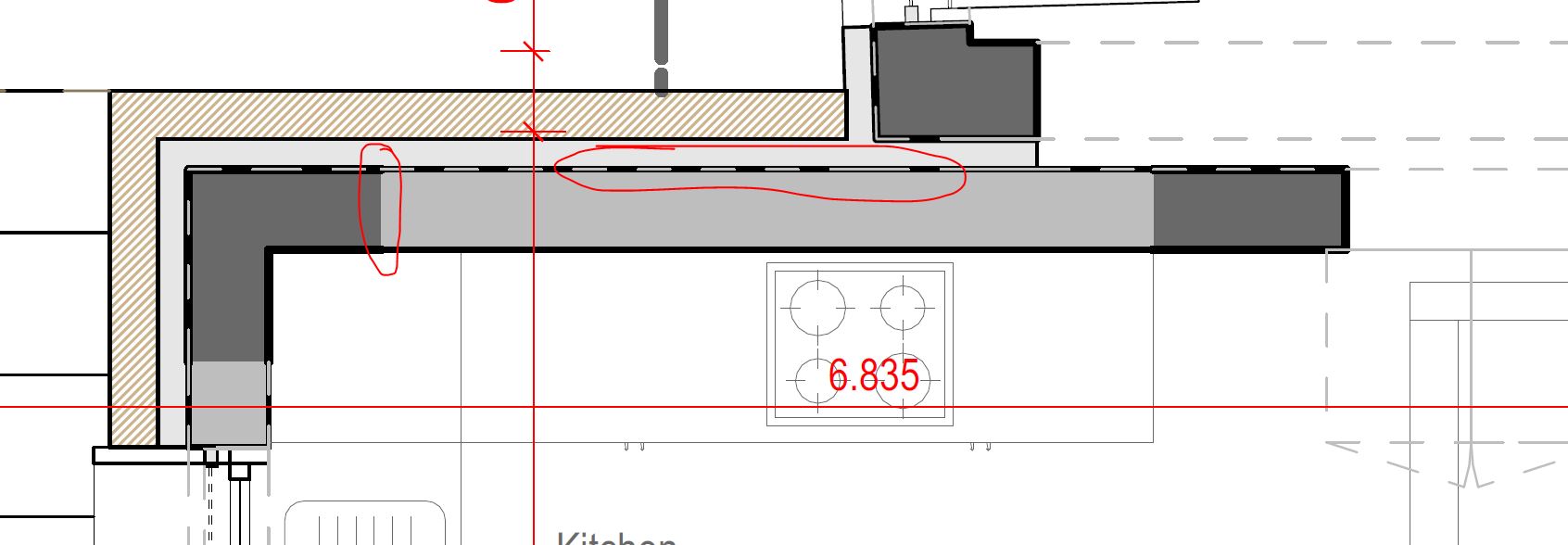
Lastly, vectors have some weird artifacts. These results are with 600dpi resolution in print dialog.
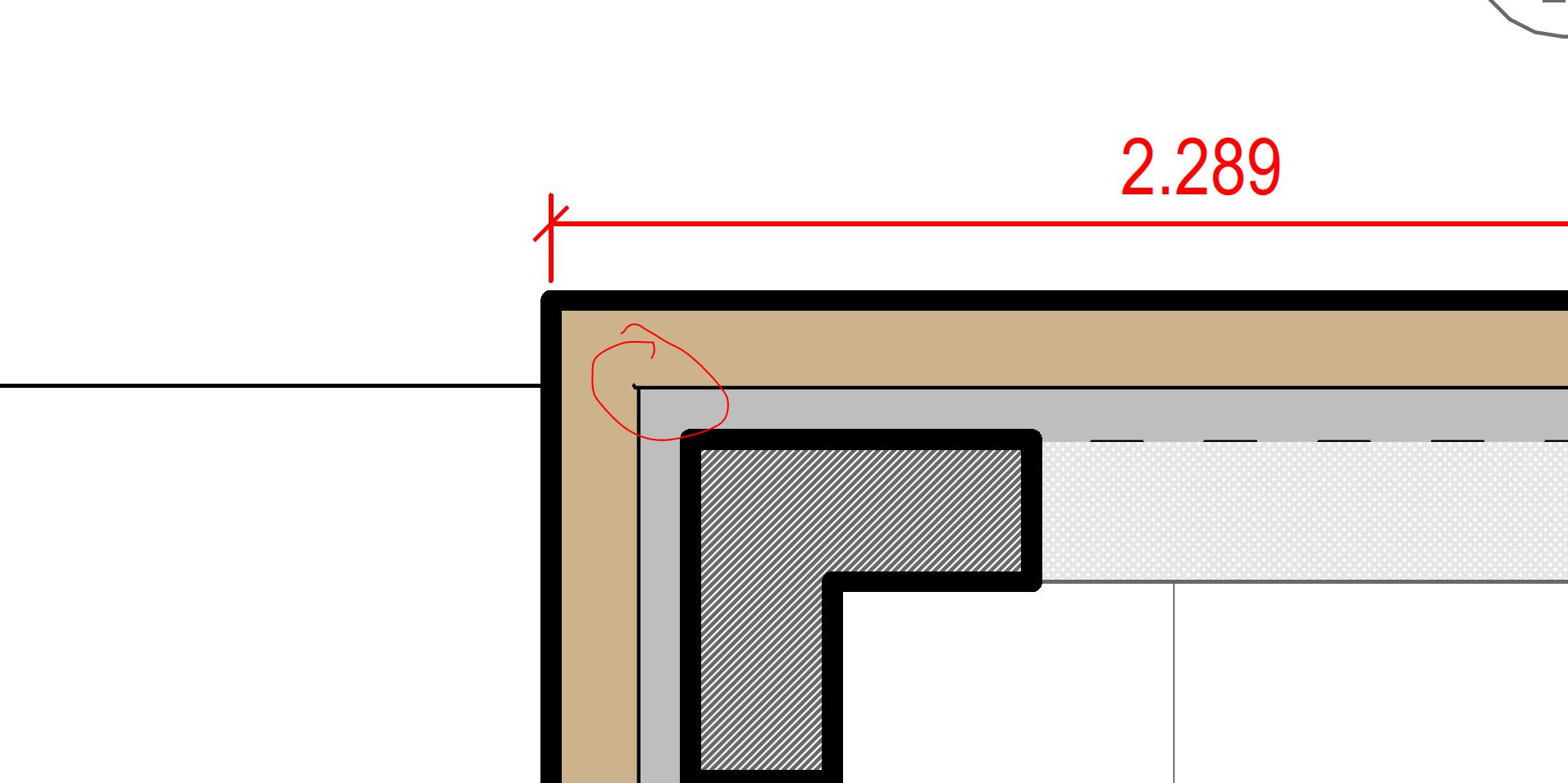
These might be to small geometry

This is where two walls meet each other and touch with one column.

These are stool feet in projection.

Please let me know if i am missing something, how to improve if possible the above issues, or any workarounds to current limitations are welcome, be it visualarq or rhino tips.

best

alexandros.
1 Like

Hi Alexandros,

This is a bug. We will fix it in the upcoming updates.

The print preview of print widths is only visible in the page layout.

This is how 2D plan views are generated now. We can consider generating closed polylines for the object’s sectioned boundary in future versions. I add your vote for this feature.
Also, we have planned to add an option to control the print width of a wall for all its boundary (which is not possible now if you have a wall with multiple layers).

This issue might be related to the first one mentioned before.

I agree. And this is how it should work now. Please share a simplified example where this doesn’t work for you.

I think it isn’t. This is something McNeel should implement in the section styles attributes.

Have you tried to increase the dpi resolution? please send me some sample files that we can review to improve these results.

Thanks!

Hi @ng5_Alex I let you know this issue has been fixed in VisualARQ 3.7 RC2, available here: VisualARQ 3 - Version 3.7 RC2 released

Hello @fsalla ,

using 3.7 RC2 happy to report that print preview works as expected for vaPlanView generated plans (when enabled in layout and viewport)

I was hoping to be able to print the result too, but drawing order, even after vaupdating everything, does not seem to be calculated correctly. Hatches are not sent to back, hiding in some cases section lines completely, and overhead projections are overlaid to thick sectioned items.

Also, please fix the print preview in layout for live plan and section view, where everything that is projected is displayed correctly, but sectioned elements are not displayed according to their print color.

See the following example regarding a wall style. Here are my settings where almost everything is set to be by Layer.

And this is a layout i have set up for the ground floor with print preview off and two wall of the same style, the right one getting sectioned the left is shorter and is not sectioned. This plan is generated real time, i have set plan view ground floor from levels, and display mode hidden.

And the same layout print preview enabled

Here projections are displayed according to print color and sections are not, but they do print correctly to pdf. I was expecting with my settings to see also sectioned items according to print color set to their layer.

Having polylines can easily be done with grasshopper, but i just tried version 3.7 3.7 RC2 and this bug has not been resolved, making it very difficult to work with grasshopper. Data trees are essential for any serious script. I was planning to do more testing regarding this bug and report to you, maybe later today.

I believe controlling everything by layer is the way to go for drafting the visualarq model (also for drafting in rhino). It reduces the UI clutter to minimum, we can have total control and easily apply changes. Starting the discussion from the hatches attributes, I have made this request, if you get a chance, please see there what my thoughts are, and apply to visualarq too.

I tried 1200 dpi and this still happens to really small objects, like faucets, chair feet etc. I would think it is easy to reproduce the issue if you just print in plan view in scale 1.50 items from the default library, like kitchen sink from elements, stool rectangular from furniture, or any other with small size parts.

thank you,

alexandros

Hi Alex, could you send us that 3dm file? we have detected this draw order issue in other files, but the more we get, the better to solve this problem in future versions.

We may require the 3dm file to analyze this and find a solution.

I see. You are right. We need to improve this.

please examine attached file

print display broken.3dm (4.7 MB)

Print preview appears broken for both arq and rhino geometry in every display mode.

I examined another file, with the default rhino template, rhino geometry and a rhino clipping plane cutting the geometry. It seems that in the layout with print preview on, everything works as expected according to print color for every display mode except hidden. Could this be a rhino issue too?

rhino defaults hidden broken.3dm (96.8 KB)

if i get permission to share, i will send it to you via email.

thank you

alexandros

Hi @ng5_Alex thanks for the files, I can see some inconsistencies between using Clipping planes and VisualARQ Cut Planes in the printing results, and also in the Print preview in the Hidden display mode.
We will revise these issues and fix them in the upcoming updates. I’ll keep you posted.