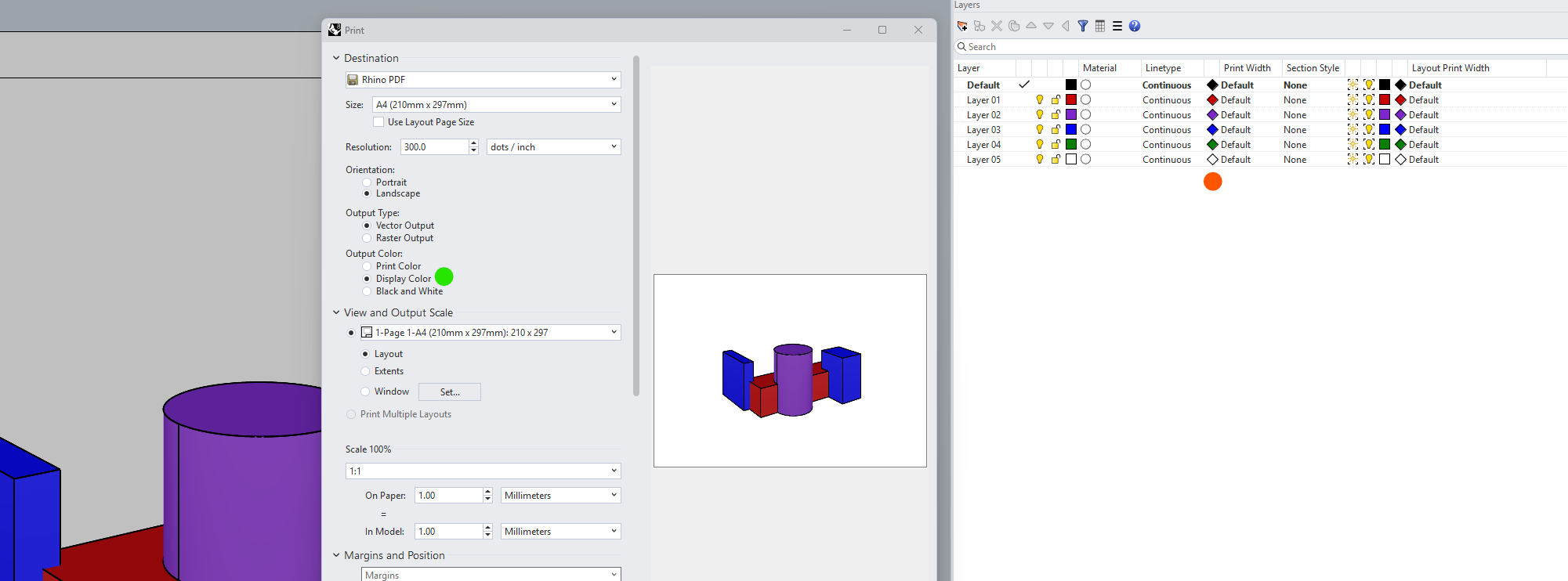
I again the feeling to start a thread on something that has been discussed already but still cannot find a solution: I’m trying to create a shaded display mode with silhouette, that I could actually print with the print colours and vectors.
I started with Technical, Monochrome, or the other way around, from Shaded, but I’m always missing one aspect.
Technical though, with a shade colour, got the me the closest but still unable to print with vectors and as in the preview of the print window.
With display colours and raster output it ‘works’.
Can you provide more detail about what is not working in this case? A file would be helpful as well (we may also need an export of your modified DisplayMode to get on the same page quickly.
May I still ask: shaded is automatically printed with raster ?
If I print Shaded with black edges, the preview doesn’t match and I get coloured edges and raster output.
Not sure to follow why we put the print colours back to the layer colour to print it in black though.
Sorry, probably too many display modes and too much confusions on my side…
Long story short: there is then no way to print a pdf of brep with the faces coloured and the lines in black, as vector? And even less with a silhouette.
Am I also understanding it correctly: when I print a Shaded view using vector output, it is overwritten to raster?
Which means, only the Wireframe and Technical default Display Modes are printable using vector output?
You can use a screen capture as background image, which will be visible in vector print.
I made a script for that long time ago… if you think that may work I can search for it…
With a script that could be solved, but it is quite a bit of work since you’ll also need Make2D. Not sure if it is worth the effort. Maybe it would be sufficient if you increase the resolution of the PDF?