@sef.nola, how many modes do you have created? Are you running in the 60 created modes?
If you could also zip up the settings directory under %APPDATA%\McNeel\Rhinoceros\6.0. It contains one or more XML files that would be good to investigate for this. Please upload the zip archive you just created to rhino3d.com/upload with a link to this discussion in the comments section, that’d be nice.
Can’t seem to get a custom, or a copied pen style into setobjectdisplay mode… the only ones that appear are W, S, R, G, X, A and use view…this is from LAYOUT…havent tried in model, just thought of that now
Hello - none of the technical based modes can be used per object - they will not work in an OpenGL viewport. It looks like the opposite is possible however - an openGL mode in a technical viewport though it looks somewhat superimposed, not ‘pure’ on my system:
mmm I believe this worked in 5? right yea I’m thinking I’ll need to do some inverting of the viewport and the object display mode… i’ll make it work… any chance this will ever work? Or does anyone have any .ini I can import that gets close to a technical/pen style??
Technical modes were never able to be a “per-object” display mode… You cannot be in something like a Shaded mode, and then only have a few objects display as “Technical”… The reason is because the technical modes use their own display pipeline to do the trickery, and you cannot switch pipelines in mid-stream when rendering the frame buffer…call it a technical limitation (no pun intended).
However, since the technical pipeline is derived from the standard pipeline, it means that it can do whatever the standard pipeline can do…which means that you can have objects displayed in other modes from within Technical modes… For example: While in a Technical mode, you can SetObjectDisplayMode an object to be “Shaded” … but as I mentioned, you cannot go the other way (you can’t be in a Shaded mode and set an object to Technical).
This is how it’s always been…and will probably always remain.
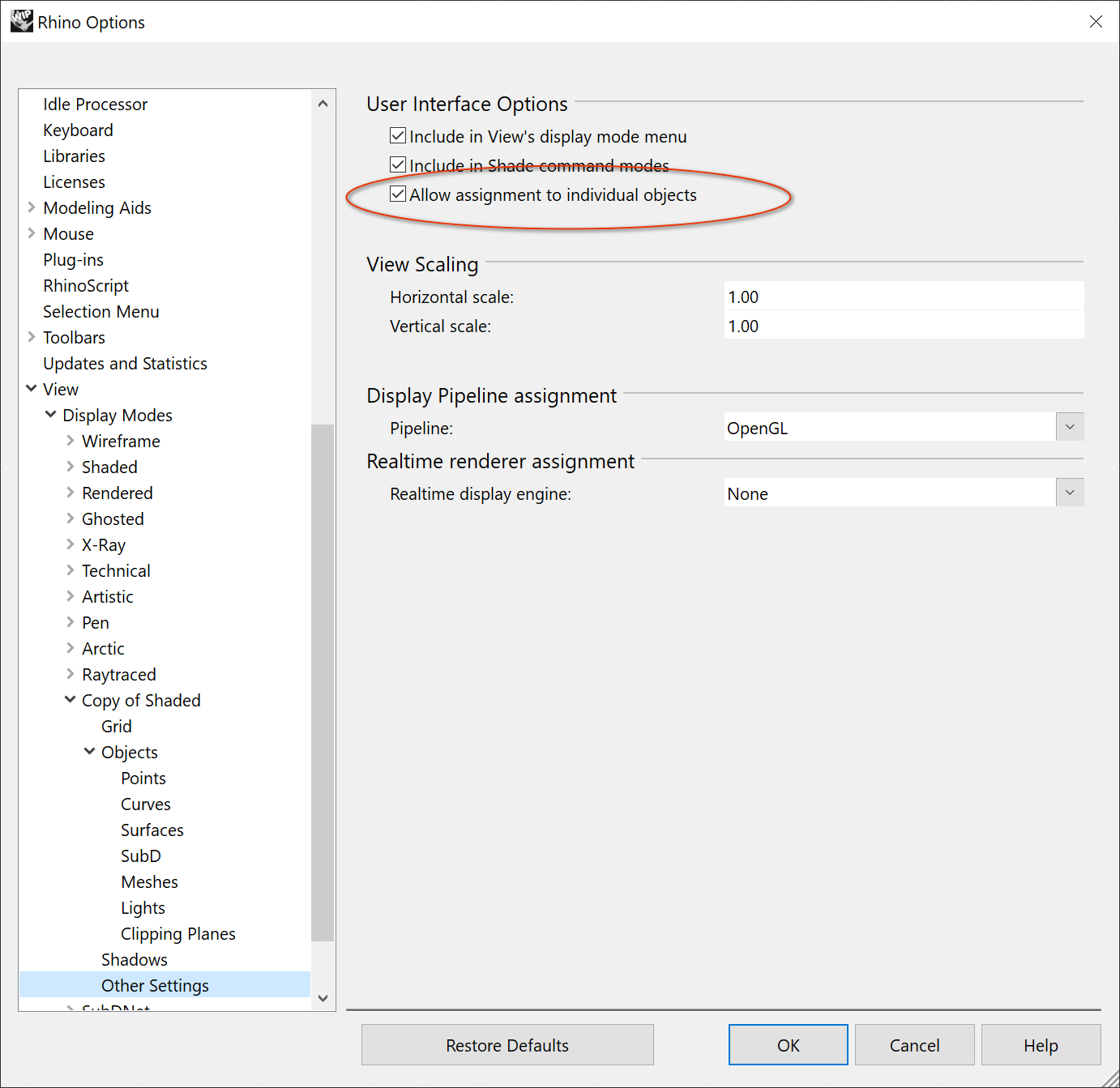
If you’re creating your own display modes, then you need to make sure that “Allow object assignment” is CHECKED in the “Other settings” page (see pic).
But again, if your custom display mode is derived from a technical mode, then you will not be able to do that, in fact, that option won’t even exist in the settings (or at least it shouldn’t). Basically all technical modes (built-in or custom) will have that option UNCHECKed internally.
So the bug report JB reported above is going to just be a “Won’t fix”…sorry, that’s just how it is.
Pity, I was playing a bit and I see that I can’t mix two versions of Technical also.
Do you have any plans of providing something like Technical view but in a way that we can mix it with other display modes?
Some more freedom in tweaking lines and there would be really no reason to go into Illustrator.