Rhino BETA has many improvements to the fillet and chamfer commands: FilletSrf, ChamferSrf, FilletSrfCrv, and FilletSrfToRail
- Continue across faces option for
FilletSrfandChamferSrf. - Simplified (revolved) surface for
FilletSrfandChamferSrfwhere possible. - Interactive Dialog for
ChamferSrf. - Better and cleaner results in
FilletSrfCrv. - More robust
FilletSrfToRail. - Join option for
FilletSrf,FilletSrfCrv,FilletSrfToRail, andChamferSrf.
FilletSrf and ChamferSrf - continue across tangent faces
In Rhino BETA, these commands have a new option to continue the fillets if adjacent faces are tangent. This speeds up making adjacent fillets tremendously, especially in cases where the faces are not exactly tangent. In that case, the fillet surfaces will be adjusted where their edges meet to close any small gaps between surfaces.
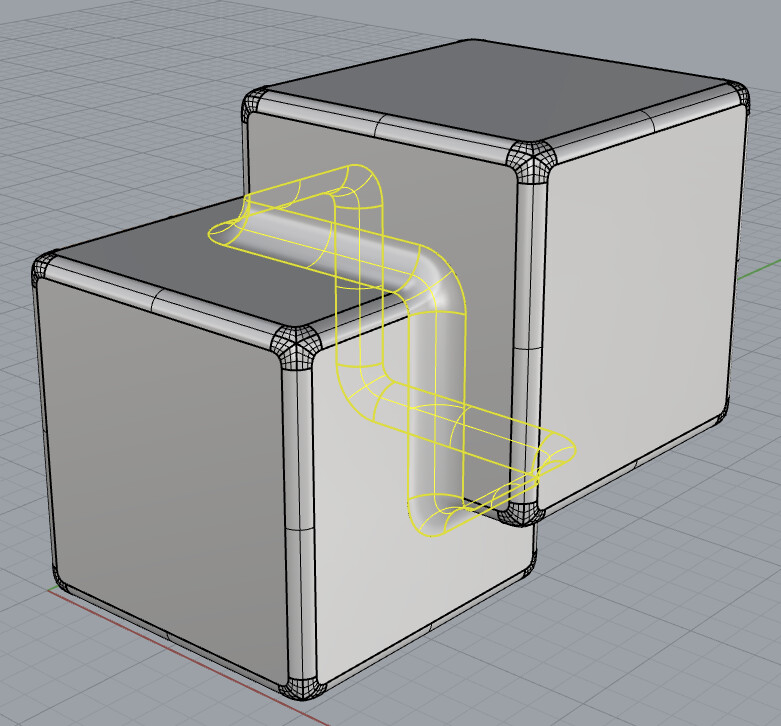
See this tips and tricks page to learn more about it.
Continue across faces now also produces a clean spherical corner patch when a run of fillets meets an existing fillet of the same radius, instead of stopping there. See the separate FilletSrf with spherical corners post for details.
FilletSrf and ChamferSrf - simplify to revolve surfaces
In addition to FilletEdge and BlendEdge that already do this, now also FilletSrf, ChamferSrf will make revolved surfaces where that makes sense. Revolved surfaces are usually simpler in their control point structure and communicate a clear design intent.

FilletSrf, FilletSrfCrv, FilletSrfToRail and ChamferSrf - Join option
These commands now have a Join option, so the resulting fillet chain can be joined directly to the surfaces it filleted. This makes the joined result easier to use as input for a next FilletSrf operation. Join is only available when Trim is on.
FilletSrf and related commands - inherit object properties
FilletSrf, FilletSrfCrv, FilletSrfToRail, and ChamferSrf now inherit the object properties (such as material) of the first surface you pick, instead of the result losing them.
ChamferSrf - interactive UI
In Rhino BETA, ChamferSrf has been given the same make-over as FilletSrf got in Rhino 8: an interactive user interface with sliders to control the distances of the chamfer from the edge surfaces.

FilletSrfCrv - curve segments, multiple fillets and improved robustness
The FilletSrfCrv command allows you to create a fillet (constant radius) from a surface to a curve.
Fillets on curve segments
If a curve can be exploded, FilletSrfCrv will now make a fillet for each segment. This improves the quality of the result:
FilletSrfCrv in Rhino 8 - results are not good:
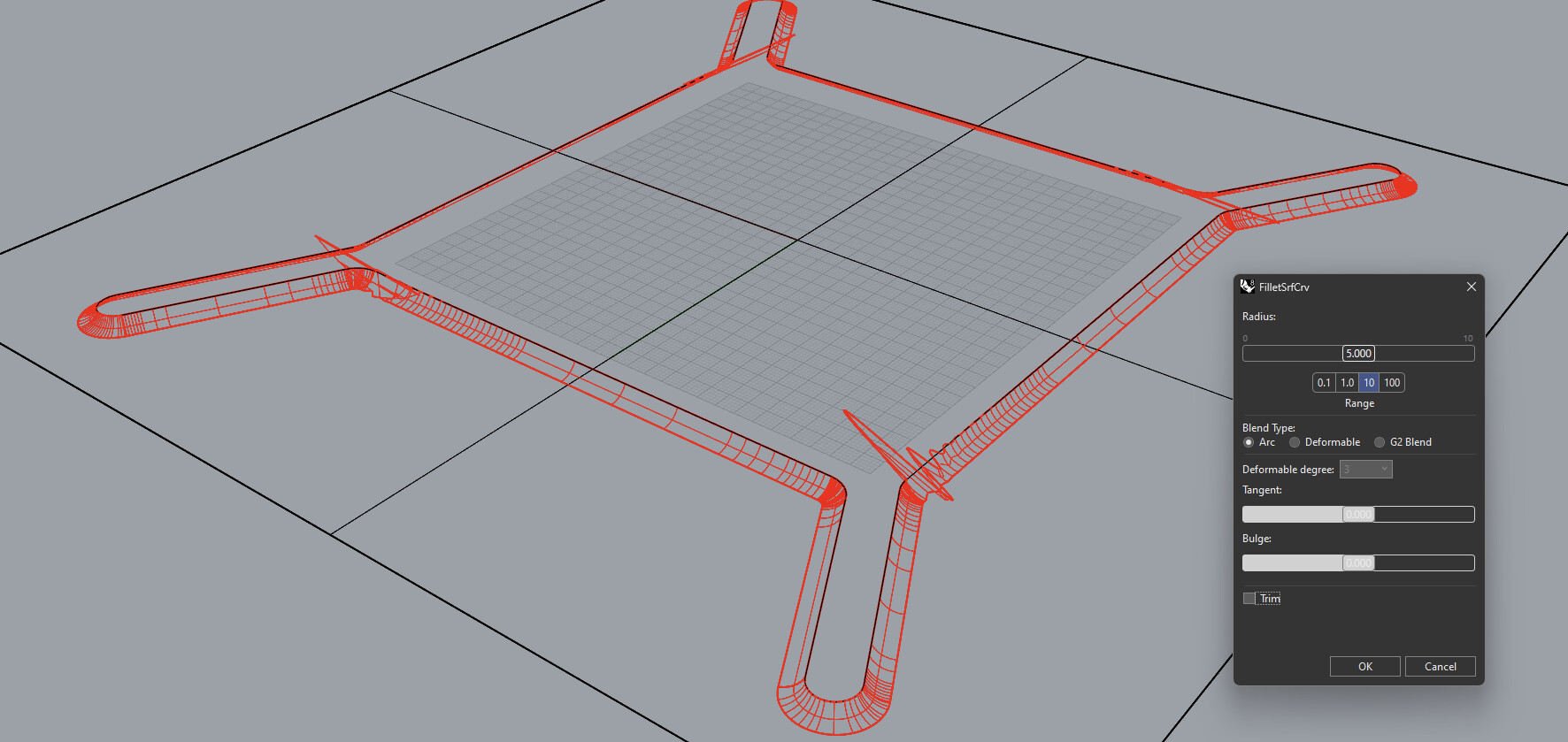
FilletSrfCrv in Rhino BETA:
Multiple fillets
If multiple fillets can be made between a surface and a curve, all fillets will be created. Rhino 8 returns only the fillet that corresponds to the clicked positions. This can greatly speed up a repetitive process, and gives expected results when using a closed curve with closed surface where the surface and curve seams do not line up.
FilletSrfToRail - improved robustness
The FilletSrfToRail command allows you to create a fillet from a surface to a curve on a surface, maintaining tangency to both surfaces.
The command has been improved with a new method for rail finding that is more robust. Many cases that do not produce a result in Rhino 8 will produce the expected result in Rhino BETA.
Other improvements
- A Help button has been added to the
FilletSrfandChamferSrfdialogs. - The min/max range setting in these dialogs is now sticky, instead of resetting to 10 every time the dialog is opened.
- Precision for the radius/distance slider can now be set higher than 4 decimal places.
FilletSrf and ChamferSrf - C++ and .NET SDK updated
The C++ and .NET SDK has been updated to make it possible for 3rd party developers to get access to a number of improvements listed above.
Stay tuned for more as we are developing for Rhino 9!
Download the Rhino BETA…


