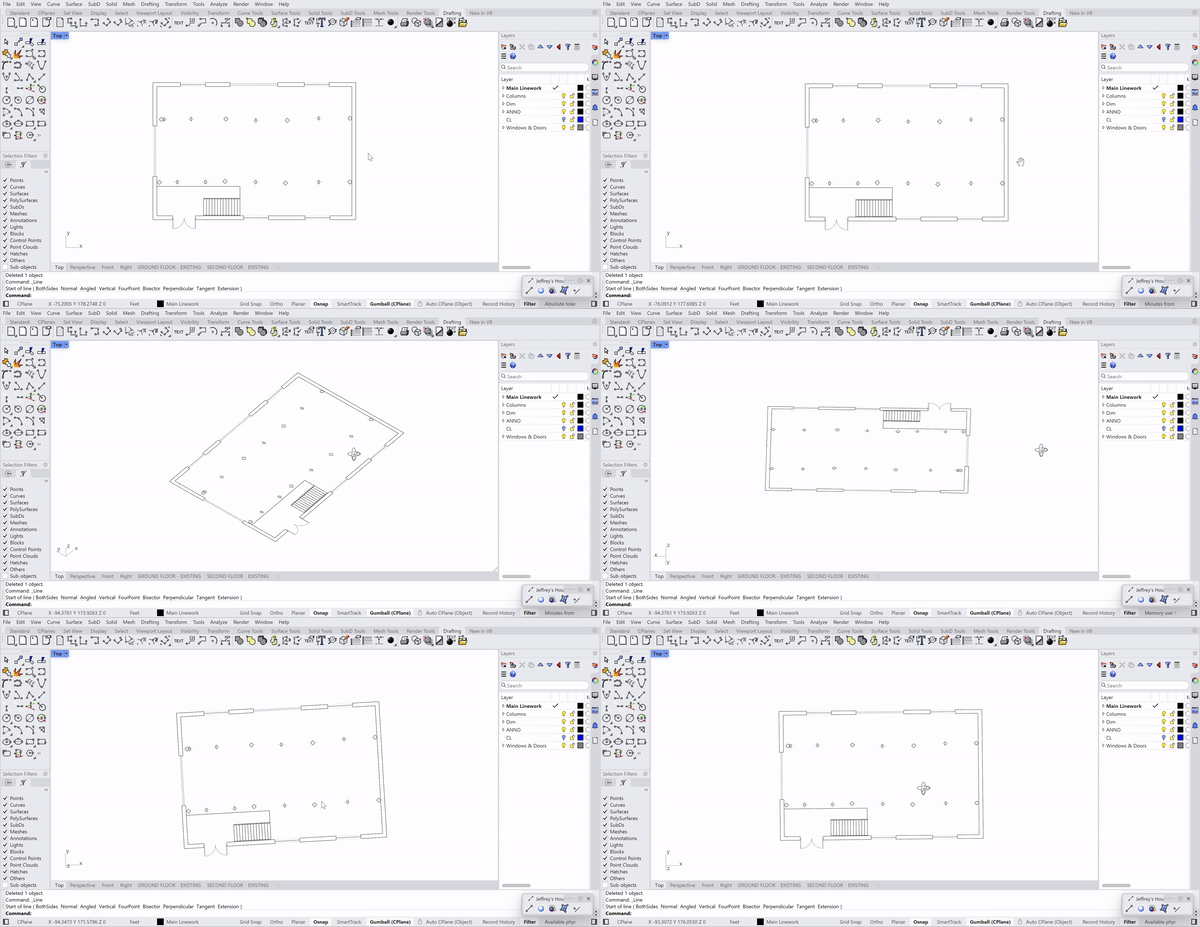
Recently I’ve noticed that my viewport stutters constantly when panning/rotating around my models in Rhino 8. All my models are quite simple, file sizes are very low (<1MB), my drivers are up to date, and my computer isn’t stressed at all. Is there a reason my viewport should be stuttering like this?
Whether related or not, I’ve also noticed that Rhino is crashing more and more often, and I frequently get a “Rendering failed: Switching to Wireframe mode” error after completing curves or polysurfaces in Shaded view. I’d assume this is from maxing out my GPU or RAM, but I’ve done far more complicated tasks without a hitch. These models are just a handful of basic curves and polysurfaces.
I’m on an NVIDIA RTX 3050 with 6GB, installed in a minimalist laptop I bought last month for work while traveling. It’s not the beefiest machine, but it’s been smooth and fast in Revit and Blender (and Rhino, minus the above issues ^). Drivers seem to be all up to date:
Windows 11 (10.0.22631 SR0.0) or greater (Physical RAM: 16GB)
.NET 7.0.0
Computer platform: LAPTOP - Plugged in [23% battery remaining]
Hybrid graphics configuration.
Primary display: Intel(R) Iris(R) Xe Graphics (Intel) Memory: 1GB, Driver date: 2-22-2023 (M-D-Y).
> Integrated graphics device with 4 adapter port(s)
- Windows Main Display is laptop’s integrated screen or built-in port
Primary OpenGL: NVIDIA GeForce RTX 3050 6GB Laptop GPU (NVidia) Memory: 6GB, Driver date: 4-25-2023 (M-D-Y). OpenGL Ver: 4.6.0 NVIDIA 528.97
> Integrated accelerated graphics device with 4 adapter port(s)
- Video pass-through to primary display device
OpenGL Settings
Safe mode: Off
Use accelerated hardware modes: On
Redraw scene when viewports are exposed: On
Graphics level being used: OpenGL 4.6 (primary GPU’s maximum)
Anti-alias mode: 4x
Mip Map Filtering: Linear
Anisotropic Filtering Mode: High
Vendor Name: NVIDIA Corporation
Render version: 4.6
Shading Language: 4.60 NVIDIA
Driver Date: 4-25-2023
Driver Version: 31.0.15.2897
Maximum Texture size: 32768 x 32768
Z-Buffer depth: 24 bits
Maximum Viewport size: 32768 x 32768
Total Video Memory: 6 GB
Everything seems fine, but did you experience the stutter while on battery?
I would check the power settings to make sure Rhino get’s full power when needed.
I just checked on my home computer and drew a circle and polar arrayed it 100 times, then those 100 times and those 100 times, resulting in 1.000.000 circles and Rhino handled this well (Not silkey smooth, but smoother than what you showed) on a RTX2070 and an i7 10700 on a ultrawide monitor. (The 2070 has about 40% more raw power than the 3050, so that is taken into comparison)
So your hardware should be more than up for the task. Question now is just why it doesn’t perform. Maybe it switches to the Intel Iris to save power.
According to your system info your Nvidia driver is nearly a year old.
I recall a recent post here a week or so ago where display performance with a driver only 2-3 months old was troublesome and cured with a driver update.
Your Intel video driver could probably use an update as well. It is a year old.
Great - I manually installed new drivers from NVIDIA’s website and the stutter seems to be gone.
Shouldn’t have trusted the Windows auto-search for new drivers telling me they were up to date I guess. I’ll do the same for the Intel drivers and keep better track of them from now on.
As an update to this thread, just for consistency -
Installing new graphics drivers did solve the problem temporarily, though the viewport stutter came back. I played around with the power settings on my laptop and found that my files only stutter when running on battery power (even with Windows’ power settings set to prioritize high performance).
When I plug my laptop in, however, the stutter goes away completely. I need to run 6 or 7 apps at the same time for these projects so it’s possible Rhino isn’t getting a big enough share of power when running on battery; keeping my laptop plugged in is a fine enough solution for me.
I am experiencing the same issues as Jack. However, in my situation, the stuttering is much more severe. After installing new graphics drivers (for both integrated graphics and rtx 3050ti laptop card) the issues remained.
Curious if someone can assist in solving this! Pasting my SystemInfo below.
Windows 11 (10.0.22631 SR0.0) or greater (Physical RAM: 32Gb)
Computer platform: LAPTOP - Plugged in [100% battery remaining]
Hybrid graphics configuration.
Primary display: Intel(R) UHD Graphics (Intel) Memory: 128MB, Driver date: 5-12-2024 (M-D-Y).
> Integrated graphics device with 4 adapter port(s)
- Secondary monitor is laptop’s integrated screen or built-in port
- Windows Main Display attached to adapter port #1
Primary OpenGL: NVIDIA GeForce RTX 3050 Ti Laptop GPU (NVidia) Memory: 4GB, Driver date: 5-13-2024 (M-D-Y). OpenGL Ver: 4.6.0 NVIDIA 555.85
> Integrated accelerated graphics device (shares primary device ports)
- Video pass-through to primary display device
OpenGL Settings
Safe mode: Off
Use accelerated hardware modes: On
Redraw scene when viewports are exposed: On
Graphics level being used: OpenGL 4.6 (primary GPU’s maximum)
Anti-alias mode: 8x
Mip Map Filtering: Linear
Anisotropic Filtering Mode: High
Vendor Name: NVIDIA Corporation
Render version: 4.6
Shading Language: 4.60 NVIDIA
Driver Date: 5-13-2024
Driver Version: 32.0.15.5585
Maximum Texture size: 32768 x 32768
Z-Buffer depth: 24 bits
Maximum Viewport size: 32768 x 32768
Total Video Memory: 4 GB
Rhino plugins that do not ship with Rhino
C:\Users\bartr\AppData\Local\Programs\Enscape\Bin64\Enscape.Rhino7.Plugin.dll “Enscape.Rhino7.Plugin” 0.0.23345.954
C:\Program Files\Chaos Group\V-Ray\V-Ray for Rhinoceros\V7\VRayForRhino.rhp “V-Ray for Rhino”
Is this behavior file-specific?
Does it change when you disable all 3rd party plug-ins and restart Rhino?
What happens when you only use the laptop’s screen and disconnect all other monitors?
-wim
Hybrid graphics configuration.
Primary display: Intel(R) UHD Graphics (Intel) Memory: 1GB, Driver date: 6-15-2023 (M-D-Y).
> Integrated graphics device with 4 adapter port(s)
- Windows Main Display is laptop’s integrated screen or built-in port
Primary OpenGL: NVIDIA GeForce RTX 3050 Ti Laptop GPU (NVidia) Memory: 4GB, Driver date: 5-13-2024 (M-D-Y). OpenGL Ver: 4.6.0 NVIDIA 555.85
> Integrated accelerated graphics device (shares primary device ports)
- Video pass-through to primary display device
OpenGL Settings
Safe mode: Off
Use accelerated hardware modes: On
Redraw scene when viewports are exposed: On
Graphics level being used: OpenGL 4.6 (primary GPU’s maximum)
Anti-alias mode: None
Mip Map Filtering: Linear
Anisotropic Filtering Mode: High
Vendor Name: NVIDIA Corporation
Render version: 4.6
Shading Language: 4.60 NVIDIA
Driver Date: 5-13-2024
Driver Version: 32.0.15.5585
Maximum Texture size: 32768 x 32768
Z-Buffer depth: 24 bits
Maximum Viewport size: 32768 x 32768
Total Video Memory: 4 GB
Hey Bart -
Thanks for that information.
Could you post a screenshot of the entire Rhino interface?
I take it that this only happens in a more complex scene, and not, e.g., in a scene with just a simple box? If that also happens in relatively simple scenes, I’d check that the GPU isn’t getting very hot because of blocked vents. Also, that behavior can be modified by changing the fps setting on the Rhino Options -> View page under “Dynamic redraw” - and can be forced to be on per display mode on the Objects page, under “Dynamic display”. So, I’d check to see if all those are set at the defaults.
-wim
I have the same problem with my Rhino 8, it stutters while panning, zooming or orbiting. I recently switched from PC to laptop and it only stutters while on the laptop, the laptop is always on plugged in, but it still stutters. Can someone help with this issue?
Secondary monitor is laptop’s integrated screen or built-in port
Windows Main Display attached to adapter port #1
Secondary monitor attached to adapter port #2
Primary OpenGL: NVIDIA RTX 3500 Ada Generation Laptop GPU (NVidia) Memory: 12GB, Driver date: 10-29-2025 (M-D-Y). OpenGL Ver: 4.6.0 NVIDIA 581.80
Integrated accelerated graphics device with 4 adapter port(s)
Video pass-through to primary display device
OpenGL Settings
Safe mode: Off
Use accelerated hardware modes: On
GPU Tessellation is: On
Redraw scene when viewports are exposed: On
Graphics level being used: OpenGL 4.6 (primary GPU’s maximum)
Anti-alias mode: 4x
Mip Map Filtering: Linear
Anisotropic Filtering Mode: High
Vendor Name: NVIDIA Corporation
Render version: 4.6
Shading Language: 4.60 NVIDIA
Driver Date: 10-29-2025
Driver Version: 32.0.15.8180
Maximum Texture size: 32768 x 32768
Z-Buffer depth: 24 bits
Maximum Viewport size: 32768 x 32768
Total Video Memory: 12282 MB
I rebooted rhino drew a simple box, and still the same problem with stuttering. and I tried as well to disconnect the external screens and still stutters