Hello friends, I am super new to Rhino inside Revit and I am struggling with creating toposolids in Revit using a polysurface from Rhino.
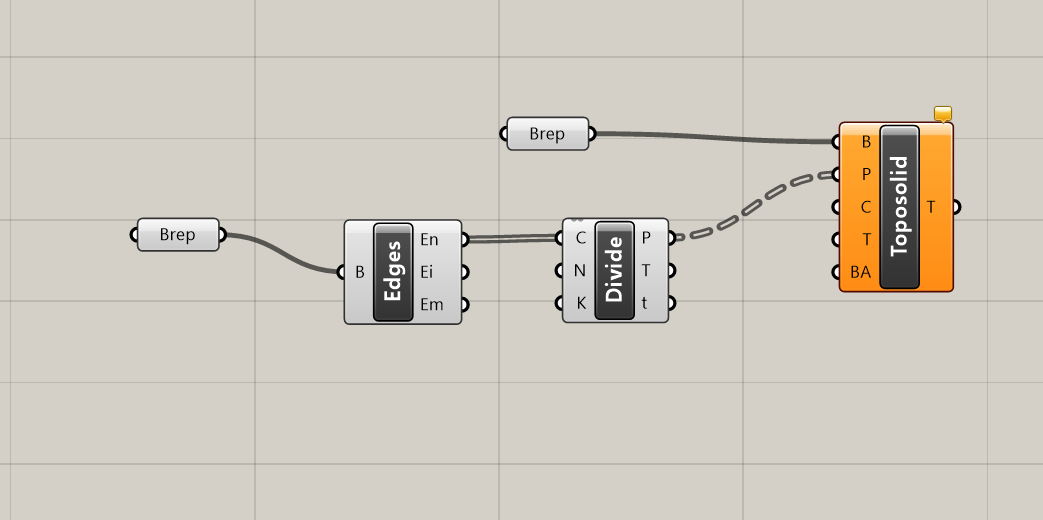
I am not sure what is the most efficient way to do this. I first create a poly surface in rhino, and i use a Brep component to select it

Then I use Edge and Edge Divide components to get points from this surface.

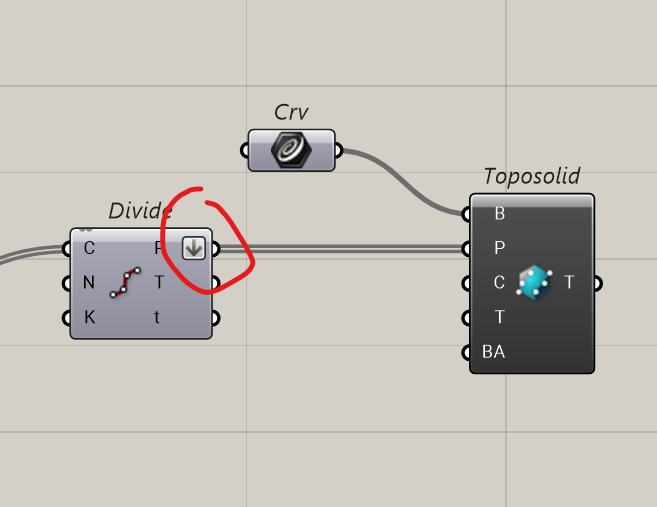
Then I extract the boundary border, using the flat surface below. And use a Curve component to select it.

Finally I connect the boundary curve and the edge points to the Add Toposolid components. But I get an unwanted result. Looks like all generated ramps are tring to tie back to the flat surface below. I can’t figure out why, can someone please help?

I am hoping RiR will help me with modeling terrains in revit, currently I am importing all revit toposolid into rhino to get reference surfaces, then I bake them and start to model all the slopes and shapes, after all that I want to transfer the surfaces back into Revit as toposolids. If there is a better way to do this please let me know.
creating toposolid.gh (7.5 KB)
RHINO FILE.3dm (513.3 KB)
The rhino and grasshopper files are attached, thanks in advance!