I want to have the same division on each meeting edge, as they are of different size the division are different depending on length, but each meeting edge needs to be exactly the same.
I used rounding the numbers down to the closest 0.5 number, and it broadly works, however, there can sometimes be an error like on the third picture where you have a meeting of 4 points to 3 points.
Is there a better way of dividing or rounding the length of the curves and avoid these errors?
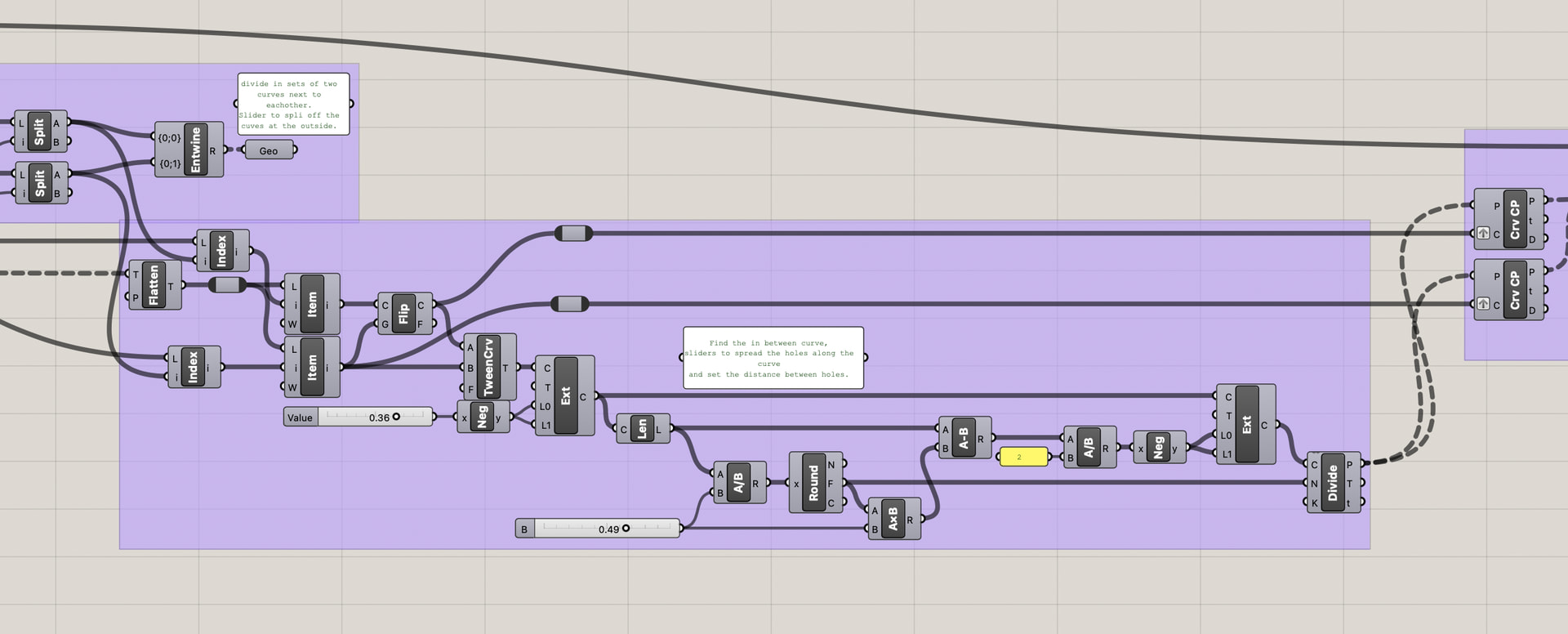
without making too many changes to the definition you have already structured, by culling duplicates (Average) + Pull point and Polyline you get a sort of backbone theoretical space-division curve that is identycal for two neighbor surfaces (that curve doesn’t really mean anything geometrically, it’s just the very same length for each pair of neighboring shapes :D)
but when you make the calculation for the number of holes based on segment length, the count will be equal along each shared edge because those lines are equal length
You have already a solution, so that is real fine.
That gave me the time to use your quest as a study object.
It is a kind of a rebuild
Slider to set offset distance
Slider to set the spread of the holes along the edge
Slider to set distance between holes.
Slider to set size of circle
I am sure, my datamanagement could be much better, that is probably the reason it has become “Slooow”. So after changing something , give it a bit of time.
NB: By using the “in between” curve I could compensate a bit for the fact that the panels are not always nicely together, there is some rotation/shifting. The in between curve compensates for that.
This code works really well, I’ve experienced, I was just wondering if you would know why there are some overlapping issues. I have two separate shapes because they will be attached with a fold.
The first shape works fine except for the naked edges, but that’s excepted since there is no meeting shapes, but on the second picture there are a lot of duplicate lines and the circles start overlapping each other. Usually this can be adjusted with the relay slider, but here seems to start overlapping starts in the low numbers.
I am not sure, but I think you are looking at this (see image)
the line to attach the circles to, is made by tweencurves between two surfaces close to eachother.
At the outside, there is no surface anymore, so the tweencurve is made with the closest it could find, and lands somewhere in the middle of the surface.
So you have to find a way, to get that curve to the outside. Maybe selecting the edge of the surface and offset it.