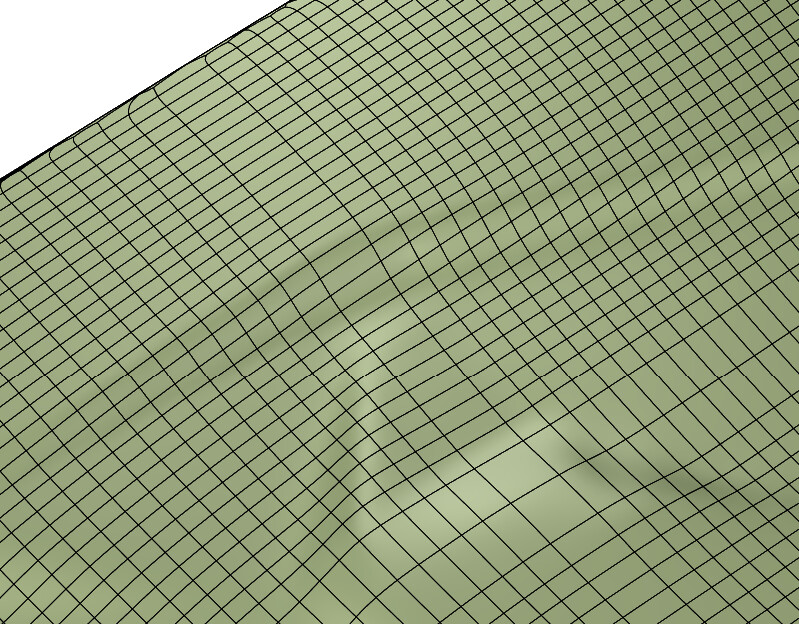
I’m trying to figure out a way to convert a mesh into nurbs. A nurbs surface would by far be the easiest object to work with. Converting it to SubD gives a really good (looking) result. SubD and Meshes are hard to work with of course. I need an object that lends itself well to the standard Rhino commands (trim, split, intersect, etc…) hence the need for a Nurbs surface. It’s fairly easy to do manually just time consuming, meaning there should be a quick way to sort it out. I don’t want a complex polysurface just a single nurbs surface (a few would be okay but given my tolerance one would be better).
In the past I swear I made a surface just from points alone. I could probably extract the curves and fit a surface. It seems complex.
1 Like
Patch can be used to create a surface from mesh or points.
A previous post about creating NURBS surface(s) from meshes and point clouds: Hull surface from point cloud measurements - #3 by davidcockey
Do not use the Rhino command MeshToNURBS. All it does is create a surface for every mesh face. It is useful in special situaitons but not for generally creating useful NURBS surfaces from most meshes.
2 Likes
Thank-you!! I keep forgetting how useful the patch command is.
I only get a completely flat surface for some reason. I remember getting a surface somehow someway that wasn’t perfect but at least had curves. I’m not sure if I’m using Patch correctly (experimented with many different values) or the mesh is just too big for this to work (it’s basically reduced to the max).
Mesh Sample.3dm (138.5 KB)
Changing the Stiffness to a small value such as 0.1 or 0.01 will result in a bumpier surface but also a surface with some oscillations.
Given the random nature and scale of the detail in the mesh this may be a situation where MeshToNURBS is appropriate to enable use of NURBS tools if the resulting polysurface is not too complex.
Thanks!! This already helps.