OK, I’m gonna start by giving anyone whose willing to answer this the file. Here it is:
River Walk Test.3dm (11.3 MB)
This object is a 1-mile river walk, all one piece. (I know, I know, I could bust it up into more manageable units but my question applies to 50% of the things I model for landscape architects and the size of the object doesn’t seem to matter.) It looks great in Rhino and acts normal. BUT, when I add a texture … BLAMO! … busted. I mean the object is still fine but the look is whack! The same crazy textures appear in TwinMotion (the rendering engine I use). Here is what I mean:

Above is how I see things in Rhino. The mesh from the real-world model is second from the far right. A polysurface version of it is in the middle and a simple (volumeless) surface is on the far left. I’ve also added test ‘planks’ that don’t have the complicated geometry required by the real world.
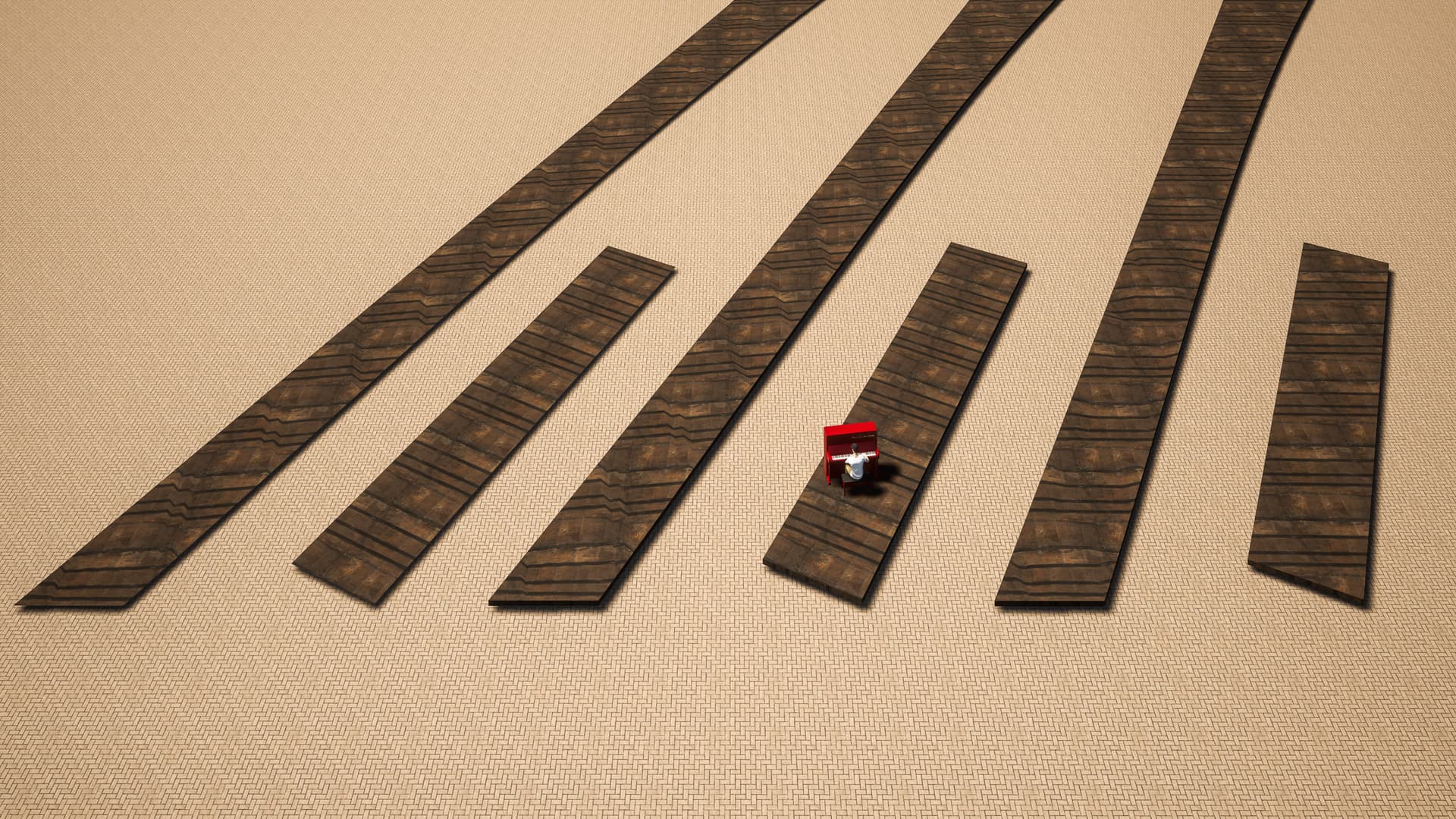
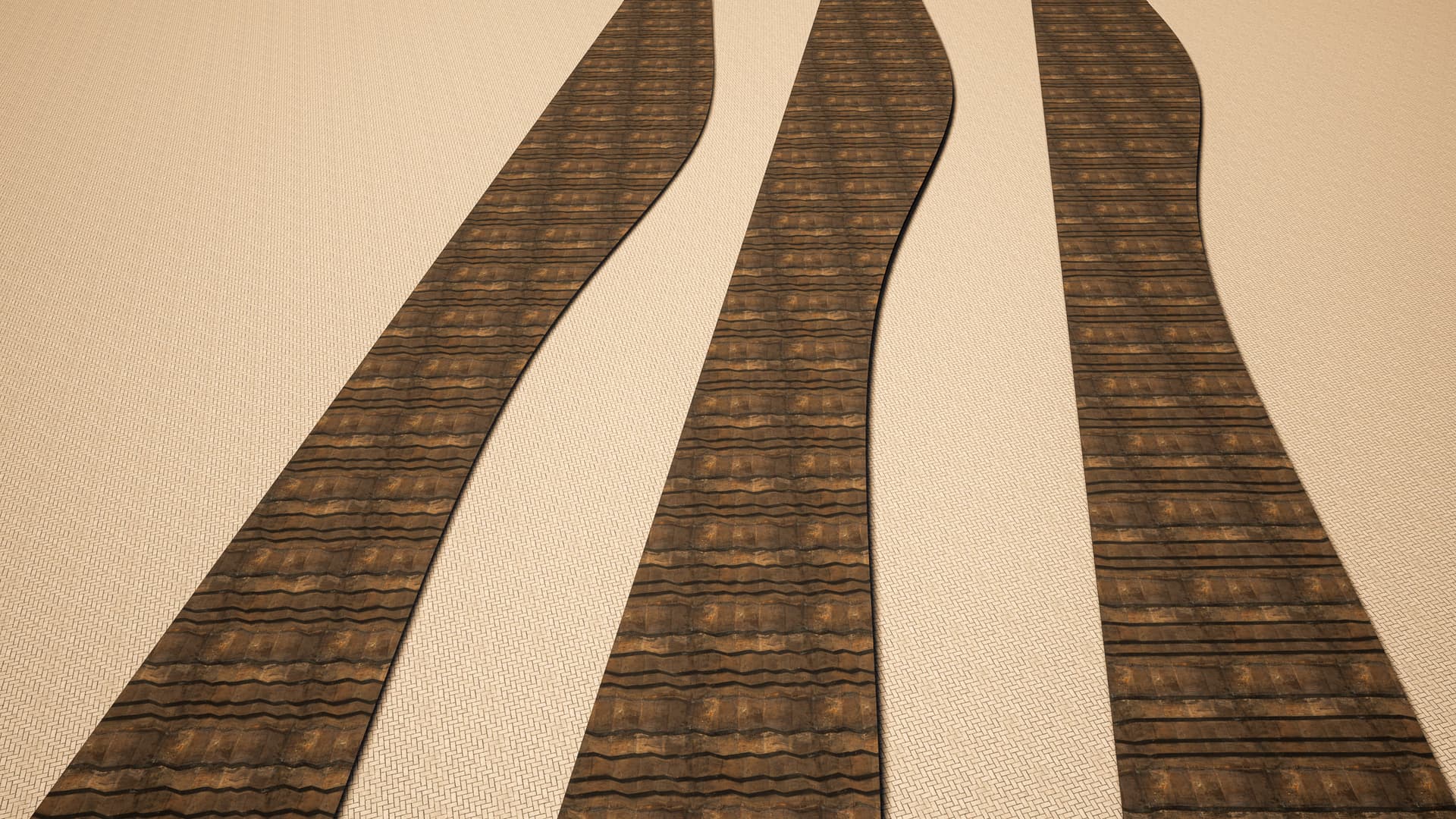
Above are two different portions of the boardwalk the way that they appear with a boardwalk texture applied … and a man playing a piano for scale. (Not sure why the simple plank at the far far right has a texture rotated about 45º since all I did was turn the middle plank from a NURBS object into a mesh.)


For visibility, the above are the same objects with a checkerboard texture applied at 2 different scales. Even when the texture kinda ‘hides’ the imperfect geometry, or uv, or something, of the surface, close inspection makes it glaringly obvious.
I have a feeling that I can’t be the only person who sees this a lot and its probably something that has already been answered ad nauseam by trainers and the community, but for the life of me, I can’t find anyone who has addressed it. So, after months of looking for answers online or trying to find a tutorial on it, I’m just asking this question of everyone here. I hope the answer is as simple as I image it could/should be and I really appreciate anyone whose willing to explain it to me … like I’m a 5-year-old. I’m willing to follow step-by-step instructions at this point.
I’ve tried rebuilding the object, rebuilding the curves that created the object, the rebuild and repair mesh tools, I’ve tried using NURBS objects instead of meshes, I’ve tried uv mapping tools (like, unwrapping or applying a uv mesh overlay). Nothing works … well, if it does, I’m not doing something right so it’s not working for me.
On the one hand, the reason I make these models is to render them into videos and as the director of the video I can hide a million flaws. On the other hand, it’s really limiting when I have to hide (or avoid looking too closely) at a detail within a design that was created to fulfill/solve specific real world needs/problems. The whole point of the videos I make is to infotain (heavy on the info) the landscape architect’s end user. You can see the video I made that incorporates this boardwalk here: "See the New Tiarra del Rio" – an Infotaining Community Preview [ENGLISH] - YouTube
Thanks everyone,
Tommy
 Now McNeel is saying I can (and should) be responding to everyone at once. I’ll get it eventually.