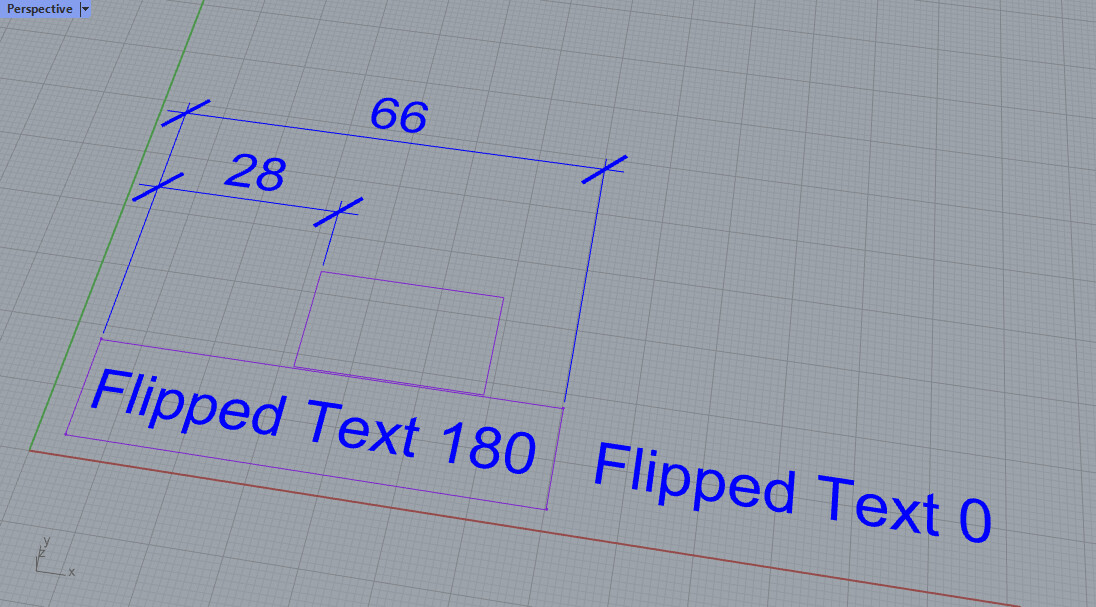
I tried the Trunk (Daily) as requested and, no matter how I rotated and/or zoomed the view I could no longer get the mirrored text. I also tried rotating the object and text in space in case their orientation influenced behaviour. Couldn’t break it. Finally, I tried toggling
and the text behaved appropriately for the toggle state.
Hello,
I am having a difficulty with a text block.
When I rotate 180 degrees, my text inmediately flips back to the former notation.
Read some threads, but cannot fond a solution.
And it drives me nuts
Any suggestions?
When you make the text at 180 degrees, it will be orient to be readable from all viewing angles if this is checked. If it is unchecked in the Annotation style when you “make” the text, it will display the true angle, even if the reader needs to stand on his head to read it.
Sorry for the frustration.
Would it help if Rhino warns you that setting is on in the current style, when you type in an angle equal to 180 degrees, and that you need to turn it off the “Keep text readable” setting?
Thanks for your input.
Sincerely,
Mary Ann Fugier
McNeel Technical Support and Training
Seattle, WA