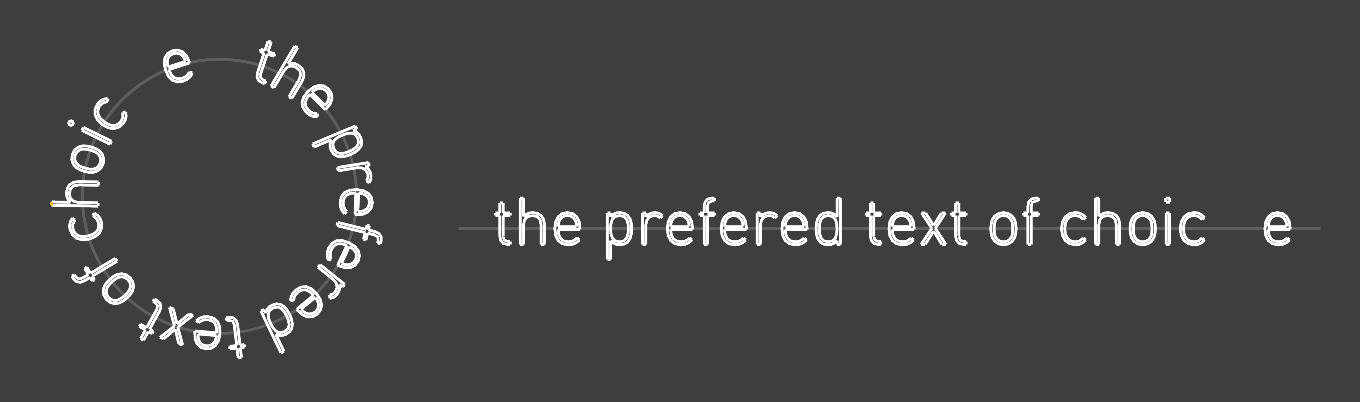
Is there any option to do this like in Illustrator? I only found flow command to place a text object and let it flow around a circle curve but this would squeeze and distort the font. I would like to place some font similar to this watch case back.
Thank you

Hi Hannes -
No, there isn’t. You’ll have to use the text curves and arrange those as needed.
-wim
You also can give it a try with Grasshopper, and for you reference.

TextOnPath.gh (12.6 KB)
2 Likes
no it does not if you use the option rigid and if you not already have deactivate option stretch.
then see that the base curve has the same length as the circumference of the circle, use the command Length to read it out.
if you turn on history before, you can even move around the text and adjust it in the base curve and see the update on the round shape in real time.
maybe if the seam of the circle is where you want it to avoid confusions.

but i agree some text along line curve without having to explode it would be a neat addition. because currently we have to copy the initial text to edit it later then explode it then flow, its a bit of a bothersome workflow for such a subtle piece of work.
1 Like
Thanks to you all! then I will work further in Illustrator and export the paths to rhino.
if this is real time saver? opening iilustrator, setting up whatever you need there saving/exporting it as a second file you have lingering around for future changes then import the stuff to rhino.. for a few occasional letters staying in Rhino does not seem so bad i think but your choice of course
I think Illustrator would be preferred if kerning changes are needed.
did you try the command distribute for this exact matter? for a few letters that have to be placed exact to optically match your needs even with kerning in illustrator you still might need manual adjustment between the letters. so does illustrator really help that much here, idk


kerning was actually supposed to be implemented in v9, i see a checkbox there but it does not do much if at all anything. kerning is definitely a hot wish which i would love to see soon.
edit: fun fact distribute also works along the other axis, illustrator cant keep up with that goodness come on 
