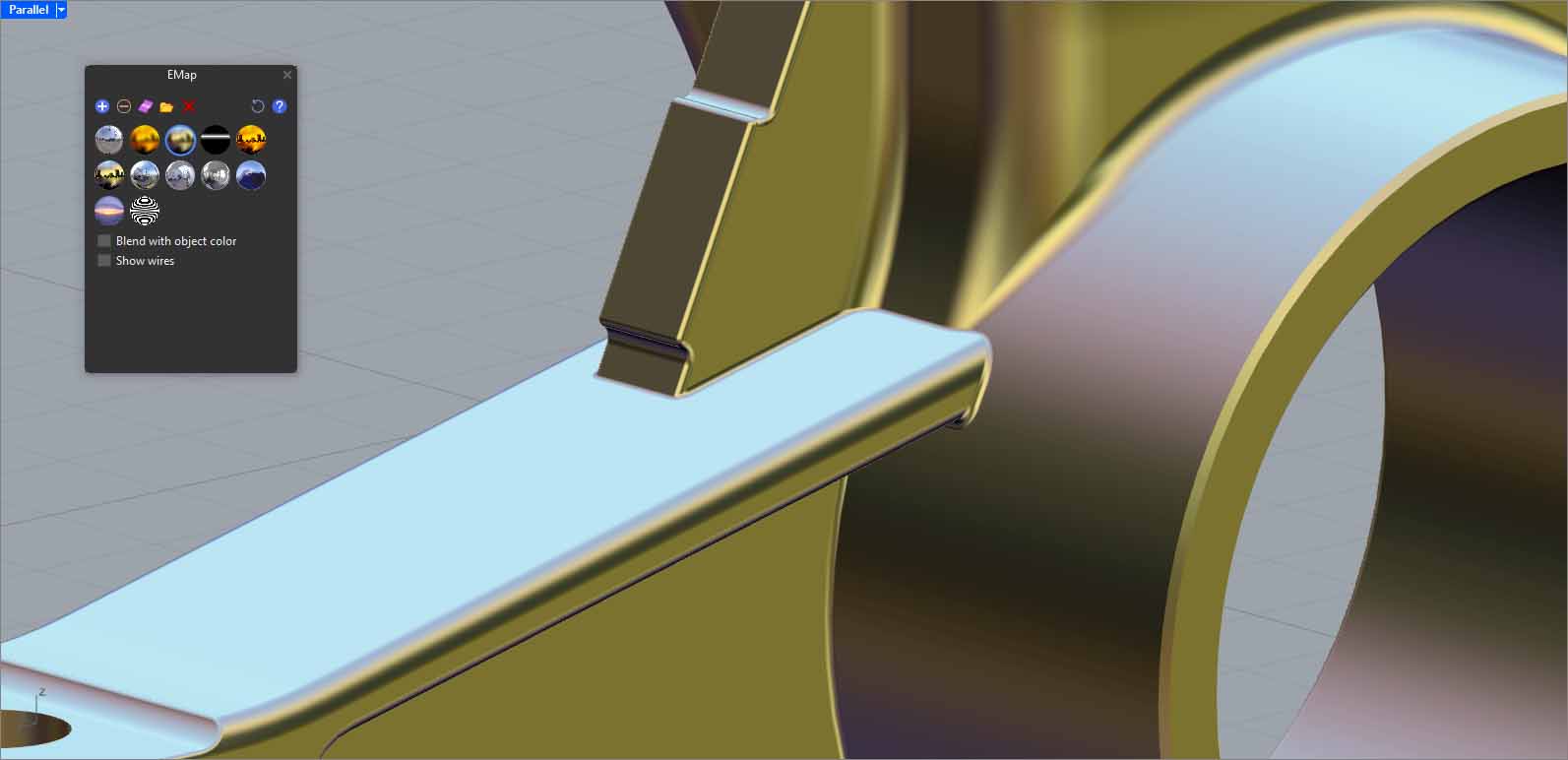
Yes, it’s true, the model tolerance was 0.0001, then I changed it to 0.1, but still FilletSrf in Rhino 8 doesn’t work like the fillets you made. I wish you would make a video so we can see how you did this in Rhino 9. Can you please just take a screen record? You’d be a great help.
I wasn’t talking about the User tolerance. If you go to Properties> Details Rhino says the edge tolerance is .1. That means at least one edge is inaccurate by that much. Most of the error is in the 6.885 dia. hub. If you replace that with a true cylinder a lot of the error is fixed. Ideally you should start over and build the base geometry accurately.
A fillet is just a connection between two surfaces. Rhino Version 2 can make every fillet in the file I posted. Just click on the two surfaces and it will make the fillet that is a bridge between them. Rhino has been able to do this for decades. The best way to learn is by doing it.
I’m pretty sure that Rhino8 will make all the fillets also. But Rhino8 is not as good as Rhino6.
Rhino 9 seems to have fixed a lot of the regressions in Rhino 7 and 8 so I would recommend trying that.
The difficult part is the trimming and joining. When you have accurate base surfaces and accurate fillets then the trimming and joining goes smoothly. When you are working with sloppy geometry it can be a struggle. One of the problems in your file is that a few of the fillets end in a point. That’s something FilletSrf often fails to make correctly. You have to use SetPt to fix the point that FilletSrf fails to make correctly otherwise trimming and/or joining will fail.
The best strategy for using filletsrf is to think of it as strings of fillets that connect features. In the enclosed file I used different colors to show which features the magenta fillet strings are connecting: FilletSrf2.3dm (8.2 MB)
The image below is marked with arrows showing several of the places where the fillets end in a point or what should be a point but Rhino fails to make the point correctly.
Those defective points can be fixed with SetPt.
I’d avoid “joins” and “booleans” and “FilletEdge” like the pest, and simply approach things with normal NURBS surface modelling methods and FilletSrf. They don’t fail you like the “solid modelling simulation tools” do most of the time, if you consider the huge number of complaints over the years.
@nicola.ss4 This is a know issue. FilletEdge cannot create ball corners at already existing fillets. If you want to make this fillet with FilletEdge, you’ll either have to work from big to small, or do all the same radii in one go.
Unfortunately, FilletSrf does not handle it very well either…
I posted a bug report last week on this and nobody at McNeel seems to care. Its beginning to look like this is just another half-baked feature that that doesn’t really work.
If you look at the result of FilletSrf in your example the surfaces don’t join correctly. And your example is about as simple an example of crossing a same size fillet as it gets. Anything more complicated and FilletSrf fails to produce any result.
I think I can speak for anyone at McNeel and say we care deeply about improving our users’ experience with Rhino, Grasshopper and related products. Do we do this with limited resources? Absolutely.
So, I did see your report earlier @jim and I earmarked it to come back to when I had some time to do so. That is today. Half-baked features is what you sometimes get in a WIP, which does stand for Work In Progress after all. I am planning another pass over this before the next version of Rhino ships, and hope to address this and other concerns that were raised.
I can’t open the link. Perhaps the YT uses some private 3dm model?
There are a few ways to build same radius fillet adjacent from an existing one(s), but none of them is 100% reliable. One of them is @jim’s script from this thread, which works in 90-95% of the time:
Other alternatives:
2. ! _Revolve (works on basic shapes like mechanical parts, creates very clean geometry).
3. ! _FilletSrf (sometimes works, mostly doesn’t).
4. ! _SphereTangentToThreeSurfaces (especially useful for filling a triangle hole between 3 fillets with the same radius; works most of the time).
5. Create line perpendicular from an existing straight fillet with the same length as the radius. Then use the tip of the line to snap the center of a sphere with the same radius. Trim the excess portion of the sphere with the edges of the existing flllets.
Alternatively, build 2 lines perpendicular from two spots on a fillet surface’s end. Then use the line intersection as a center for the sphere. The process is shown here: