The Rhino 7 to 8 interface update will take a while to get used to, and it is fine, but there are a few settings that I really would like to maintain, or at least be able to set, and so far I couldn’t find how to.
Delay for dropdown after click: annoyingly long. I tried to set it differently, relaunched afterwards, but to no effect.
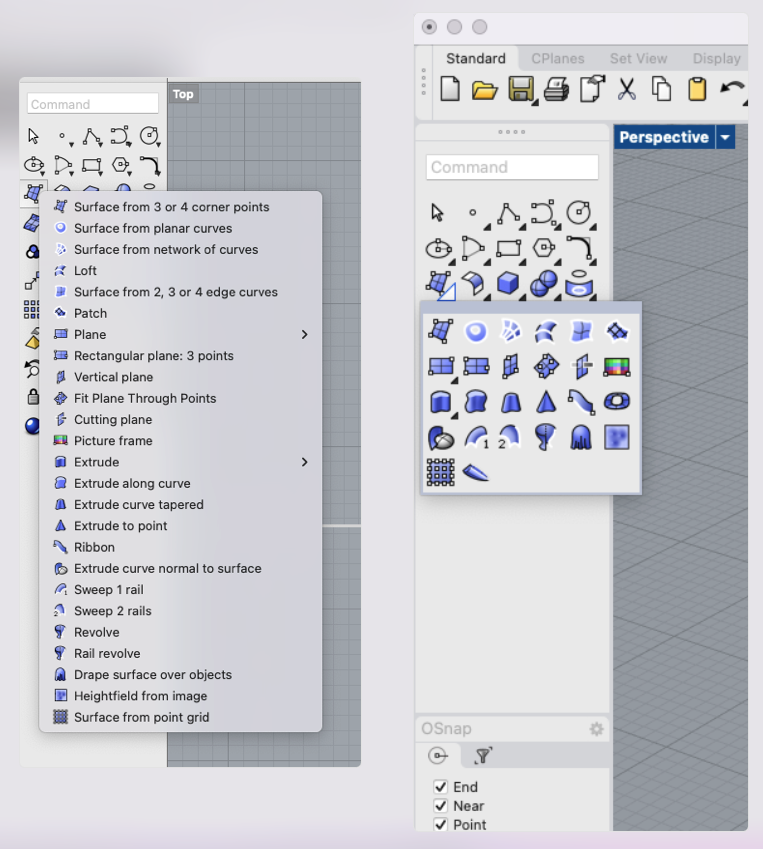
Visible name of commands: it is essential for me to have it. Icons are nice, but these are too many for not constant-use functions
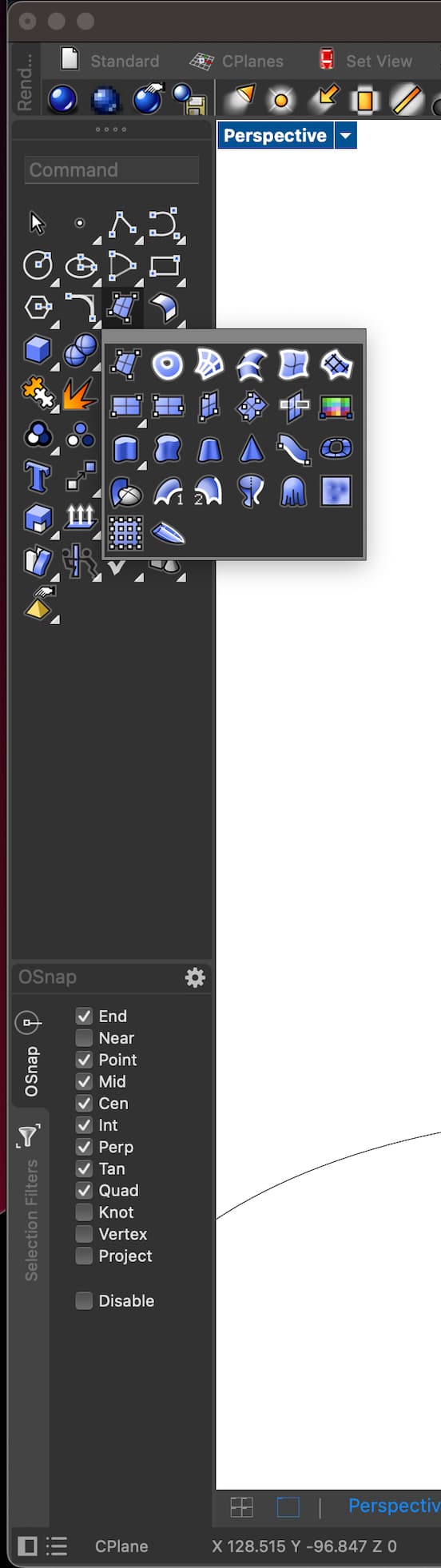
Popup box not persistent: behaviour in R7 > exit with mouse, box disappears. Behaviour R8 > exit with mouse, box persists until click away. It is “polluting”
I agree… apart from the tediousness of individually changing the settings per each toolbar, the interface is worsened instead of improved… who cares about the in-between lines of the categories, come on.
Gigantic and usability -100%
plus nothing about the pretty annoying persistent popup tab that doesn’t come up/disappear immediately
Context: clicking on one icon of the main menu on the left. When instead of single click (for using the top function) you want to access the dropdown menu, the delay is longer and somewhat “different”. I don’t know if I’m biased because get eye-bonked by the new “thick edge icon only” dropdown or what, but it feels wrong, and slower.
I don’t know about Windows. I’ve always worked on Mac.
In any case, I find that that having to “free” the screen from my last interaction with an extra click results in a more clunky and annoying experience, especially since I always had to just “move away” to terminate it.
Not sure about that if they’re talking about the same phenomenon I think they are.
In Windows V7 and earlier, one could left click and hold to make a cascading toolbar fly out, or right click to bring up the pop up toolbar (neither of those are menus in Windows Rhino).
The difference is that in V7, once the toolbar was flown out, with the button still held down, you could mouse over to the desired tool and just let up. The tool would be executed and the toolbar/pop up would disappear.
In V8, that no longer happens. Once flown out, the toolbar/pop up stays out when you let up on the mouse button - until you mouse over a button and left click on it again to execute it. Then it will go away.
This is a known bug, there are lots of posts on it.
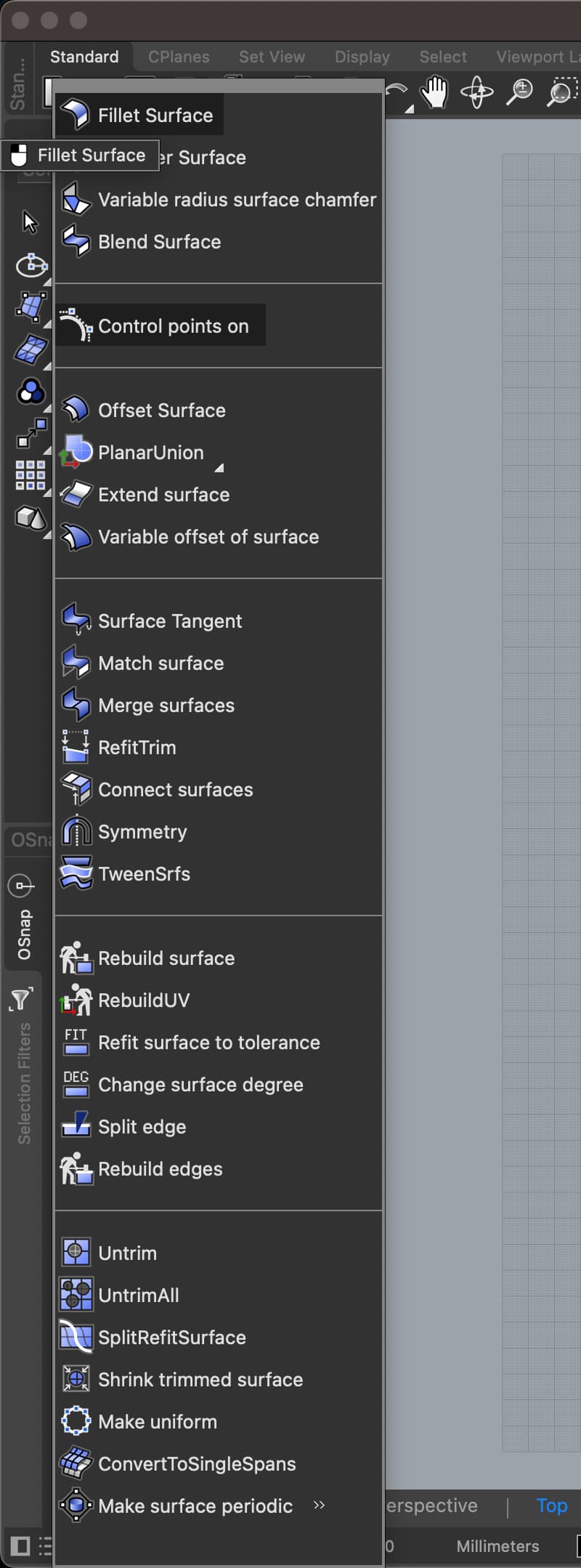
Also in the R8 screenshot notice the misplaced “Fillet Surface” with left click icon hovering in the wrong spot? That is also persistent, but… very persistent. It stays up to a random amount until some trigger makes it disappear. At times it transfers over different application when switched. Not sure if this is a known bug as well, but I’ve been noticing it quite a lot lately.
Is there also a ticket for the RMB-click and Resize to Content of a Toolbar not working in R8? It is very annoying when you are used to Rhino 7, where this always works and any Toolbar can be customized and maintain your prefered shape, that being wide, tall or compact.
That should work, are you saying that a right click on a toolbar button that has two functions, does not run a command?
In that case, pls run _SystemInfo and post back the results
There is this YT: RH-76803 Detaching toolbars modifies its size + size is not stored after modifying.
Which is not exactly what the issue is you are describing. But the way it worked on Mac in V7 depended on Mac OS functionality, which we cannot use because of the choice to unify the code base of Rhino for Win and Mac.
If you RMB-click on the “headline” of any floating Toolbar. You’ll get to the “Resize to Content”. I use Windows only moving forward because you decided to ditch Catalina and Big Sur, and I don’t plan on upgrading all of my old iMac’s and MacBookPro’s just to run Rhino 8.
Thanks. Is there also a YT on the issue where you delete/remove and icon from a Toolbar and the two icons next to the deleted icon get’s mashed together??!!
I think I’ve got a little lost in the topic… I’m interested in having the “icon and text” dropdown menu back, like I’m used to with the Rhino 5 version.
I’m finally convinced to upgrate to Rhino 8 (I’m using the evaluation version).
Is there an easy way to set the dropdown menu of the buttons to exactly look like the Rhino 5 to 7 did? Or there will always be some compromise to accept?
Thanks
I’d like to have something like the left part of the image