Hi all, I have updated my Rhino.Inside with the latest version launched on the 15.1.2024. I am using Rhino 7 and Revit 2022.1. The Revit aware grasshopper components are not appearing when grasshopper is launched in Revit. What could be the issue? Thanks for your help
Any errors on loading? This could be a conflict with an Revit Plugin.

I haven’t heard of this issue in quite some time but a variable we should look into
-
Does Grasshopper print any messages to the Rhino prompt maybe about errors in loading
RhinoInside.Revit.GH.ghaplugin? -
What happens if you drag drop this Grasshopper plugin onto the canvas? Does it load?
%APPDATA%\Autodesk\Revit\Addins\2022\RhinoInside.Revit\R7\RhinoInside.Revit.GH.gha

The Add-on folder is empty
there is no error message printed
What about %PROGRAMDATA%\Autodesk\Revit\Addins\2022\RhinoInside.Revit\ ? Would you mind sharing a screenshot of the files in the folder so we can confirm the installation copied files correctly?
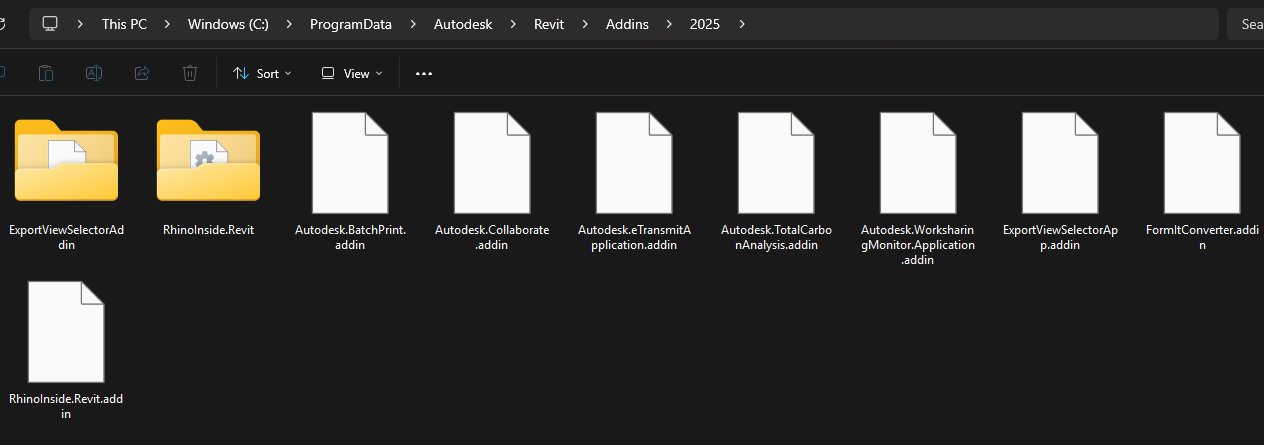
Hi Kinan.Fleihan,
Can you provide your exact Rhino version, Rhino.Inside.Revit & Revit versions? Thanks
The screenshot looks proper, are you saying the RhinoInside.Revit folder is empty?
Hello, yes ofcourse ,I’ve updated everything btw in an attmept to solve the issue and had also removed all plugins to cross out any possible conflict:
Rhino version : Version 8 SR16
(8.16.25042.13001, 2025-02-11)
REvit 2025.4
RhinoInside.Revit_1.29.9186.27799
This should be working then. There have been similar reports where uninstalling RiR and reinstalling resolves it.
unfortunately not , even after trying this multiple times