I am trying to raytrace some images, and obviously this process goes really slowly on my M2 Mac. I switched to my PC which has its own GPU, but raytrace is going just as slow. When I first switch to raytrace, the GPU will jump to 100% but then rest at <10% for the duration of the render, and its like my computer is barely even trying, hence a very slow process, both for complex scenes and simple ones (box + spot light). I’ve tried everything to force Rhino to use the GPU but it simply doesn’t. How can I possibly get faster ray traces, or make it work? Or is my only potential fix to get Rhino 8?
System Info
Rhino 7 SR37 2024-4-16 (Rhino 7, 7.37.24107.15001, Git hash:master @ d2e42f70b9d3aa58f6053e2998a0db2abcd7555b) License type: Educational, build 2024-04-16 License details: Cloud Zoo Windows 10 (10.0.19045 SR0.0) or greater (Physical RAM: 16Gb) Computer platform: DESKTOP Standard graphics configuration. Primary display and OpenGL: NVIDIA GeForce GTX 1050 Ti (NVidia) Memory: 4GB, Driver date: 9-5-2025 (M-D-Y). OpenGL Ver: 4.6.0 NVIDIA 581.29 > Accelerated graphics device with 4 adapter port(s) - Windows Main Display attached to adapter port 0 Secondary graphics devices. Intel(R) UHD Graphics 630 (Intel) Memory: 1GB, Driver date: 10-14-2020 (M-D-Y). > Integrated graphics device with 3 adapter port(s) - There are no monitors attached to this device! OpenGL Settings Safe mode: Off Use accelerated hardware modes: On Redraw scene when viewports are exposed: On Graphics level being used: OpenGL 4.6 (primary GPU’s maximum) Anti-alias mode: 4x Mip Map Filtering: Linear Anisotropic Filtering Mode: High Vendor Name: NVIDIA Corporation Render version: 4.6 Shading Language: 4.60 NVIDIA Driver Date: 9-5-2025 Driver Version: 32.0.15.8129 Maximum Texture size: 32768 x 32768 Z-Buffer depth: 24 bits Maximum Viewport size: 32768 x 32768 Total Video Memory: 4 GB Rhino plugins that do not ship with Rhino Rhino plugins that ship with Rhino C:\Program Files\Rhino 7\Plug-ins\Commands.rhp “Commands” 7.37.24107.15001 C:\Program Files\Rhino 7\Plug-ins\WebBrowser.rhp “WebBrowser” C:\Program Files\Rhino 7\Plug-ins\rdk.rhp “Renderer Development Kit” C:\Program Files\Rhino 7\Plug-ins\RhinoScript.rhp “RhinoScript” C:\Program Files\Rhino 7\Plug-ins\IdleProcessor.rhp “IdleProcessor” C:\Program Files\Rhino 7\Plug-ins\RhinoRenderCycles.rhp “Rhino Render” 7.37.24107.15001 C:\Program Files\Rhino 7\Plug-ins\RhinoRender.rhp “Legacy Rhino Render” C:\Program Files\Rhino 7\Plug-ins\rdk_etoui.rhp “RDK_EtoUI” 7.37.24107.15001 C:\Program Files\Rhino 7\Plug-ins\rdk_ui.rhp “Renderer Development Kit UI” C:\Program Files\Rhino 7\Plug-ins\NamedSnapshots.rhp “Snapshots” C:\Program Files\Rhino 7\Plug-ins\Alerter.rhp “Alerter” C:\Program Files\Rhino 7\Plug-ins\RhinoCycles.rhp “RhinoCycles” 7.37.24107.15001 C:\Program Files\Rhino 7\Plug-ins\Toolbars\Toolbars.rhp “Toolbars” 7.37.24107.15001 C:\Program Files\Rhino 7\Plug-ins\3dxrhino.rhp “3Dconnexion 3D Mouse” C:\Program Files\Rhino 7\Plug-ins\Displacement.rhp “Displacement”
Then, when switching to Raytraced click in the HUD in the bottom of the viewport on the word Raytraced. It should now show you what device it is using for the raytracing.
+ a screenshot of essentially no load on my GPU, which I know isn’t that beefy but I thought it would be able to help with the render. I have done everything I can to force Rhino to use the GTX1050 in Windows, Rhino, and NVIDIA settings (that I was able to find)
You shouldn’t be using the task manager to look at GPU utilization. What you are looking at is 3D drawing, but Raytraced is not doing 3d drawing - it using compute, and that most definitely will be on high utilization. I typically use MSI afterburner to look at that (around 45% for this simple scene):
Your Rhino 7 most definitely is using the GPU to render.
Your GTX 1050 isn’t terribly strong. I suggest not maximizing your viewport with Raytraced to retain some responsiveness. If you’re using this to do “look-dev” then I suggest turning down the sharpness and responsiveness sliders (in Tools > Options > Cycles). Remember to switch away from any running Raytraced and back again after making changes to options.
Then final rendering do that with Rhino Render - it us the same as using Raytraced, just that it is the production renderer, rendering in a separate render window.
Was about to say the same thing. The 1050Ti was a great card when it came out some 9-10 years ago, but compared to the current-gen entry-/mid-level cards, it’s not even close: they have 5-6 times the number of CUDA cores, double the VRAM and clock speeds that are also twice that of the 1050 Ti. Rhino 8 does indeed render faster due to the updated Cycles core - actually around twice as fast as Rhino 7, IIRC, but I’d consider a new graphics card as well… yeah, I too wish that money would grow on trees - said the proud owner of an archaic Quadro RTX 4000 that is also starting to feel inadequate.
-Jakob
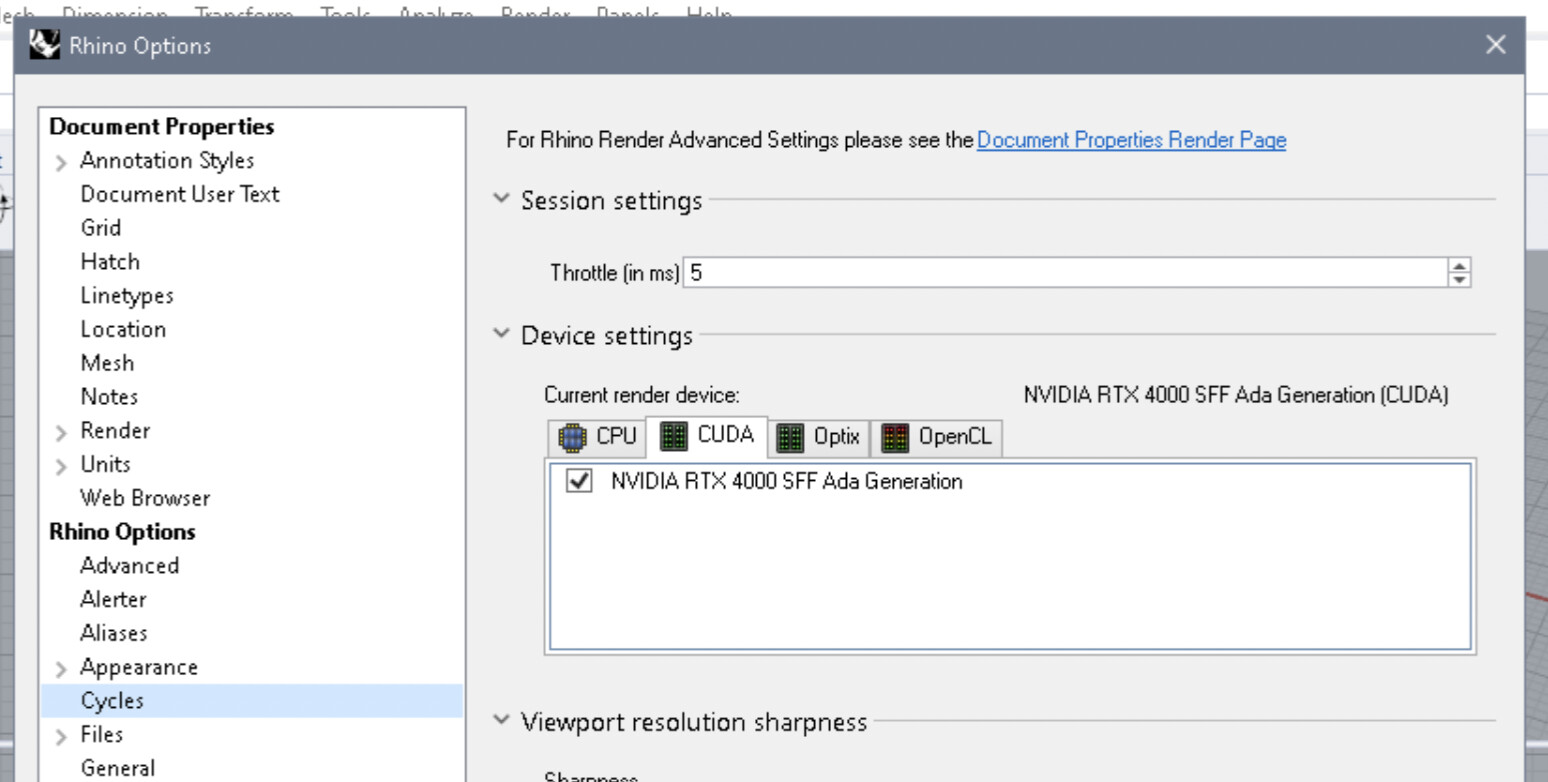
@nathanletwory Shouldn’t he be able to get at least a little more performance by setting the “Throttle” value to 0? I’m not sure what this setting is even good for, why would I want to throttle my rendering and why would it be turned on by default?
@Steven11 Since Rhino uses the cycles renderer from blender you can take a look at the blender benchmark databese to get a rough idea about how a more modern GPU would perform compared to your 1050Ti when using it as a render device.
As you can see a 5060Ti is roughly 20x faster than your 1050Ti, a 5070 about 30x faster and a 5080 about 43x faster. Those performance increases are huge and this is due to the dedicated raytrace hardware (RT-Cores) in the GPU that only started with the RTX20xx series. Your 10 series card has none of this dedicated hardware units and that’s why your card is so slow.
In short - even a relatively cheap new 50 series card would give you a huge performance gain.
Oh wow, thank you lots for those links. I was looking at graphics cards and had no idea which would actually help. I’ll definitely be looking into lightly used ones for rendering purposes!
For now, though, I’m on the Rhino 8 trial on my Macbook which actually uses the Apple silicon chip to its fullest, and it’s doing surprisingly good with renders, but I can’t wait to see what my PC could do with even a 20x faster card. Thanks everyone