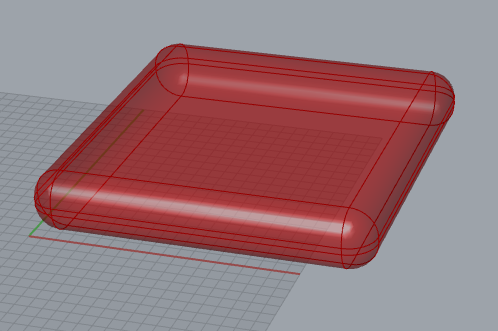
I’m getting some glitchy results using QuadReMesh and TriReMesh on a filleted box and a filleted extruded filleted rectangle… Is this something to do with the surface seams created after filleting?
Changing the type of fillet has an affect and fixes the problem on the filleted box but not the other shape.
Have you checked what you get with the regular Rhino mesher on those Breps? As it is affecting both QuadRemesh and TriRemesh, my guess would be that the problem happens there in the initialisation. If it has some non manifold edges, that usually causes problems for any further remeshing.
If this is the case, ideally we’d find and fix where the initial meshing is going wrong, but as a workaround, you might be able to use the non-manifold mesh as the target, and a subdivision of it’s bounding box as the initial mesh.
OK, so if use the rhino remesher to turn the shape into a mesh which I use as an input into QuadReMesh or TriReMesh then I don’t get the problem and I get a nice mesh to work with.
So why does the Rhino mesher work and the GH one fail?
Can I use the Rhino one from GH instead of having to bake into rhino, mesh then reference back into GH?
I’m not sure exactly what’s happening here, but here’s a smaller test to narrow down the issue.
It happens before any remeshing - a closed Brep is producing an open mesh. closedBrepOpenMesh.gh (22.4 KB)
Thanks, AlignVerts fixed the problem for me.
Strange that it happens; perhaps it is something to do with the fillet edges?
When I get chance I will try and create the same shape without using a fillet command and see what happens!