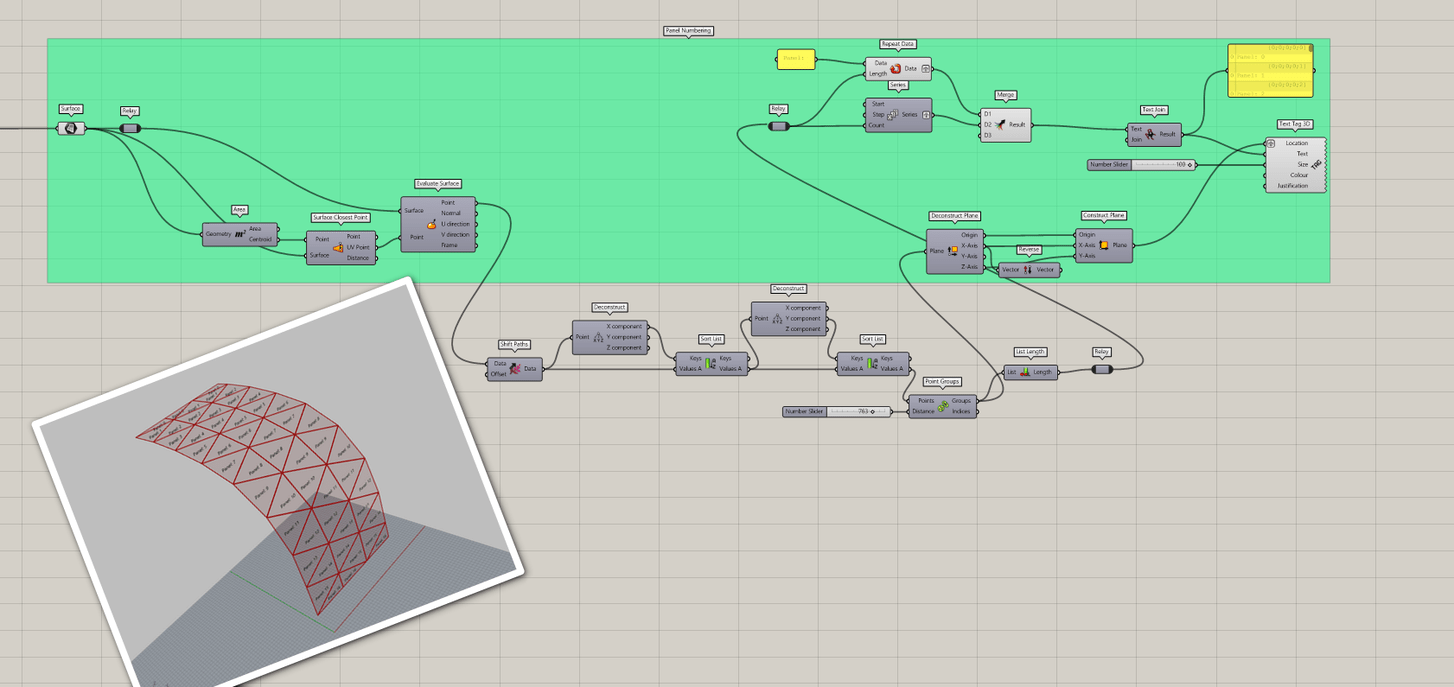
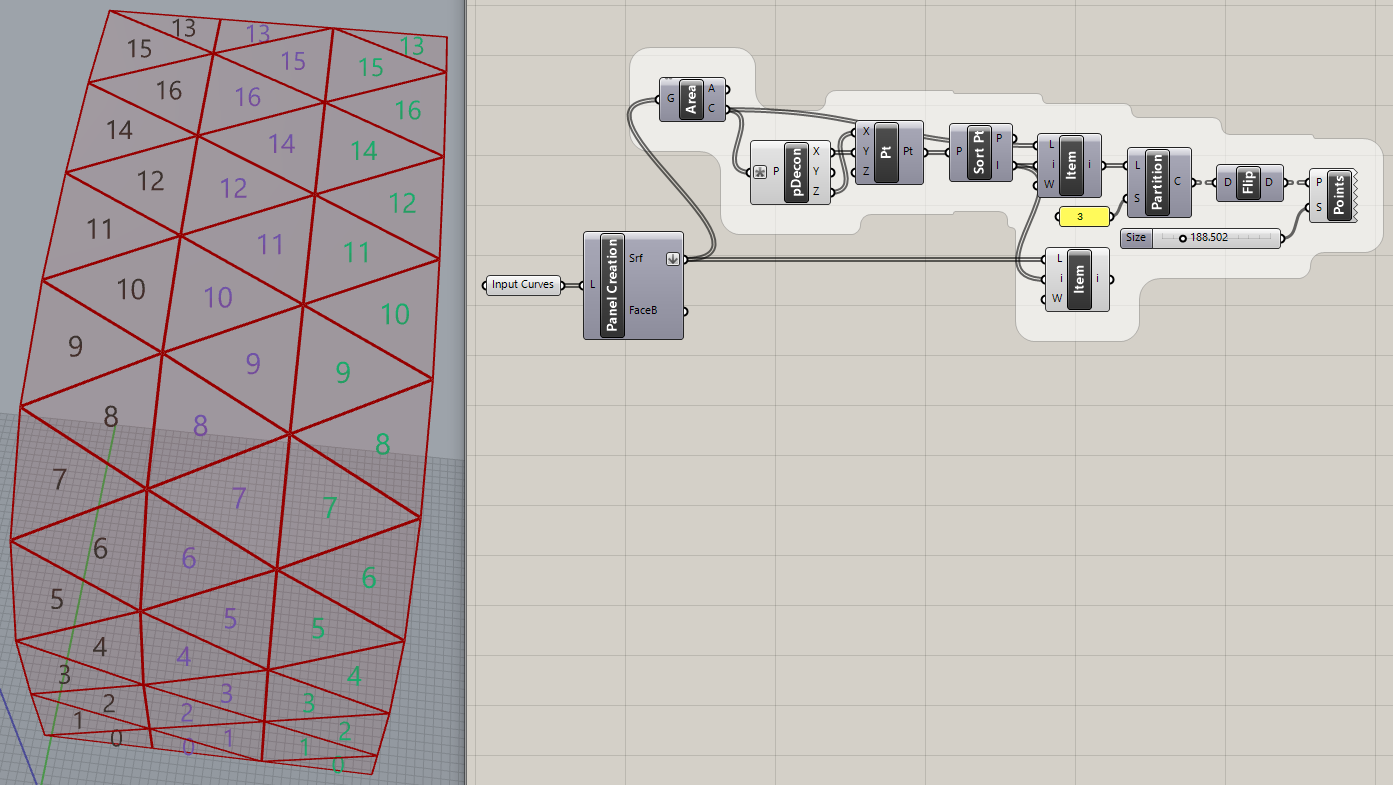
I’m continuing on my Coding and have managed to get my panels numbered.
However, I am struggling to get the numbers in order.
I would like to get the numbers in order vertically counting and the numbers to be placed in Center of the panels.
I tried it with the evaluate surface and center of srf, but the numbers appear still at the edge of the panels.
If I do the Area/Centroid, the center points are all over the place and the numbers will not be placed at the panels.
So I would need some support in getting my panels numbered in a ordered manner.
2 ways would be possible for me:
from bottom upwards, starting with “panel 1” and so on and numbering all panels trough
numbering the panels by row and panel number, i.e. “row 1 - panel 1” and so on, as per panel rows from bottom upwards.
Unfortunately, I’m not very experienced in Grasshopper and still learning as much as possible.
Please see attached code and 3dm file.
I would be thankful for any suggestions and pointing me in the right directions on how I can solve my challenge.
Thank you very much in advance and wish everybody a great weekend.
Thanks for your response.
As i see in the screen shot, there are always panel numbers repeated, which is not what i would need.
I would need all panels with individual numbers, or panel rows with i.e. “row 1, panel 1”, “row 1, Panel 2”, and so on.
Also would you be so kind and show in the screen shot the full names of the components, as i am not yet very familiar with the icons and where to find what.
Or, if possible, please send me the code, so i can load it and implement it into my project.
Thank you very much and looking forward to hear from you.
Please see attachments.
Could you please let me know what is this one component you have used ( marked red )?
I could not find this component in my GH.
Also, could you please indicate from where you have the “Shift Path” component connected ?
I have all other parts replicated but these two information’s I could not figure out, so I could not work with your Definition.
Please get back to me and let me know where to find this component and from where i have to connect the “shift Path” from.
i have applied all as you have shown for the code, but somehow i get a very weird result out of it.
Please see the attached PDF.
The panels are now numbered with same numbers and not anymore either first till last count or with rows and panel 1 - 17…
Can you please have a look at my code ( attached and let me know what i am doing wrong here?
Exchanging images (and PDF images) has gotten a little silly, don’t you think? @kai.ebert posted his code and geometry, is there a reason you didn’t post your GH code?
oh, thats my bad, I had overseen this graft at the location.
Now the numberings coming up on each row with proper count.
Thanks a lot.
I have one last question to it, is it possible as in the definition before, to have the numberings aligned / adjusted to the surface, so they are flat on the surface?
We had this before, but now they are not at the surface anymore.
How can I adjust this and get the numbers back to the surface?
My previous reply was to @rajeev_pulari, not you, because he hadn’t posted his GH file.
FYI, early this morning I started to play with this but got bored when I realized it was a clean up operation, requiring the unorganized mesh faces to be sorted. That’s the part that is difficult. Placing the numbers at the center of the faces, aligned with surface normals, is trivial by comparison.
As I said, I stopped before completing the job so didn’t post this before but maybe it’s useful?
The problem here is that the mesh starts going down again at the “top” edge, leaving the high point around panel 16 in each “column”. So sorting by ‘Z’ doesn’t quite work at the top.
sorry if my code i started with is not very “clean”.
As i mentioned, i am new to GH coding and im trying my best to learn and get as solution to my challenge i have for this project.
I think Rajeev has provided with his solution in the code ( “Panel_Numbering rev02” as attached ), the right way.
In this, all the panels where numbered from top down from 0 - 16, and this for each row.
My question here was if these numbers can be arranged flat on the surfaces, so that they are always at the panels.
With the last definition Rajeev send, the numbers were flat on surface again, but not anymore organized.
So i really having a hard time to get this around my head.
Im thankful for Rajeev’s help.
I just hope i could figure out how to get these numbers in order AND flat on the surfaces.
If you guys have any final input on this, i would be very happy and thankful.
Thanks again to both of you and hope i still can count on your support here.