
I have this set of trimmed co planar surfaces. I am trying to join them to be one surface with all the overlapping regions. I can’t get any method to work. My struggle seems to be the “rings” that have a hole in the trimmed surface and how that interacts with region merging. I’m trying to make these pattern to work on a laser cutter ultimately for cutting out panels. Any help is appreciated.
Are you trying to do this in Grasshopper?
Yep, here is my current script. As far as I can tell, the only third party plugin I rely on is pufferfish.
Mandala 1.gh (21.2 KB)
I have not opened your file yet.
Have you tried the Boundary Surfaces component?

workaround*:
Mandala 1_MeshShadow.gh (28.4 KB)
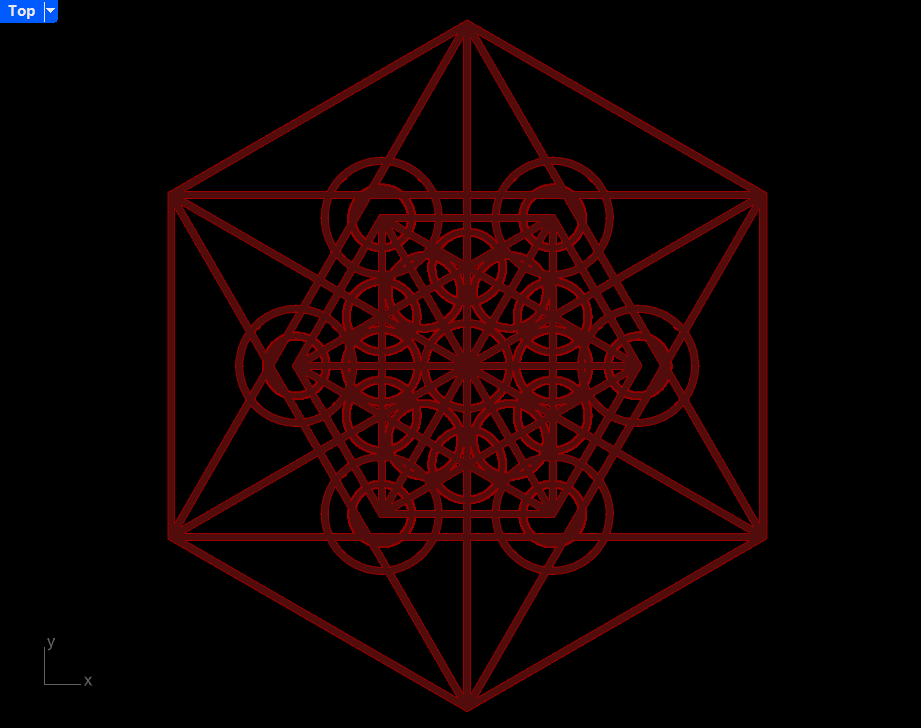
*Your hexagon (both exterior and interior) corners are taken into account.
See this discussion:
Summary:
There’s no direct solution via region union because of ‘surfaces with holes’ (circles). Solid union is not reliable. I suppose there are some scripted examples out there to imitate Rhino’s curve boolean or planar union.
The smaller hexagon in your list of curves was duplicated, once closed and once as six separate segments. Once the duplicate was eliminated, the pipes unioned into a closed brep.

Mandala 11.gh (11.4 KB)
PS:I’m using Rhino 9 on a PC.
in order to lasercut those curves you’ll most probably have to transform those into Polylines soon or later to export as dxf or similars
in that case I would also consider using Clipper/Clipper2 plugin, that handles polyline booleans very well (the bottleneck is Boundary Surfaces component: Clipper’s Polyline is super fast)
Mandala 1_Clipper.gh (20.8 KB)