Hi, Thank you for emailing me
I wanted to ask questions about your plugin
Want to make sure I understand cause English isn’t my first language
I have a new CNC machine 6040
I worked with rhino many years and trying to avoid learning a new software
So- if I download karoro plugin can I send the file directly through it to the CNC machine? I won’t need another software like I’ve been told?
And another question- does it work only on rhino 8? (I have 7)
My files are pretty simple (kids name puzzles etc)
In my country everywhere I asked I’ve been told rhino is not the right software for CNC
Thank you in advance
With Rhino and KaroroCAM you should have all the software needed to design and program your CNC router.
What control system does you 6040 have? Common for these Chinese made desk top machine are:
Rich Auto DSP
NK105 DSP
Mach 3 (PC based via USB control card)
GRBL (micro controller based)
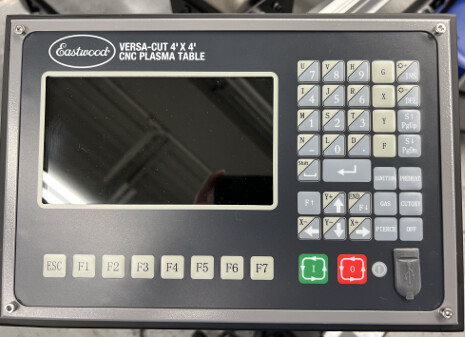
If you take a picture of the control system of your machine I will be able to advise.
KaroroCAM supports all of these (along with many others types of controller) already, and I can write the support code for others when required.
KaroroCAM supports Rhino 8 only as I make use of some of Rhino 8’s latest features in the code.
Rhino is an excellent platform for CNC, I’ve been using it for production design for items that are CNC cut/shaped for more than 15 years. With KaroroCAM it is even better with no need for a second piece of software for G-Code programming.
You can check the KaroroCAM YouTube for examples of many different toolpaths being used to create items from Rhino.
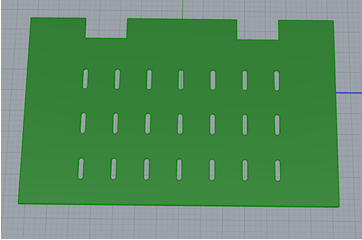
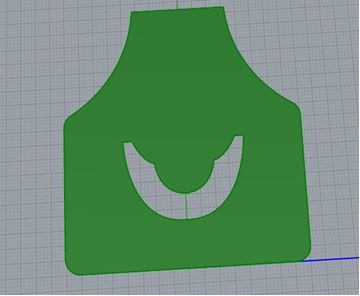
Our engineering department recently purchased an Eastwood Versa-Cut 4’ X 4’ CNC Plasma table. In the past, I’ve used Rhino to create the design needed and then export that file as a .step or .dxf to send it to the machine shop. Can I use the Karorocam plugin to Rhino with this plasma table to convert the files for the plasma table? If so, what post processors would suit this machine? Below are some examples of what shapes we would be cutting out.
I need to do some testing this evening but I hope to upload a new version of KaroroCAM to the package manager tonight which should be able to get you started.
The one thing to note - KaroroCAM is metric/mm only - your machine will support this, but you may need to use Rhino’s conversion tools to change imperial models/drawings to mm units.
Thank You David and much appreciated! I was hoping I could use rhino for it all. Sorry, I posted here too, I wanted to add the picture of the control panel, wasn’t sure if you needed that or not.
@veronica.hubbard I may have found/fixed a small glitch in the plasma toolpath in KaroroCAM this evening. There is a new version on the package manager now.
We haven’t had a chance to test it yet. Engineering has been so busy this week. I have a test cut ready for when they get the time available to test. Love KaroroCAM! You said you may have found/fixed a small glitch, will I need to install the new version with package manager and redo the test cut?
Thanks for the update - and fully understand how things get busy.
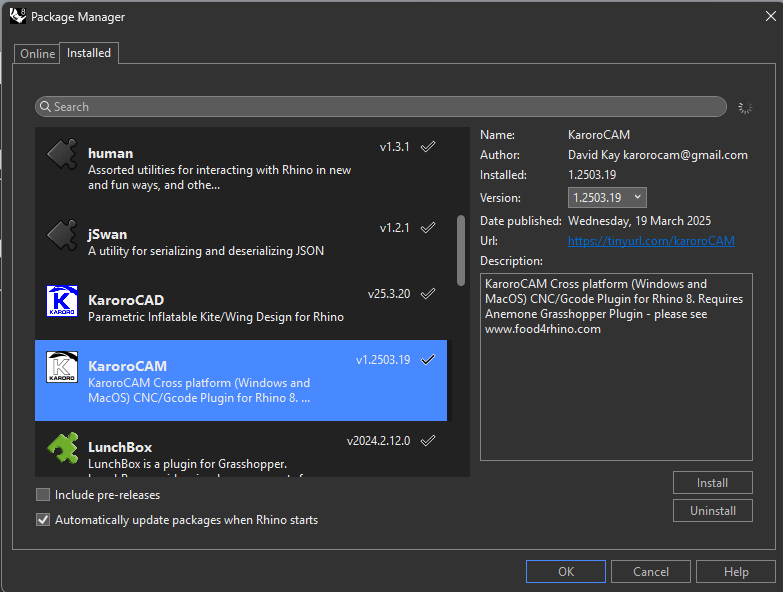
If you have “Automatically update package when Rhino starts” checked in the package manager dialogue you should get the update as soon as you open Rhino:
I’ve only skimmed this thread but I am excited about the prospect of a good CAM solution for Rhino on Mac. Unfortunately, I am only seeing mm as the units and no ability to change. This is causing problems as we generate all out geometry using inches and Karoro seems to use the model unit and just assume it’s mm. What is the timeline for adding additional unit options?
Additionally, I’ve noticed that you rely on several plugins, not just anemone, and they are mostly grasshopper plugins. However, I do no see grasshopper components for Karoro. Will Karoro be useable grasshopper or only in Rhino? Grasshopper compatibility is import for us as we need to parametrically generate files, shapes, and paths.
I also want to add to the request to import our own stock geometry. I use non-rectalinear stock quite often and need this as an option. An example, I make skate boards and long boards and often use the CNC to make relief features or to cut them out of the pressed forms. The curved geometry of the stock is important.
Finally, how do you handle flip milling? Especially when cutting sheet goods, it’s common to need to flip the part to get the additional features on both sides.
Sorry I’ve been out of the office and behind a bamboo firewall for nearly two weeks. Start traveling home to Cape Town tomorrow, but won’t be back in the office until Thursday.
I’ll get back you with answers to your questions as soon as I can.
Good morning @cameronbehning - I am back in my office, however 48 hours of travel has left me a little under the weather.
Let me answer your questions:
UNITS:
KaroroCAM was started as a personal project to kick Autodesk/Fusion and their on going/rising charges from my work flow. To that end I live outside of the only three countries in the world left clinging to a the imperial units of measurement - the U.S., Liberia and Myanmar. I do all of my own work in mm and built the code around it.
Tho not impossible to add support for other unit systems - I honestly think that the it would require splitting the code base and supporting two completely different versions - not something I have the time to look at right now.
Rhino is actually VERY good at converting geometry from any unit system to mm - that is where I suggest users look at this stage. Actually reminds me that I should do a video showing this work flow in the near future.
GRASSHOPPER
KaroroCAM is 100% written in Grasshopper and compiled into a YAK/Plugin using the Rhinoscript Compiler - hence the requirement of some common GH plugins needing to be installed at the same time as KaroroCAM.
I do in fact intend to extend KaroroCAM from purely GUI driven to a collection of GH components as I would make good use of this within my own work flow. This will require some time invested into development, no current confirmed timeline but could be started later this year.
CUSTOM STOCK
You are the first to ask for support for this - I will add to my development list.
I would note that most of my own work is wood core twin tip kitesurf boards - which process wise are not far removed from skate boards - and I never actually need custom stock in my own workflow.
If you were to send me an example file and a description of what you are looking to do I would be more than happy to go thru a work flow in KaroroCAM for you and send you a video showing the process.
FLIP MILLING
“Indexing is next to godliness, The Great CNC Guru”
Flip milling is often handled by the CAM software in packages like Fusion, however if you understand your process and build indexing features into the build/machining process there is just no need to bother having the software do this work.
If you go thru this (work in progress) playlist on the KaroroCAM YouTube channel:
You will see that major part of the setup for this build was creation of a support fixture to allow the foam blank to be flipped/machined both sides.
Please let me know if you have any further question.
Hello, I am interested in a MacOS CAM alternative. Truth is I only have a Windows machine because it is required for CAM. I would prefer to not have a windows machine.
Is there any summary of features and machining strategies your program offers? I am curious how comparable it would be to RhinoCAM in terms of machining strategies, ability to produce detailed simulations, etc. I have been machining fairly complicated one and two part molds, and I have found that simulating the tool paths in high detail is both important and a huge bottleneck with RhinoCAM.
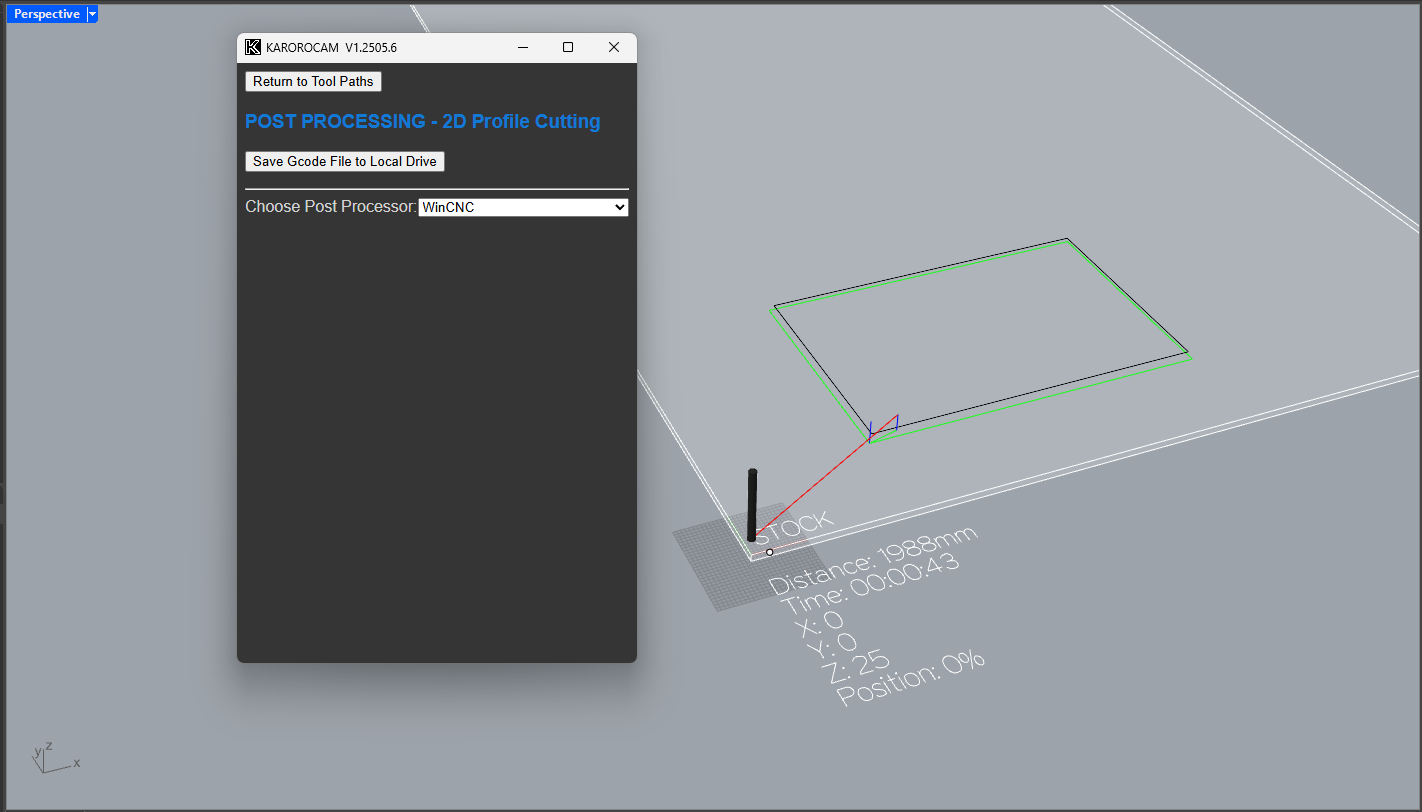
Also how do you deal with post processing? I have a WinCNC machine, which uses pretty basic gcode.
I think occasionally a custom stock might be helpful to me too. But at the same time the work around would be easy, just create a roughing tool path that leaves just the desired stock, then skip that first tool path when it comes time to machine.
All available toolpaths are included in this file, and the software is fully demoable without a license. A license is only required to export the final G-code to your local drive.
You can also check out the KaroroCAM YouTube channel—there are videos demonstrating how to program most of the available toolpaths, along with a current project where I’m using KaroroCAM to shape a surfboard:
I added a POST for WinCNC this afternoon and uploaded version V1.2506.10 to the package manager. It’s based on sample export code from F360. However, if you send me a sample or two of your own .tap files, I can refine the POST to better match your machine.
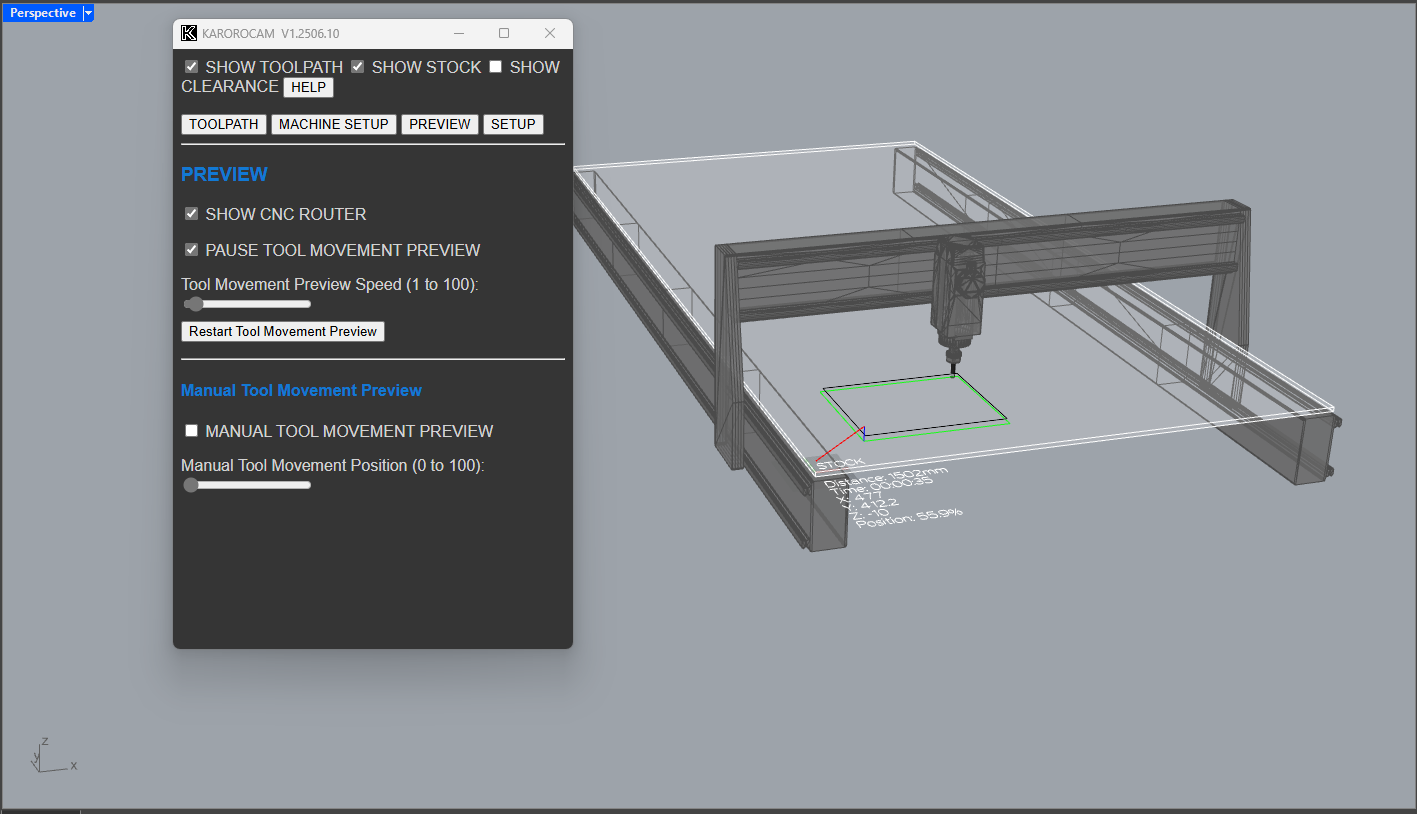
Regarding simulations: tool and machine movement previews are currently available, but stock removal is not yet implemented. It’s on the development list—a prototype exists, but it still needs refinement.