Hello all,
I accidentally added a Toolbar separator. Then tried to remove it again. Then added a few more for good measure. And now I can’t figure out how to remove them again. I’m probably missing something obvious, any pointers here?
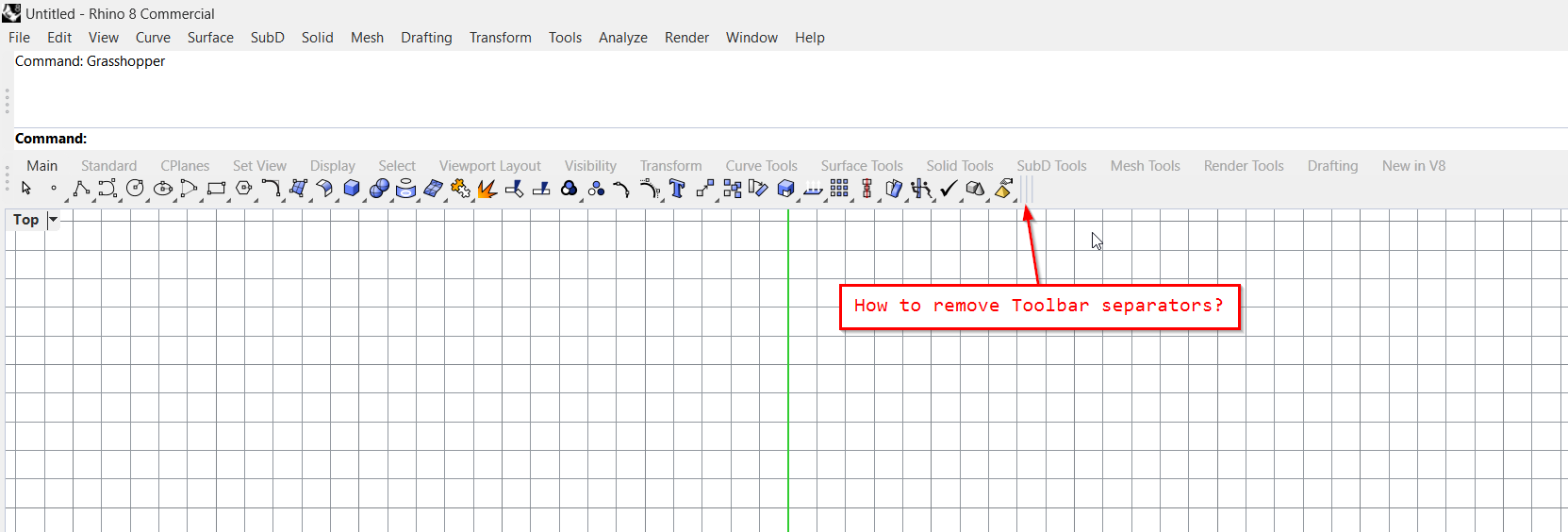
Best,
Anders
Hello all,
I accidentally added a Toolbar separator. Then tried to remove it again. Then added a few more for good measure. And now I can’t figure out how to remove them again. I’m probably missing something obvious, any pointers here?
Best,
Anders
Should be like a normal button removal, shift+LMB drag out into a window and release. IIRC, the visual feedback is mor or less nonexistent, but it should give you a message saying “Do you want to delete…?”
That did it, thanks a lot. I was doing all sorts of right-clicking on them. Anywho, the “shift hover pop-up menu/text” looks kind of funky on my system (large font, weird justification, white background), maybe one for the McNeelies:
This is since Rhino V1.