Could you add Named selections to the sub-objects filter? To be able to select only named selections and control points for example. The main reason I find this addition useful is for grouping control points and being able to select just Named-selected control points and other control points would be a great improvement to the current workflow.
UPDATE:
If possible also access to the object inside named selection via Python (RhinoCommon). If not there already.
UPDATE2:
Could you also make padlocks to named selections and keep the relative distance to the objects in the named selection if the padlock is locked. i.e. If the padlock is locked these objects should behave like a group and move/rotate/scale as a single object. I can imagine this one will be more difficult to implement because it should be event driven, but veeeeery useful.
I don’t currently get why would you allow objects added to multiple named selections. In my workflow that doesn’t make sense.
But I see Control Points are still not RhinoObjects per se, so I see a lot of evolution to come to meet with my workflow’s requirements.
Now that you mentioned this. How is Group different from a Named Selection? As I think about it it’s only the panel that’s different. Ideally as I see it they should be different things.
Why not? Here’s a very basic example that happens all day everyday. Several selected SubD faces can exist within different selections. They should not be forced to reside in one or the other and they should not be forced into a Group. They are merely a remembered selection not a group.
In Selection A - Vertical Faces
In Selection B - Horizontal Faces
You might want to select the faces or edges that make up the pupil of an eye and then later the entire eye. There are countless examples. Or you might just want pieces from different named selected selected. eg the faces from Named Selection A and the Edges from Named Selection B.
The only usefulness I currently have of this is with control points of the edges of two connected surfaces, so when I move one edge point I also move the point from the 2nd surface and they stay connected.
I wish for RhinoCommon access, so that I also can maintain tangency/curvature.
How do you see that the two work together? Named selections do not care about positions or cameras or the such so I’m not sure where the overlap is that gets blended.
I believe I see what you’re after and yes it’s departed a bit from what the tool is. The tool is simply “replay a selection or parts of a selection that were on the screen”. This is very very helpful in SubD workflows as the SubD workflow involves lots of constant picking of things. Being able to recall a large complicated pick becomes very helpful and practically mandatory.
Currently the tool logic does not go further than that in terms of additional actions on the things that are being selected (eg. grouping, editing, creating materials… insert whatever new action here), however with the use of macros and scripting they could certainly be expanded into some other thing that’s more complicated and more specific to an exact process.
Hi,
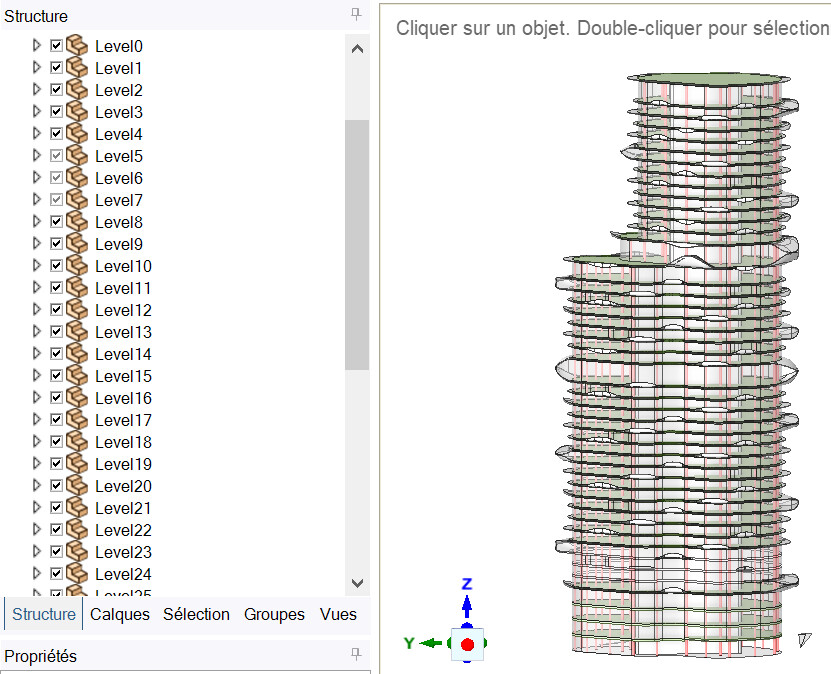
I just tried named selections in rhino 7. I have one selection for each of the 44 floors of a building. Is it possible to add a “visible/not visible” just like the one for layers ? In my opininon, visible objects are ones that are visible both in terme of layers and in terms of named selections.


 If not there already.


 . I do not fully understand what’s your idea-workflow behind developing this.