

Hi, Those lines in Solidworks are perfect, even better than V5 and thats saying something.!
I will draw them in V8 and post how they compare.
and here is the comparison.
The file was units inches. picture. width as per file.
print preview and 1.0 to match thickness.

I dont work with thick lines, go with default, for finese and accuracy of drawing and tracing over pictures and plans.
I have a set of angles and circles that would be good to test with in SW.
I will try and find them.
I noticed the SW grid was at an angle whilst the top grey panel was level. Were you aware of that ?
I will also draw this as a rhino v5.
here is it in V5.

and sampled

we see a fare match in V5. more ragged in V8.
I need to do a careful analysis, know your grid size and units etc,
perhaps post a chart of diameters and angles to follow.
Definitely the line weight needs to be fine to match V5 and V8 choices.
Also an indicator as to what is e.g. 5cm width on the monitor, as any line will look rough when a printscreen is zoomed in on beyond the actual screen size of how it is in normal viewing use.
When I get 5 mins I will conjure something up.
from what I see solidworks is without the raggies as is V5.
Steve
This is a close-up of how Paint.NET uses anti-aliasing for a 1-pixel wide line. The bottom line is perfectly horizontal. The middle one is raised by 1 pixel on the right side. The 3rd line is raised by 2 pixels on the right side.

It’s an engineering software in that environment it shines and makes sense, some instances it’s not that great but i am sure you will see them pop up.
made this toy train with like 130+ parts and functional wheel mechanism using the assembly feature it was 3d printed after and works as simulated


Maybe its the better tool for the job?


You know when zooming in it looks like V5 has a different style of blending
A quick search gives me this:

“Blending edge pixel colors with surrounding background tones”
I’m not tech savvy but that gives me the impression whats under the hood in rhino so someone access to this know whats going on..
Now this image gives me the impression of an evil villain arc someone has gradually made it worse over the versions…it’s to…*perfect" to be just a coincidence…
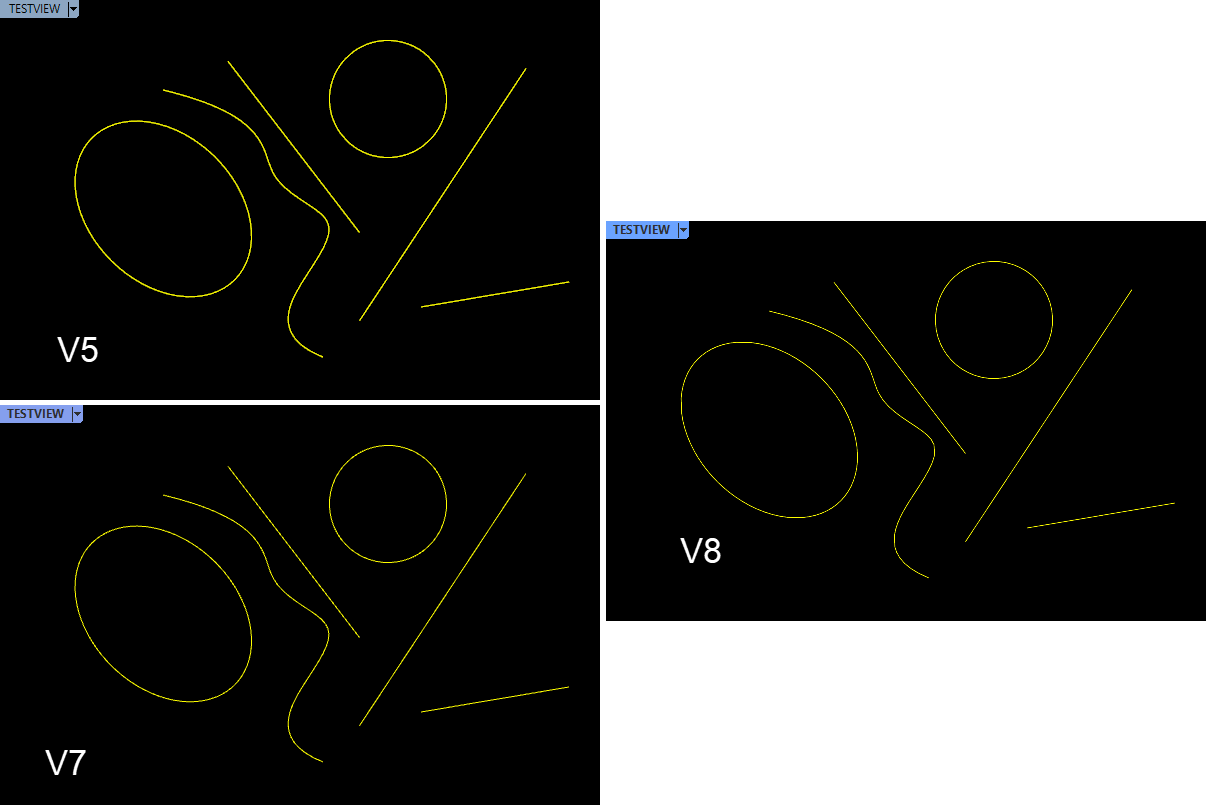
I’ve seen sabotage before due to unhappy workers, salary related stuff or competition it is a reality many companies face but if true this is next level evil…
I would call the inquisition!
We had a conversation about the length of anti-aliasing blending in another topic. Check posts 52 and 55 here. Looks like the Rhino options > View > OpenGL > GPU Tessellation setting does all the difference.
I tried this but had gumball issues.
I’m making a tinfoil hat until this is resolved…
This is pity, because DirectX needs 8x anti-aliasing to compete with the 2x anti-aliasing of OpenGL when the latter does not use the “GPU tessellation” option. The performance benefit of OpenGL in this case is huge. My GPU Nvidia GTX 1660 Ti is noticeably slower at 8x DirectX compared to 2x at OpenGL. And I like the thinner lines of the latter that remind me of Rhino 5’s way of rendering the wireframes.


It’s been a while so haven’t tried it but I also got selection box issue and gumball with tessellation off
I remember i tried what you posted but not sure if the update messed it up or if it does this still, will have to test tomorrow.
My recollection is different graphics software has been used since V8 and the difference in line and curve appearance is caused by the different graphics package.
Could it be…
New tech used with old code and assets?
I mean they bring back bugs which i didn’t think was possible… human factor is a thing…
This is going up on the whiteboard as a potential clue with red color…