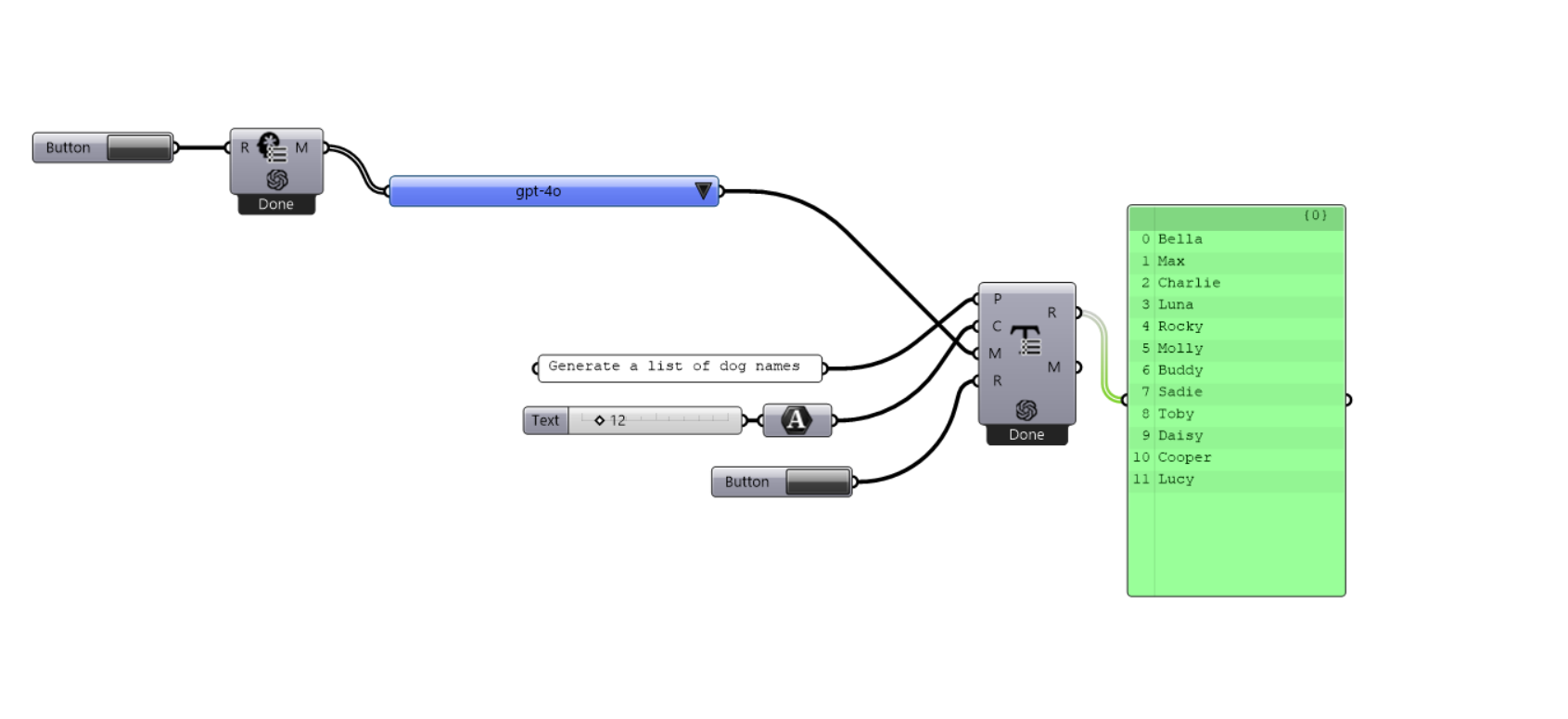
After seven months of development, I want to share this open-source project with you: SmartHopper. This is an AI assistant plugin for Grasshopper that I think could change how we use the program, especially how we learn new skills and overcome challenges.
What makes SmartHopper unique is that it can actually interpret your Grasshopper definitions. Your canvas is turned into JSON, which is then sent directly to AI models. This lets them understand the structure and logic of your parametric designs. This means it can help debug errors, suggest improvements, and assist with your work based on what’s actually in your canvas.
While making SmartHopper, I kept a few important ideas in mind:
Open source: The code is freely available for anyone to use, modify, or contribute to. The LGPL-3.0 license also makes sure that SmartHopper will always be free and open.
Extensible: New providers and tools can be easily added in the future.
Safe: Sending data online is the best way to lose control of it. That won’t happen in SmartHopper because the plugin will only load AI providers that have been signed on the official GitHub repository. Any other code will be blocked.
User choice: For now, SmartHopper works with MistralAI, OpenAI, or DeepSeek. You can use whichever API you prefer.
The plugin is still in alpha, but I thought it was time to share it and hear your feedback. I know there is still a lot of room for growth and improvement. If you’re interested in giving it a try or looking through the code, you can find everything at: https://smarthopper.xyz
Feel free to share your thoughts, report bugs, and suggest improvements. And if anyone is interested in contributing to the project, that would be fantastic.
Hi @cfee, actually, many reasons brought me to start SmartHopper. First, this is my personal way to learn how to code Grasshopper plugins (yes, this is my first plugin ). Second, AI is being integrated with everything; why not also Grasshopper?
I started this project with a focus on the compatibility with native Grasshopper data and multiple AI providers. Then, I realized it is useful to test multiple models and providers at once. Also, it makes it easy to develop a new complex project by discussing together on how to face it. SmartHopper automatically suggests you related posts on this forum and explains you step by step how to start. I’m also using it as a substitute for web-based AI chat tools (like ChatGPT). In SmartHopper you can customize the initial system prompt, so you can tune your assistant’s behavior!
Hi @xy236, SmartHopper requires an active API key from any of the compatible providers (MistralAI, OpenAI, and DeepSeek for now). They charge for the tokens, yes. But API cost is way lower than paying for a monthly subscription like ChatGPT.
Thanks @dfytz1 for trying the plugin and giving feedback.
I opened an issue on GitHub regarding the “Error communicating with OpenAI API” → Here
To avoid getting stuck processing, use a button instead of a boolean toggle for the Run input. Boolean toggles should work, but there must be some little bug to fix.
All models should work. You can choose the one that fits best to your needs (and check the costs too) on the official documentation: OpenAI Models, MistralAI models or DeepSeek Models
Not all models are working for me. I am getting this error with 3.5 turbo, but with 4o no errors.
Error: Error communicating with OpenAI API: Error calling OpenAI API: Error from OpenAI API: BadRequest - {
“error”: {
“message”: “Invalid parameter: ‘response_format’ of type ‘json_schema’ is not supported with this model. Learn more about supported models at the Structured Outputs guide: https://platform.openai.com/docs/guides/structured-outputs”,
“type”: “invalid_request_error”,
“param”: null,
“code”: null
}
}
Mmm… I see. This component uses “structured output”. It is compatible with models that support this. I’ll have to add a pre-check to prevent these errors.
Nice example! In the prompt for generating RGB, you can add format instructions like return only the values in this strict format: (0, 0, 0). Nothing else!. You’ll save many components!
I almost do not use GitHub, and as far as i can see they do not support .gh extension to post definitions there. will have to put everything in archive
got this strange error, i think it has something to do with how AI text list generate component handles output from an ai model.
I also thought it might be because of {} brackets.
 ). Second, AI is being integrated with everything; why not also Grasshopper?