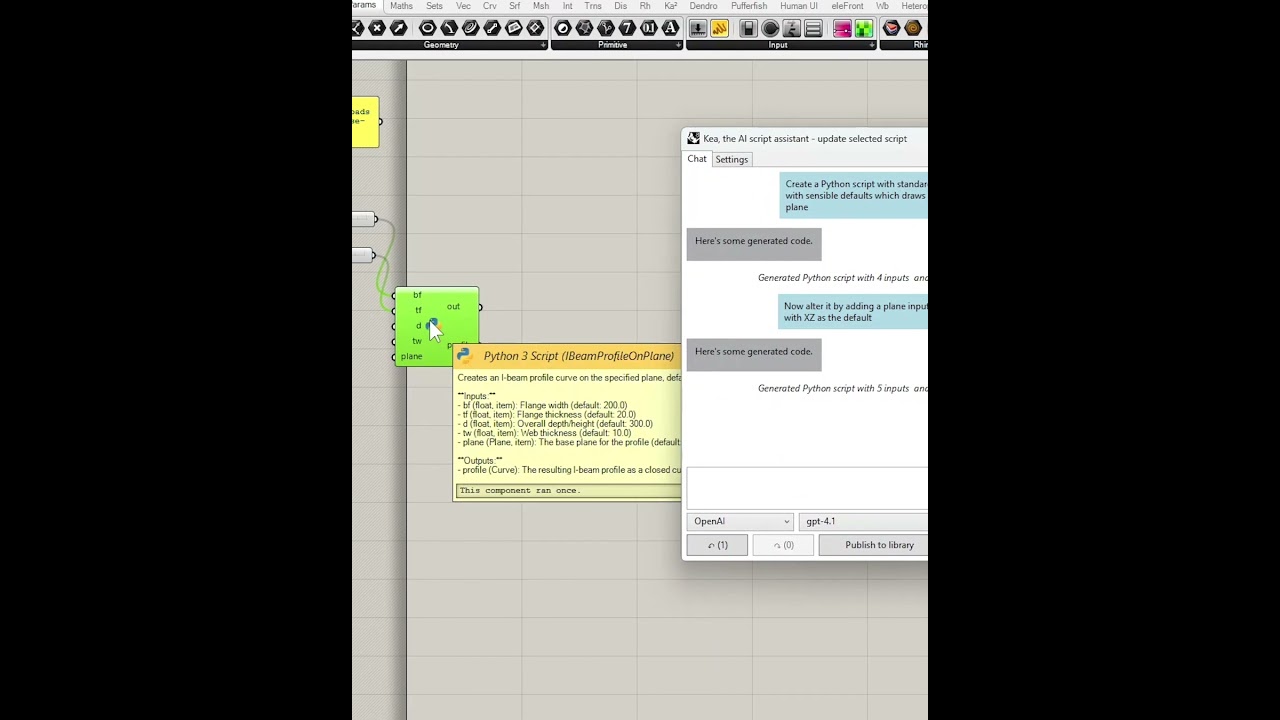
Kea is a new plug-in for Grasshopper that uses AI to create and update script components for you. It adds a pop-up chat window (launchable from the View menu) and acts as an AI agent focused specifically on scripting inside Grasshopper.
Video (1 min) demo:
It’s in alpha and available now via Package Manager (tick “Include pre-releases”).
By chatting to it in natural language, it can, and will, do these things for you
create new script objects, in C# or Python
describe what existing scripts do
modify existing scripts
add/remove and configure (type hint, access type) inputs and outputs
invent and set nickname and tooltip documentation
ensure wires connecting the inputs and outputs to other components are preserved wherever possible
If you already use AI (e.g. ChatGPT, Claude) to write scripts and manually copy/paste them into Grasshopper, Kea streamlines that process. It uses the same models (OpenAI, Anthropic, Deepseek) as the regular web chats but applies the changes automatically for you.
Whether you’re new to scripting or an experienced coder, Kea can help:
new to coding: start small and explore scripting with Kea’s help
experienced coders: get fast first drafts of code that you can tweak and debug
Currently supported features:
For Rhino 7.25 and later: C# and GhPython
For Rhino 8: C#, IronPython and Python 3
OpenAI, Anthropic and Deepseek models via API keys
Experimental support for Ollama (local models)
DefinitionLibrary integration: publish scripts to your shared library
Remembers chat history per script object (not saved to file yet)
You will need to obtain your own API keys from the platforms themselves:
A possible the use of templates? Either pre-made byKea or custom user-defined, so one doesn’t need to type everything, and targeted to preferred scripting language
For instance, currently i am using prompt to define how extended the generated code should be, i.e. include error messages, null or type check, add comments, add nickname, try/except logic, enable to run button and sticky output, code to be just quic n dirty for just single usecase with say item access or more robust future cases for lists/branches, what naming convention and format, and to use human-friendly input names or not, etc…
I assume the BE code knows which Core APIs and Frameworks to use?
Templates is a great idea, thanks @crz_06. There is a standard system prompt that instructs the models on how to reply so that Kea can execute the actions, but to have stored pre-ambles that you can set up in Kea which are added to that sounds like a good idea.
I assume the BE code knows which Core APIs and Frameworks to use?
Currently you can choose the platform, and then the model in the platform, as the one to field any particular chat request. Depending on what you have set, the back-end code knows how to use the API for the corresponding platform in order to fulfil that request. Is that what you mean?
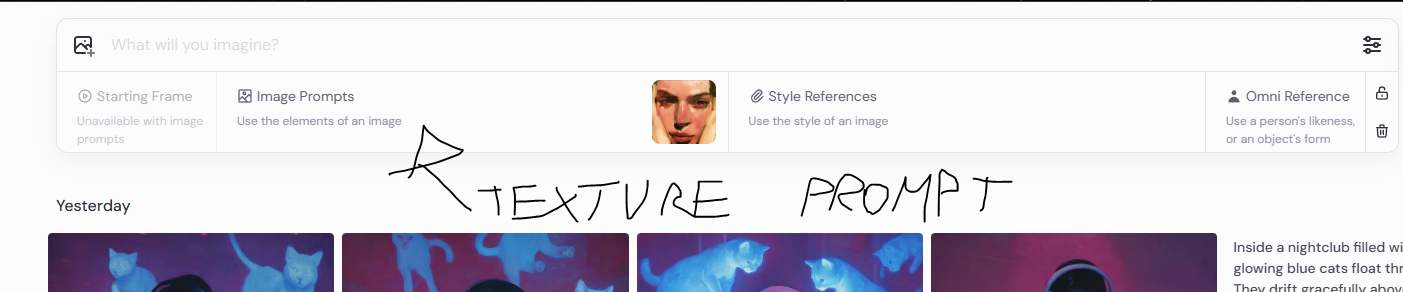
Something truly useful is, for example, the ability to do what is shown in this Midjourney screenshot: to upload an image (pattern or texture), and have the application suggest the prompt as well, or be able to use the initial image as inspiration or a starting point for the script.
Currently the UI’s created using ETO Forms (to enable Mac support soon) and I’m planning on adding an embedded web view for the chat tab too, with the ETO one becoming a fallback.
I might make image upload available at the time when the web view is added.
Another feature that comes to mind is when the generated code gives errors there is a way to have that feedback (i.e. the out or console output) be part of the new prompt in attempt to fix it. As alternative to manually copy/paste
I’ve been looking into supporting the Google models and see there’s an equivalent service which just needs an API key: Google AI Studio. However:
I’m also wondering what people think about Kea supporting the enterprise offerings of both Google and Microsoft (Azure):
Google Vertex AI: managed and deployed models
Azure OpenAI
Would supporting these be valuable for companies out there to enable C# and python scripts to be generated for Grasshopper files in the enterprise setting while keeping data private?
it brings the popular AI models into the Grasshopper interface itself, to save you copying and pasting from ChatGPT, Claude, etc
it has been programmed with the power and initiative to automatically make changes to script components on the canvas for you
Kea doesn’t have its own model that it’s been trained on specifically for things like RhinoCommon, so the level of knowledge of those APIs that you can see in chatgpt.com or claude.ai is what you’re working with when you use Kea.
However, that knowledge in most popular AI models is quite high and usable - even for other related APIs like Tekla, as you can see here:
This looks really interesting. I’ve installed Kea using the package manager and got an API key from OpenAI and entered that into the chat window settings tab. Do I need to do something else?
I just get the message “No Text Response”…
EDIT: Buy credits!
EDIT2: Now what? - Sorry… code curious beginner, but it did say good for exploring simple coding. Looks like there’s a problem with the point3d list that causes the error.
EDIT3: I had another go at something different and it worked beautifully! Unfortunately the text in the chat disappears so I don’t have the exact prompt I used, but I asked it to write python script to create a geodesic dome and then got it to modify the first script by adding a new output and changing the others.
Hi @martynjhogg yes not every chat request will create a working set of code and you might need to iterate with Kea over several requests to remove bugs and get it to work the way you want.
I recommend exploring different AI models too - for example, I found for OpenAI ones that the gpt-4o and gtp-4.1 work better than gpt-3.5-turbo.
The reliability, especially when focusing on specific contexts for code generation, will improve when I get around to adding prompt templates and even RAG to Kea.
At this point though, I’m glad you had some success!
As a general principle, I recommend keeping the scope of each script small and connecting more of them together in your Grasshopper file. It’s a good balance between the number of components on the canvas, how easy each script is to understand (as a human) and the ability to get preview output for each script to ensure it’s working correctly and building well towards achieving the goal of the Grasshopper file as a whole.
Mac support will be after Gemini support, enterprise-grade AI (like Google Vertex and Azure OpenAI) and prompt templates - so it’s a bit far down the list to give you a half-decent estimate.