Hi,
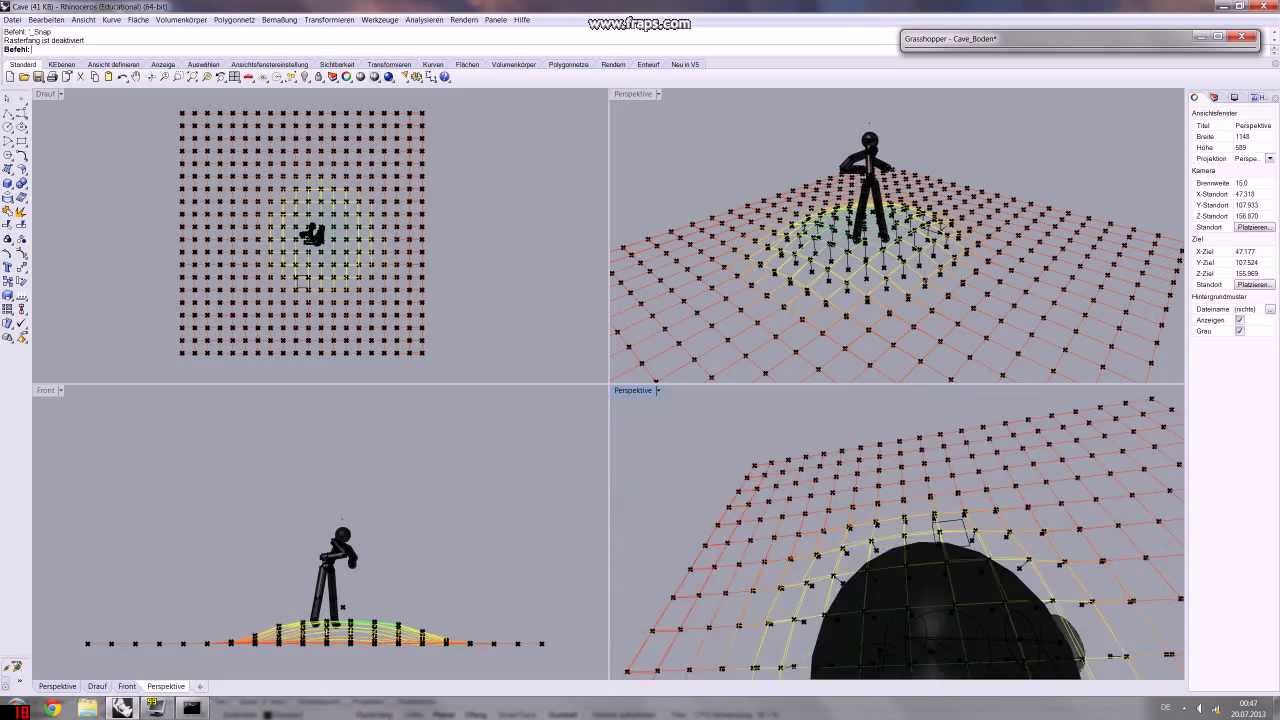
I need a simpe human body that will works with sliders. I want to use it for an basic animation on Grasshopper. At least even the example below works. How can I do it? Thank you in advance!
Hi,
I need a simpe human body that will works with sliders. I want to use it for an basic animation on Grasshopper. At least even the example below works. How can I do it? Thank you in advance!
Hello,
I never see this king of tool, doesn’t mean it doesn’t exist. As Grasshopper is a tool to make all parametric stuff, learn it, then make what you need and if you have problem the community will try to help you.
Here your question is not precise enough. “simple” “basic” are not specifications.
Please also read that
Iso specifications for Human body are not free.
https://www.iso.org/fr/standard/27580.html
I found @Strabon 's title and description sufficient to understand what they are looking for. I’m also interested in parametric human forms, and a very simple form would be sufficient for my purposes.
“Specifications” are not required for an initial question.
I understand also what he means, but specifications, limitations … are useful to know. Something like traceparts model seems accessible but if you need fingers movements … it will become complicated.
SO we just have to hope somebody has a ready solution.
The ‘poseable human’ definition from here might help?
Thank you all! @DanielPiker’s solution is very helpful. Unfortunately, it works with Kangaroo’s “grab” component, in other words with dragging left mouse button, not with sliders. I am not similar to Kangaroo, so I am not sure if I can control it with sliders instead of dragging.
Hi @DanielPiker , thank you for the handy model. However, on my mac, there is a problem with animate_body.gh
As consequence, panel is not working.
FYI, I have Kangoroo installed
Since I’m not familiar with C# scripts, I would welcome some directions.
thank you and best regards, Thomas
Hi @Peugeot
I see you are on Mac, so you can set the reference assembly location to the one given in this thread:
I dont know if it can help you in any way… But there are perfectly working parametrcal body in houdini.
Hi @DanielPiker and thank you for the suggestion, for the mac, after setting the correct path for dll, the error does not show anymore.
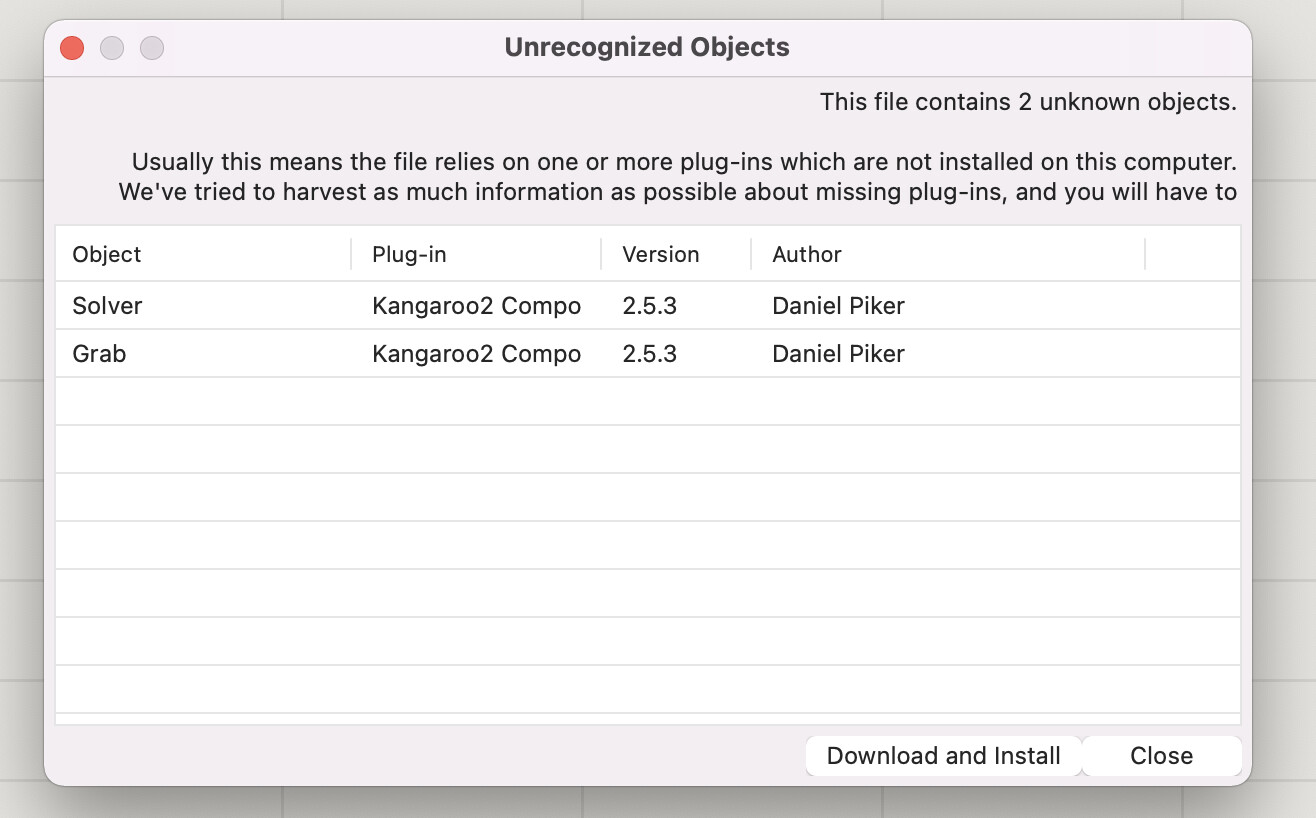
I now have another problem when I open the component.
then, if I try to install it, this fails
Then, i I try to follow the instruction, it says Kangaroo is already installed
I am a bit lost here. If it is already installed, why does the “animate_human.gh” requests an installation ?
As a consequence, I assume, the component does not work (see the following error)
Thank you for your help,
thomas
Considering this is a McNeel forum probably they are looking for Grasshopper answers. Otherwise you can go to many things (easiest just using Adobes free Mixamo website - Mixamo).
Hi Thomas -
Which version of Rhino are you running?
-wim
Hi @Peugeot
It looks like you’ve installed the older version of Kangaroo2 from Food4Rhino, which is why you’re now getting an error on the solver. You’ll need to remove this file that you installed so that the one that comes with Rhino(which is more recent) loads instead.
The issue with the counter was a separate thing. There was a ‘counter’ component in a very old version of Kangaroo, but rather than install Kangaroo1, it will be easier to use this file which replaces that component with a script.
animate_human.gh (365.9 KB)
Let me know if you’re still having trouble.
Rhino 7 SR12 2021-11-9 (Rhino 7, 7.12.21313.06342, Git hash:master @ 5590153808223b57a9f41516a969fd949aa81bff)
License type: Educational, build 2021-11-09
License details: Cloud Zoo
Apple Intel 64-bit macOS Version 12.0.1 (Build 21A559) (Physical RAM: 16Gb)
Mac Model Identifier: MacBookPro16,1
Language: en
AMD Radeon Pro 5300M OpenGL Engine (OpenGL ver:4.1 ATI-4.7.29)
OpenGL Settings
Safe mode: Off
Use accelerated hardware modes: On
Redraw scene when viewports are exposed: On
Anti-alias mode: 4x
Mip Map Filtering: Linear
Anisotropic Filtering Mode: High

Vendor Name: ATI Technologies Inc.
Render version: 4.1
Shading Language: 4.10
Maximum Texture size: 16384 x 16384
Z-Buffer depth: n/a
Maximum Viewport size: 16384 x 16384
Total Video Memory: 4080 MB
Graphics: AMD Radeon Pro 5300M
Displays: Color LCD (264dpi 2x)
Graphics processors
Intel UHD Graphics 630 (1536 MB)
AMD Radeon Pro 5300M (4 GB)
Color LCD (1792 x 1120 @ 59.00Hz)
USB devices
Apple: composite_device
Apple Inc.: Touch Bar Backlight
Apple Inc.: Touch Bar Display
Apple Inc.: Apple Internal Keyboard / Trackpad
Apple: Headset
Apple Inc.: Ambient Light Sensor
Apple Inc.: FaceTime HD Camera (Built-in)
Apple Inc.: Apple T2 Controller
Bluetooth devices
None
Third party kernel extensions
None
Third party plugins
/usr/lib/swift/libswiftCloudKit.dylib
/usr/lib/swift/libswiftCore.dylib
/usr/lib/swift/libswiftCoreData.dylib
/usr/lib/swift/libswiftCoreFoundation.dylib
/usr/lib/swift/libswiftCoreGraphics.dylib
/usr/lib/swift/libswiftCoreLocation.dylib
/usr/lib/swift/libswiftDarwin.dylib
/usr/lib/swift/libswiftDispatch.dylib
/usr/lib/swift/libswiftFoundation.dylib
/usr/lib/swift/libswiftIOKit.dylib
/usr/lib/swift/libswiftObjectiveC.dylib
/usr/lib/swift/libswiftXPC.dylib
/usr/lib/swift/libswiftos.dylib
/usr/lib/swift/libswift_Concurrency.dylib
/usr/lib/swift/libswiftAppKit.dylib
/usr/lib/swift/libswiftCoreImage.dylib
/usr/lib/swift/libswiftMetal.dylib
/usr/lib/swift/libswiftQuartzCore.dylib
/usr/lib/swift/libswiftCryptoTokenKit.dylib
/usr/lib/swift/libswiftAccelerate.dylib
/usr/lib/swift/libswiftContacts.dylib
/usr/lib/swift/libswiftCoreAudio.dylib
/usr/lib/swift/libswiftCoreML.dylib
/usr/lib/swift/libswiftCoreMedia.dylib
/usr/lib/swift/libswiftOSLog.dylib
/usr/lib/swift/libswiftVision.dylib
/usr/lib/swift/libswiftsimd.dylib
/usr/lib/swift/libswiftNetwork.dylib
/usr/lib/swift/libswiftDemangle.dylib
/usr/lib/swift/libswiftFileProvider.dylib
/usr/lib/swift/libswiftIntents.dylib
/usr/lib/swift/libswiftPrivate_BiomePubSub.dylib
/usr/lib/swift/libswiftPrivate_BiomeStreams.dylib
/usr/lib/swift/libswiftUniformTypeIdentifiers.dylib
/usr/lib/swift/libswiftAVFoundation.dylib
/usr/lib/swift/libswiftCoreMIDI.dylib
/usr/lib/log/liblog_network.dylib
Rhino plugins that do not ship with Rhino
Rhino plugins that ship with Rhino
/Applications/Rhino 7.app/Contents/PlugIns/PanelingTools.rhp “PanelingTools” 7.12.21313.1002
/Applications/Rhino 7.app/Contents/PlugIns/Displacement.rhp “Displacement” 7.12.21313.1002
/Applications/Rhino 7.app/Contents/PlugIns/RhinoRender.rhp “Legacy Rhino Render” 7.12.21313.1002
/Applications/Rhino 7.app/Contents/PlugIns/NamedSnapshots.rhp “Snapshots” 7.12.21313.1002
/Applications/Rhino 7.app/Contents/Frameworks/RhMaterialEditor.framework “Renderer Development Kit” 7.12.21313.1002
/Applications/Rhino 7.app/Contents/Frameworks/RhCore.framework/Resources/ManagedPlugIns/Commands.rhp “Commands” 7.12.21313.6342
/Applications/Rhino 7.app/Contents/Frameworks/RhCore.framework/Resources/ManagedPlugIns/Import_OBJ.rhp “Import_OBJ” 7.12.21313.6342
/Applications/Rhino 7.app/Contents/Frameworks/RhCore.framework/Resources/ManagedPlugIns/export_XAML.rhp “export_xaml” 7.12.21313.6342
/Applications/Rhino 7.app/Contents/Frameworks/RhCore.framework/Resources/ManagedPlugIns/QuadRemesh.rhp “QuadRemesh” 7.12.21313.6342
/Applications/Rhino 7.app/Contents/Frameworks/RhCore.framework/Resources/ManagedPlugIns/Export_OBJ.rhp “export_OBJ” 7.12.21313.6342
/Applications/Rhino 7.app/Contents/Frameworks/RhCore.framework/Resources/ManagedPlugIns/RDK_EtoUI.rhp “RDK_EtoUI” 7.12.21313.6342
/Applications/Rhino 7.app/Contents/Frameworks/RhCore.framework/Resources/ManagedPlugIns/export_SVG.rhp “Export SVG” 7.12.21313.6342
/Applications/Rhino 7.app/Contents/Frameworks/RhCore.framework/Resources/ManagedPlugIns/MeshCommands.rhp “MeshCommands” 7.12.21313.6342
/Applications/Rhino 7.app/Contents/Frameworks/RhCore.framework/Resources/ManagedPlugIns/Export_DAE.rhp “Export_DAE” 7.12.21313.6342
/Applications/Rhino 7.app/Contents/Frameworks/RhCore.framework/Resources/ManagedPlugIns/export_PDF.rhp “PDF Export” 7.12.21313.6342
/Applications/Rhino 7.app/Contents/Frameworks/RhCore.framework/Resources/ManagedPlugIns/export_IGES.rhp “IGES Export Plug-in” 7.12.21313.6342
/Applications/Rhino 7.app/Contents/Frameworks/RhCore.framework/Resources/ManagedPlugIns/Import_SVG.rhp “Import_SVG” 7.12.21313.6342
/Applications/Rhino 7.app/Contents/Frameworks/RhCore.framework/Resources/ManagedPlugIns/BlockEdit.rhp “BlockEdit” 7.12.21313.6342
/Applications/Rhino 7.app/Contents/Frameworks/RhCore.framework/Resources/ManagedPlugIns/Export_AMF.rhp “Export_AMF” 7.12.21313.6342
/Applications/Rhino 7.app/Contents/Frameworks/RhCore.framework/Resources/ManagedPlugIns/RhinoRenderCycles.rhp “Rhino Render” 7.12.21313.6342
/Applications/Rhino 7.app/Contents/Frameworks/RhCore.framework/Resources/ManagedPlugIns/import_DST.rhp “Import_DST” 7.12.21313.6342
/Applications/Rhino 7.app/Contents/Frameworks/RhCore.framework/Resources/ManagedPlugIns/export_PLY.rhp “PLY - Polygon File Format Export” 7.12.21313.6342
/Applications/Rhino 7.app/Contents/Frameworks/RhCore.framework/Resources/ManagedPlugIns/Import_AMF.rhp “Import_AMF” 7.12.21313.6342
/Applications/Rhino 7.app/Contents/Frameworks/RhCore.framework/Resources/ManagedPlugIns/RhinoCycles.rhp “RhinoCycles” 7.12.21313.6342
/Applications/Rhino 7.app/Contents/Frameworks/RhCore.framework/Resources/ManagedPlugIns/RhinoDLR_Python.rhp “IronPython” 7.12.21313.6342
/Applications/Rhino 7.app/Contents/Frameworks/RhCore.framework/Resources/ManagedPlugIns/GrasshopperPlugin.rhp “Grasshopper” 7.12.21313.6342
Hi @DanielPiker , thks for your response. I did remove the KangarooSolver.dll with the hope that it takes the default Rhino/Grasshopper
mv ./Frameworks/RhCore.framework/Versions/A/Resources/ManagedPlugIns/GrasshopperPlugin.rhp/Components/KangarooSolver.dll /tmp
I installed the version 2.41 into the dedicated folder
Now, I have another error
Do you any idea why it cannot install and download the said components ? I though they were already installed ?
If I close the dialog, then
then, I set up the path with the new KangarooSolver
/Applications/Rhinoceros.app/Contents/Frameworks/RhCore.framework/Versions/A/Resources/ManagedPlugIns/GrasshopperPlugin.rhp/Components/KangarooSolver.dll
But I still get an error
Any idea of how to proceed ?
BTW, I did try to reference the dll
But it is quite difficult since mac navigator does not allow to go into /Applications/Rhino 7\ app/ directory (I had to create a symbolic link to the dll).
Now, the component seems OK but there is still a problem
Sorry for the long message, Thank you for your help
thomas
Hi Thomas -
Since Kangaroo is a part of Rhino, the correct sequence when you mess up the installation is to:
Repair on the installation from the Windows Control Panel-wim
Hi @wim , thanksfor the suggestion. I indeed did probably corrupted my Rhino configuration. Since I do not know where is the Repair function on the mac, I reinstalled Rhino 7, then found the place for the KangarooSolver.dll
/Applications/Rhino 7.app/Contents/Frameworks/RhCore.framework/Versions/A/Resources/ManagedPlugIns/GrasshopperPlugin.rhp/Components/KangarooSolver.dll
then set the path at the load of ‘animate_human.gh’
Now it works fine,
many thanks to @win & @DanielPiker
thomas
Hi All,
I tried for days to create a definition with movement constraints for knees, elbows and so on.
Would somebody consider doing this for me? In exchange for money of course ot as community project developing Daniels definition further.
My file is 25 Mb, way to large and even slowing my PC down. Don’t know why, the PC is new with 80GB RAM, 16 GB Graphics…
I need an sizeable body from 1,5m to 2,1 m with shoe sizes, arm and legs length variable in common borders. The target is to develop an Velomobile, so seating position should be possible, maintaining the lower torso in position when the body size changes or legs move. The distance of the feet to center line sould be according to pedal position 90 mm from the inner edge or variable too. The head should be slopeable. Another requirement is to have solids or surfaces as results in order to be able to measure easily on the fly any distances to the vehicle body. Animation would be an option for rendering later on.
As far as I found out, Daniels defintion allows for non restricted movement in all directions.
I tried Daniels last version of “animated human 2”, but couldn’t get it to work.
Believe I have set the Kangaroo solver.
I’ll attach a screen shot with the failure note of Daniels definition. Plus my definition as well as another body in Rhino which seems to have better proportions. Especially the joints at the foot link and the feet themselves are not realistic in Daniels definition and would collide with the crank shaft on a bike.
Thanks for any input and ideas.
André