I’m having trouble with the main window display. As you can see it does not resizes to the appropriate quadrant of the window. And the 4 quadrants stay black. It just started doing this after I updated the Nvidia drivers to the latest version. Any idea of how to fix it. It is urgent now… Got to work on a project.
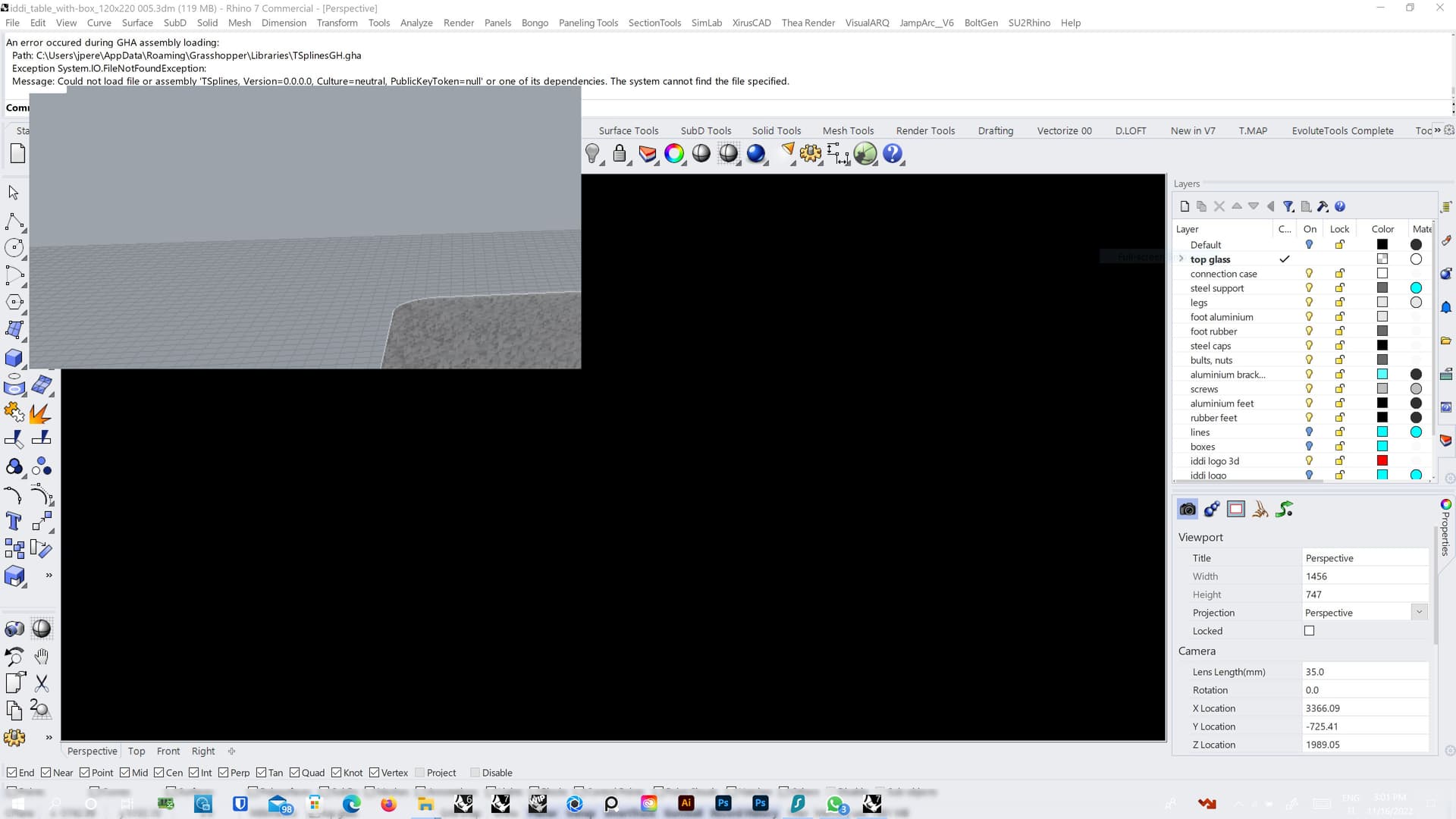
Hey Guys… Any idea of what is going on ?

Can you provide your systeminfo?
Try resetting with the 4view command as well.
the 4view command does not do anything…
here’s my system…
Everything behave when you start a Rhino instance in Safe mode(no 3rd party plugins loading)
Apologies… your Rhino system info please (type in rhino command line)


it is still doing it… but when i opened Rhino 7 in Safe mode it fixed the problem…


i couldn’t find out which plugin or plugins were the ones at fault… so, i went back to the previous version of the nvidia driver and everything got fixed… so now you know… there a rhino plugin that 's causing a display issue on rhino with the latest nvidia drivers… if you have a better guess than me, I could try and experiment… let me know… I’ve got to do some work. Thank you for your help.
1 Like