The print setting scale (plotter or large inktjet) does not hold it goes back to 1:000 after each print , small issue , had the same in R8
Dag Rob -
Is this a workflow that would show that behavior on your system:
- Launch Rhino with the default millimeter, small template
- Create a rectangle in the “Top” viewport (measuring somewhat 50 x 35 or so)
- Run
Printand set the scale to 1:2
- Hit the Print button to print
- Run
Printagain

Is the scale now set to 1:1?
-wim
hello Wim that works ok keeps the setting
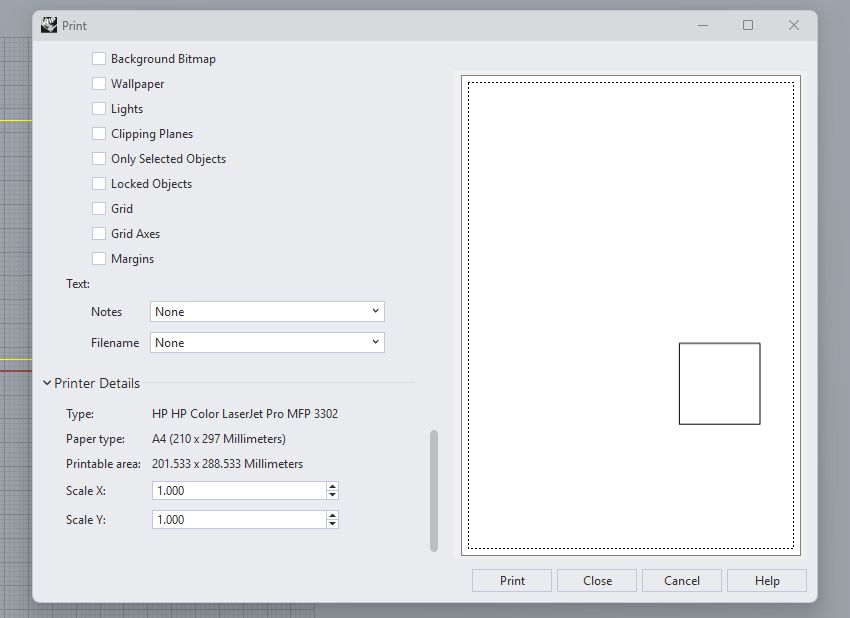
but in printer details scale x and scale Y it does not hold the setting for as i need X1.0022 that may not sounds much but on a drawing from 2mtr it is about 5mm so it is noticable in some points
btw i noticed that when staying in the same drawing it holds the setting
well must be something , it does hold the scale setting now when starting up again.. strange as it did not . ok problem solved then
well got some solution for the scale setting not holding
basicly it does not hold, you can dial in for example 1.0022 but it returns direct to 1 ..
i found out that this happends only in some drawings , not all , very weird that it does not hold , solution, copy all in the drawing open a new rhino file and paste , then it holds the scale setting.
why is tyhis happening on some drawings only ?
grts
Dag Rob -
Please post a file in which this happens.
-wim
i did send you a pm not received ?
a empty drawing also works (or better does not) enclosed here it is about the scale setting for a plotter, the X dialed in 1,002 will go to 1.00 after going to the Y this does not happend when you copy all and past into a new drawing

drawing printscale.3dm (157.4 KB)