cfee
1
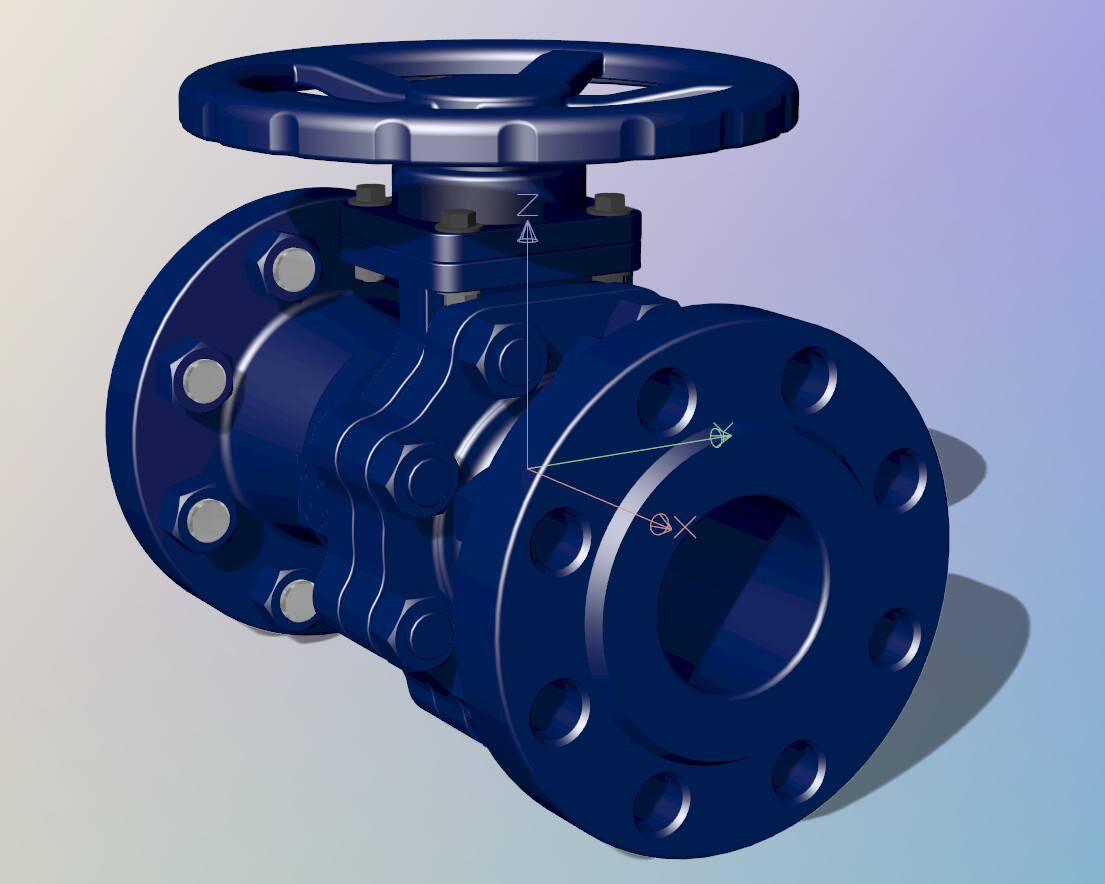
I have some components that have the World/UCS Axes showing up other than in the default position and at the default size.
The normal AXIS management control commands don’t seem to help.
here’s a pic showing the problem:
This happens at every occurrence of this valve, throughout the installation.
ANY suggestions ?
Thanks !
C. Fee
wim
(Wim Dekeyser)
2
Hi C -
There is nothing in native Rhino that looks like that.
Please run the Rhino SystemInfo command and copy-paste its output here.
-wim
AlW
3
Are you sure they aren’t part of the imported component? Can you select them and delete them?