Hello everyone,
I’m having an issue with the material preview in Rhino 8: As soon as I load a material and refresh the preview, it appears very dark:

This happens right after the first refresh – before that, everything looks normal.
Before:

I’ve already tried all the steps from the linked post Material preview so dark , including:
-
Updating the graphics card driver
-
Updating Rhino to the latest version
-
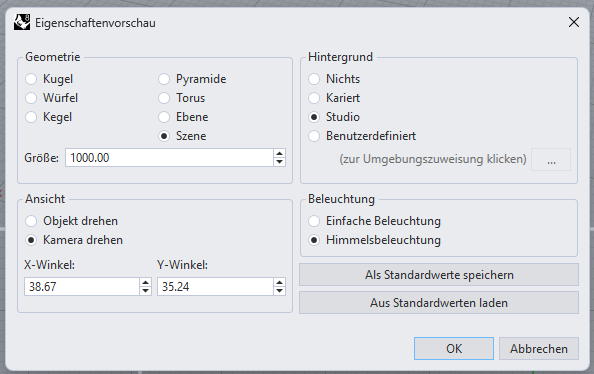
Checking the render preview settings
-
Adjusting OpenGL/display mode
Unfortunately, none of these helped. Does anyone have an idea what might be causing this or what else I could try?
System:
Rhino 8 SR24 2025-10-8 (Rhino 8, 8.24.25281.15001, Git hash:master @ ba28668a8431990c700173e46ef2dbcb873cf092)License type: Commercial, Build 2025-10-08License details: Cloud Zoo
Windows 11 (10.0.26200 SR0.0) or greater (Physical RAM: 127GB)
.NET 8.0.21
Computer platform: DESKTOP
Standard graphics configuration.
Primary display and OpenGL: NVIDIA RTX 4000 Ada Generation (NVidia) Memory: 19GB, Driver date: 9-22-2025 (M-D-Y). OpenGL Ver: 4.6.0 NVIDIA 581.42
Accelerated graphics device with 4 adapter port(s)
OpenGL Settings
Safe mode: Off
Use accelerated hardware modes: On
GPU Tessellation is: On
Redraw scene when viewports are exposed: On
Graphics level being used: OpenGL 4.6 (primary GPU’s maximum)
Anti-alias mode: 4x
Mip Map Filtering: Linear
Anisotropic Filtering Mode: High
Vendor Name: NVIDIA Corporation
Render version: 4.6
Shading Language: 4.60 NVIDIA
Driver Date: 9-22-2025
Driver Version: 32.0.15.8142
Maximum Texture size: 32768 x 32768
Z-Buffer depth: 24 bits
Maximum Viewport size: 32768 x 32768
Total Video Memory: 19195 MB
Rhino plugins that do not ship with Rhino
Rhino plugins that ship with Rhino
C:\Program Files\Rhino 8\Plug-ins\Commands.rhp “Commands” 8.24.25281.15001
C:\Program Files\Rhino 8\Plug-ins\WebBrowser.rhp “WebBrowser”
C:\Program Files\Rhino 8\Plug-ins\rdk.rhp “Renderer Development Kit”
C:\Program Files\Rhino 8\Plug-ins\RhinoRenderCycles.rhp “Rhino Render” 8.24.25281.15001
C:\Program Files\Rhino 8\Plug-ins\rdk_etoui.rhp “RDK_EtoUI” 8.24.25281.15001
C:\Program Files\Rhino 8\Plug-ins\NamedSnapshots.rhp “Snapshots”
C:\Program Files\Rhino 8\Plug-ins\MeshCommands.rhp “MeshCommands” 8.24.25281.15001
C:\Program Files\Rhino 8\Plug-ins\RhinoCycles.rhp “RhinoCycles” 8.24.25281.15001
C:\Program Files\Rhino 8\Plug-ins\Toolbars\Toolbars.rhp “Toolbars” 8.24.25281.15001
C:\Program Files\Rhino 8\Plug-ins\3dxrhino.rhp “3Dconnexion 3D Mouse”
C:\Program Files\Rhino 8\Plug-ins\Displacement.rhp “Displacement”
C:\Program Files\Rhino 8\Plug-ins\Calc.rhp “Rechner”
C:\Program Files\Rhino 8\Plug-ins\SectionTools.rhp “SectionTools”
Thanks in advance for your help!
Best regards,
Tom