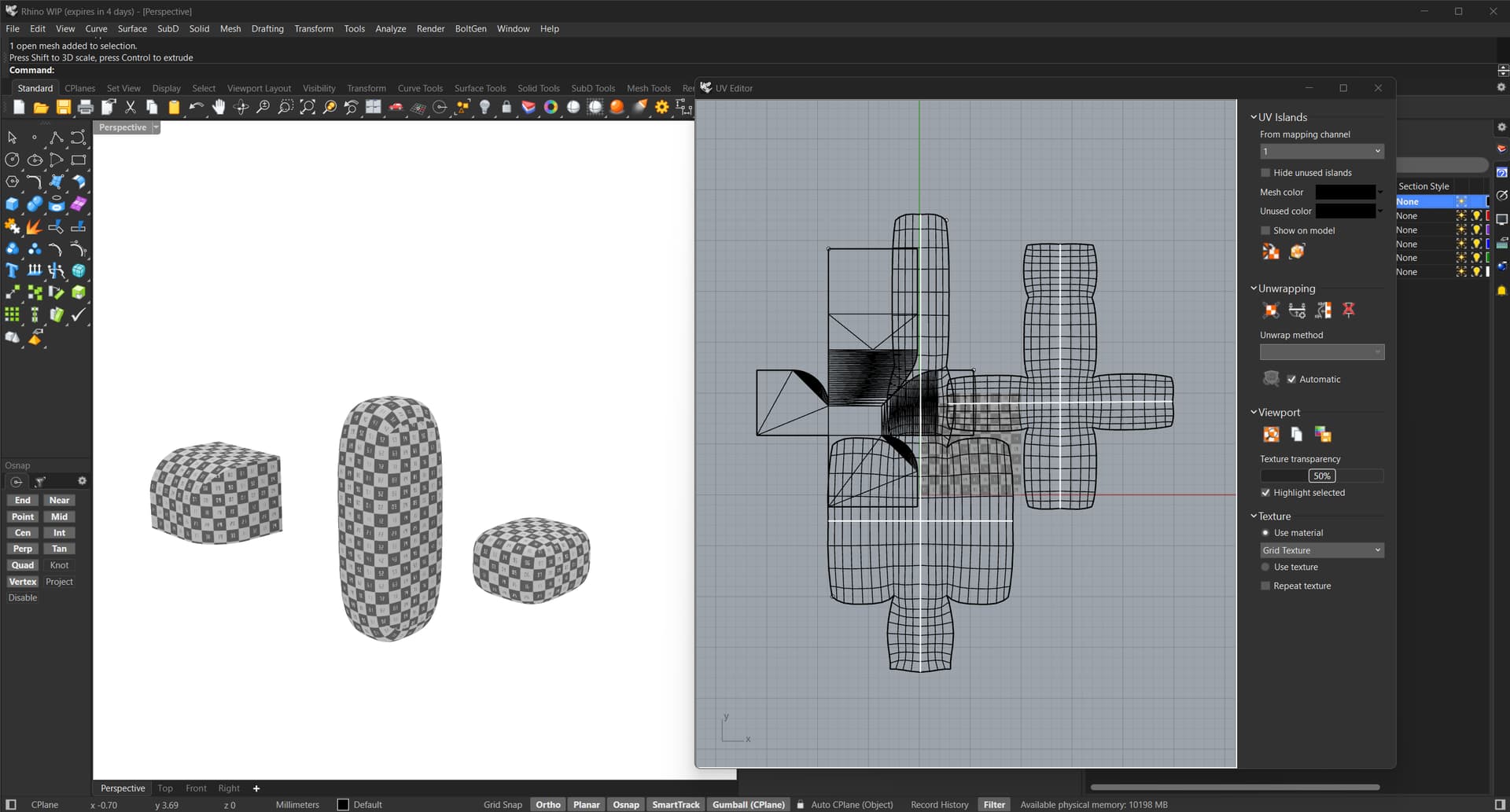
Hi there, a tedious task I often encounter is scaling UV maps so that the same texture appears at the same scale on multiple different objects for rendering, time consuming and hard to do accurately. I often export models to 3rd party software for rendering, and I want to use the custom unwraped UV’s from Rhino.
I understand its impossible to perfectly scale a UV map, as fundamentally a UV map is a 2D texture wrapped onto a 3D object and the texture in model space will be slightly skewed/scaled differently at different points on the 3D object after it is unwrapped.
But it would be amazing if there was a command where one could:
-
select reference object.(mesh/subd/polysrf..whatever)
-
pick point on reference object.
-
select target object (mesh/subd/polysrf..whatever)
-
select a point on the face of the target object
-
Then Rhino would scale the UV mesh of the target object so that at the points selected on the reference object and the target object, the texture appears at the same scale. So then basically the pixels/mm would be the same at those two points. The texture would not be scaled perfectly across the surface of the entire object, but it will be close! and one could select a point on the target object where it is most visible to the camera when rendered.
-
Ideally this command would “chain” so after clicking on one target object, without quitting the command, the user could simply click the next target object, and select point on next target object, and so on.. and so on…
I am sure this would be a big time saver for many people who do rendering inside Rhino or render in 3rd party software.
ChatGPT and I spent some time trying to make a python script to do this, but after lots of wasted time..no success. Anyone have similar frustrations? Any suggestions? Any other ideas? Is there some Rhino feature I am missing, or could this be requested as a new feature?
Below screenshot shows simple example. 3 objects, same texture, but appear differently scaled, then what I would hope to achieve after scaling.