Ok, but how did you handle the short edge transitions?
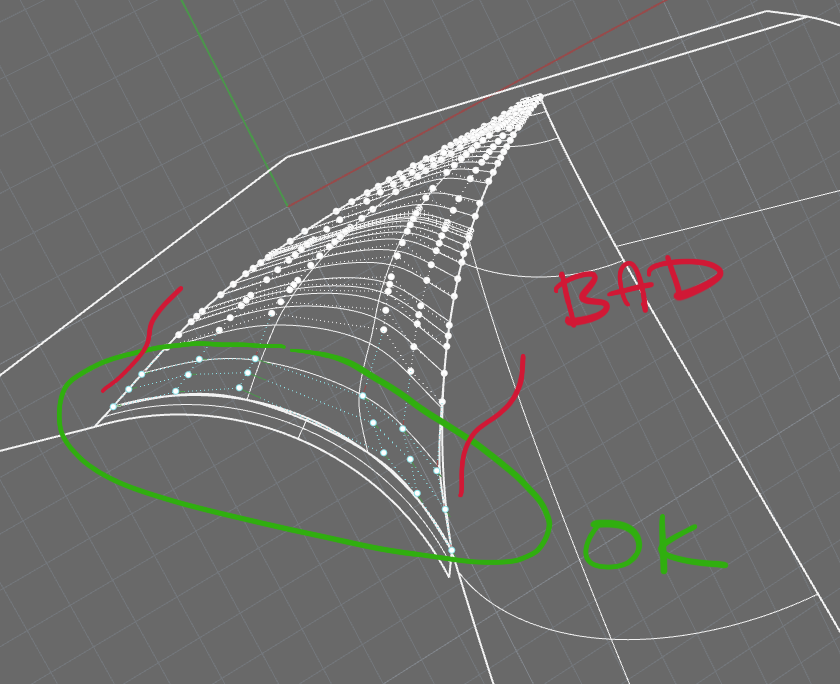
Because the surface has so many control points along the long edge, and match can only do up to three control points, the transition is very ugly at the end (here is where I’d want the smooth blending feature that affects additional rows of control points).
I guess I could re-build the surface down to only 4 control points across its entire length, match the short edges, and then match the long edges with refine on to re-create all of the other control points… but boy, that doesn’t keep much information from the original surface (although it works in this particular case). 