I see the youtrack now says that preview scenes are always in meters, but this is troublesome given the default preview size of 1000 (this is by using file > new > no template):
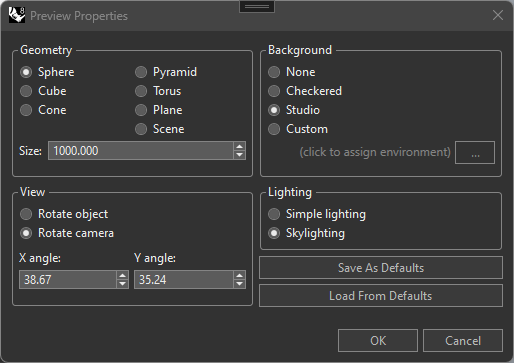
if the scene is in meters, that yields a 1km sphere (these are the actual mesh points):
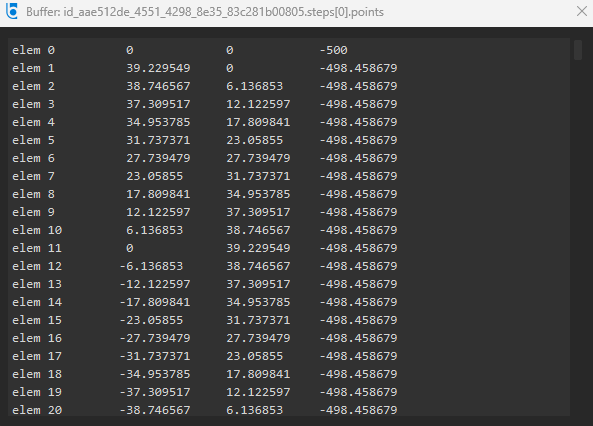
so even reducing the preview size from 1000 → 1, which most users are not aware they can do at all, we will still end up with a 1m sphere (actual mesh points ranging from -0.5 to 0.5), and lower than size=1 is not allowed
to get around this, what I have been doing up till now is apply an 0.001 scale to the preview scene, to allow it to work for dielectrics, as long as the user manages to get the preview size into the cm range
which they either will or will not do, mainly depending on the template they use – this also makes no sense to me, that the default for the preview scene size should depend on modeling units, since materials are conceptually independent – if I want to preview a gem material, it doesn’t matter if the ring is in a tiny photo studio, or in a case with others in a model of a whole retail store, ruby is ruby
if I had my wish, the preview scenes (the actual 3dms) would be modified such that we would get mesh points where 1m is 1.0 in the mesh points, the preview size would literally be in mm, allowing 1-1000 to handle anything from gemstones up to default 1m wcs mappings, and the default size would not differ based on which template you use