
how to create a Mesh like picture 2 with grasshopper, when I do it, it looks like picture 1, someone guide me, many thanks
1 Like


1 Like

tks very much
really short, thank you so much
May I ask why this is in the code:
Q{0;12;1;2}
What plugin is that?

1 Like
Or you can create brep surfaces following desired shape, and turn it into mesh after.
1 Like
What command do you use to turn it into a grid?
Can you give me a specific guide to what you mean?
It is under curve category so I thought this was a native.
But if not, maybe …I guess it comes from Curve Plus.
there is a million ways to make a brep like this.
In this case I make 6 surfaces from closed polyline using boundary surfaces. After that, simple mesh, and weld mesh vertices(mesh+, if I remember correctly. must have plugin)
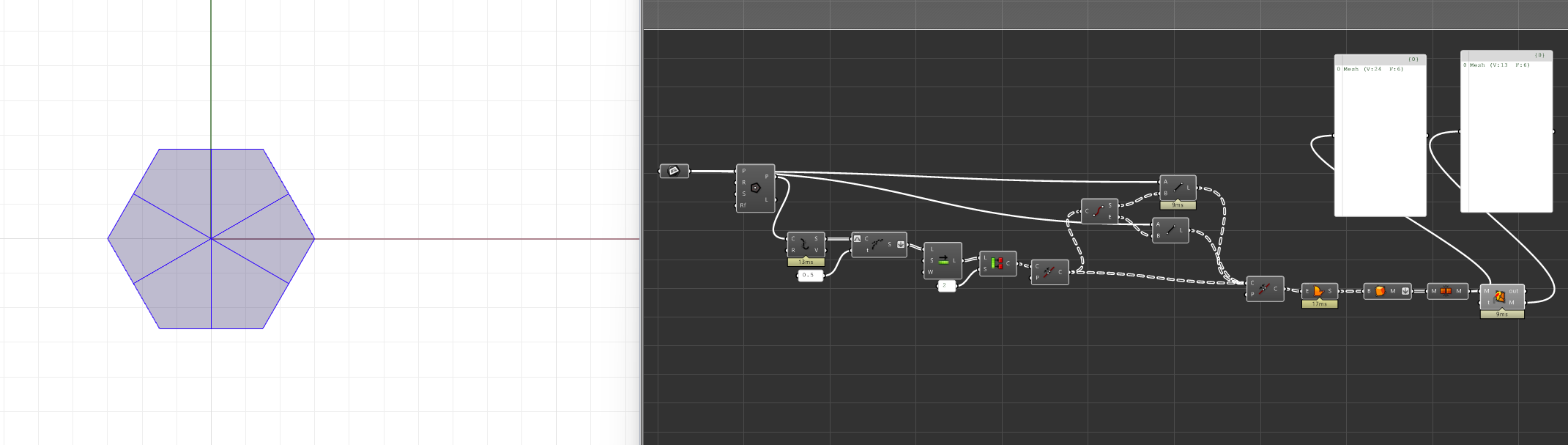
pgm.gh (10.3 KB)
1 Like
exactly what i needed, thank you so much
1 Like
Here’s a simple GHPython solution using the RhinoCommon mesh class. One really should avoid hacky brep/surface-based workarounds for cases such as this.
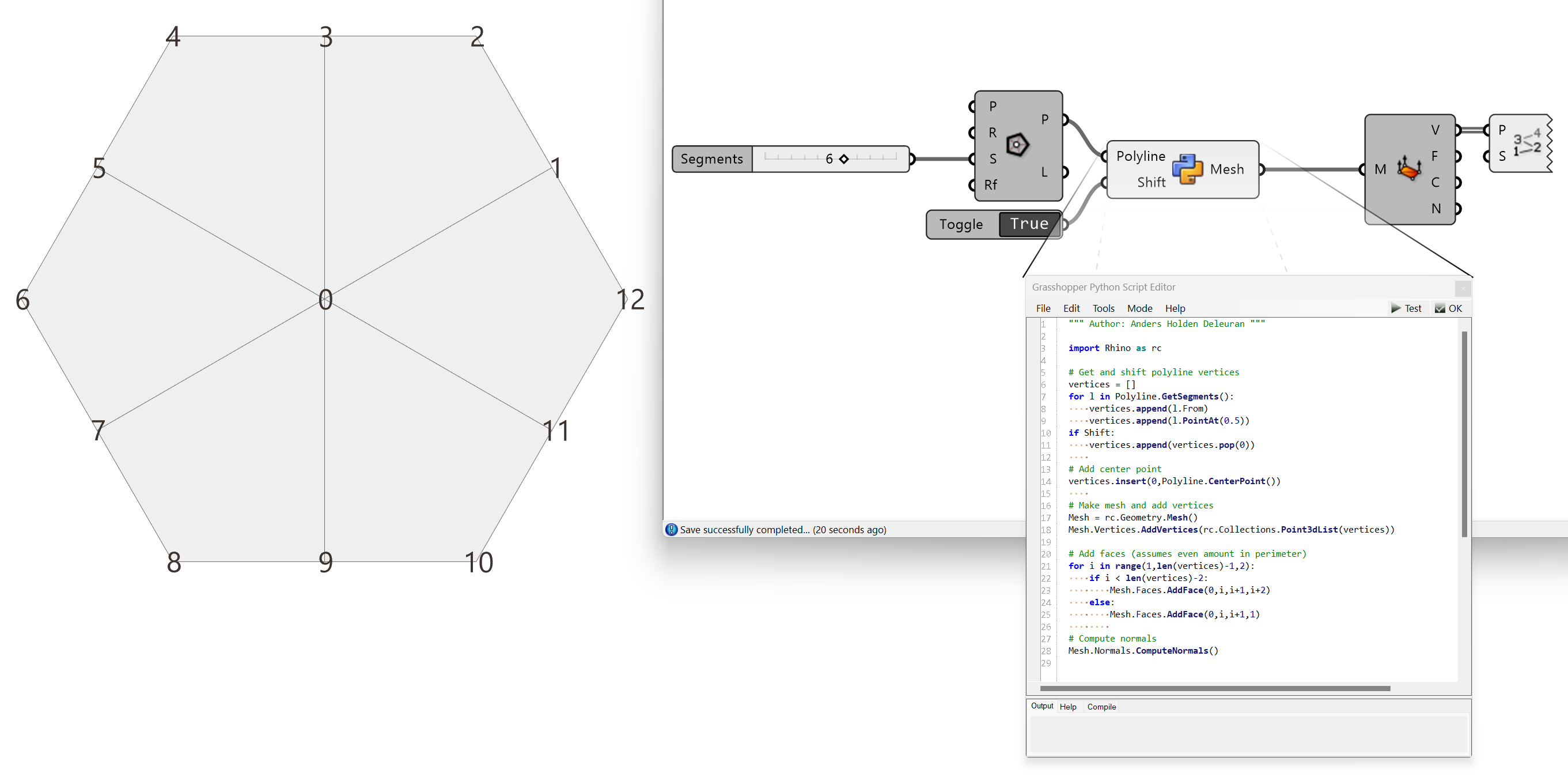

230523_PolylineMeshDisc_00.gh (8.3 KB)
3 Likes
Where can I learn python online to do this? Thank you
What is wrong with my solution? I think it’s all based on context. If he is trying to understand general principles and solve a real problem, it will work just fine.
Since you asked, a couple of things that immediately spring to mind:
-
It’s a needlessly complex and indirect hack/kludge to a problem that has a simple direct solution.
-
It doesn’t work with nonplanar polygons.
-
It requires third party plugins.
-
It requires a plane input.
1 Like
- Programming on python is not a simple solution.
2,4 is about surface creation, you can change it easily to match your needs. Grasshopper has a lot more tools to work with nurbs geometry, that you can turn into mesh afterwards.
Imo when you are doing a real job you do not have the time to use neither the most beautiful solution, nor the one you do not fully understand.
Yep, it is Curve+.


