The mesh I used for testing was created with Metashape 2.2.1. The mesh was decimated and textured in Metashape, then exported as a .obj file.
The mesh was imported into Rhino and saved in a .3dm file.
Hi,
Something is clearly wonky with this mesh from 2.2.0
I could re-export it and replace the existing, then see if all settles down.
Just trying to actually get some work done, and imagine you are in a race and every 10 secs get pulled out on some added task, .
When I get this thing finished, lost 4 days already with issues, I will have to see whats going on with this export from 2.2.0
I send files to Agisoft so they will be getting this one !
meanwhile I hope McNeel can examine it, what is at fault with it ?
Hi, Martin, @martinsiegrist
Just about to put a mesh into a new file, needed urgently, and see options I wasnt aware of.
so hanging in limbo here !
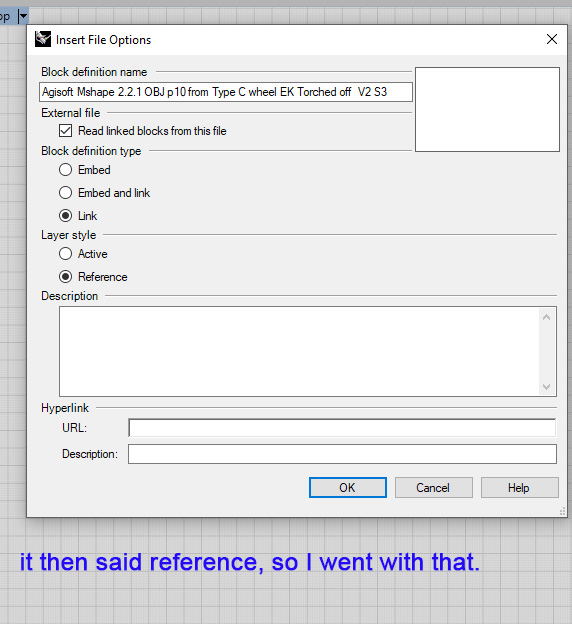
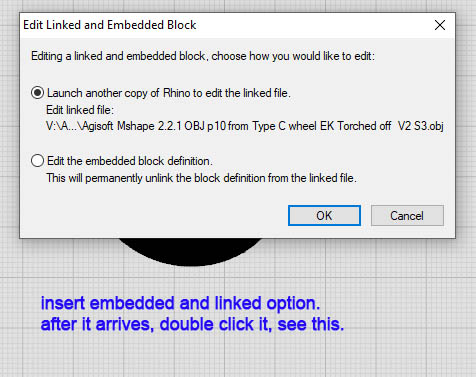
here is the dialog box when choosing File Insert in Rhino V5
What options should I be selecting. ?
Also I dont see linked that you mention. and thats important. to select you say.
I have a new mesh made in metashape 2.2.1 and wish to see if insert behaves better than import.
I like to insert my meshes as linked, referenced blocks but in the end that also depends a bit what you do with it afterwards…
Most of what I do is in Grasshopper and for some things I don’t even need to import / insert a mesh in Rhino and can do that directly in Grasshopper since V8.
Hi,
yes a jpg and an mtl along with the obj in the folder I make to send them to, before doing the export command of model.
have also tried, block instance link and ACTIVE not reference,
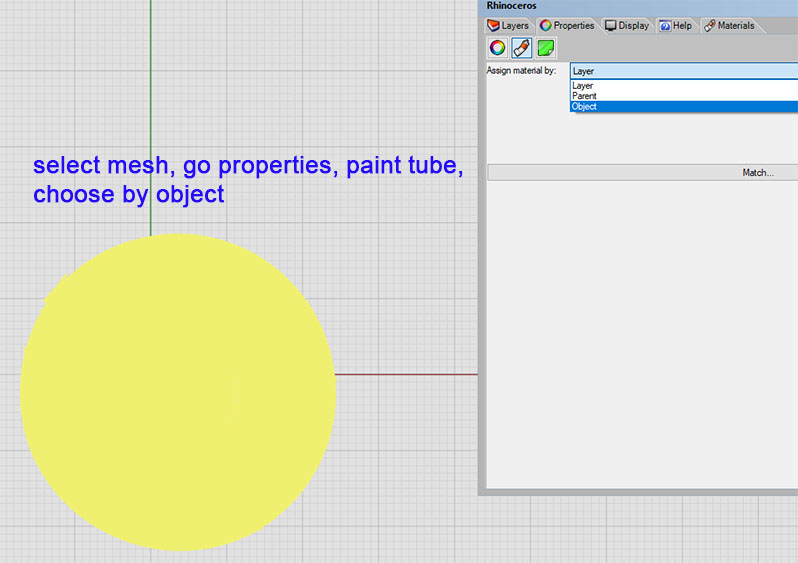
then when it appears, do the usual steps, , select it, go material, by object, color, browse to jpg,
Hi,
Insert, block, reference
dont go to material tab etc,
make window rendered, and the texture appears.
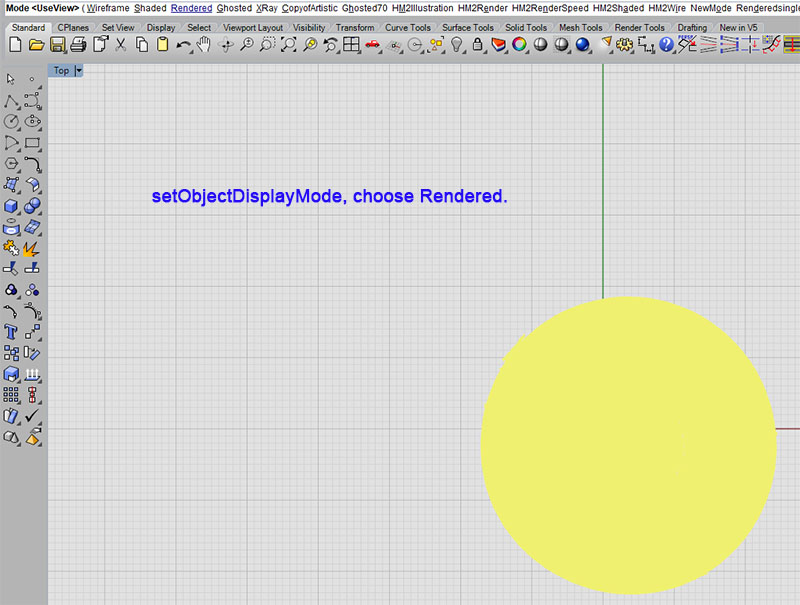
so then back to shaded, select it, setObjectDisplayMode choose rendered. its BLACK.
I work on the item in shaded mode, and ghosted mode, and wireframe mode etc etc. so need it showing its hi res texture in these, hence setObjectDisplayMode for the mesh.
so the rendered window is no use to me.
I then try for the Import method, and object, color etc the usual, and get a lovely textured Object in all my view modes.
But its potentially going to be SLOOOOOW
as Rhino is bad with meshes.
even the 2nd mesh in the current project is now causing slow panning, turn it off and slick again.
I want speed so import is not an option. but I need to see the item, so between a rock and a hard place.
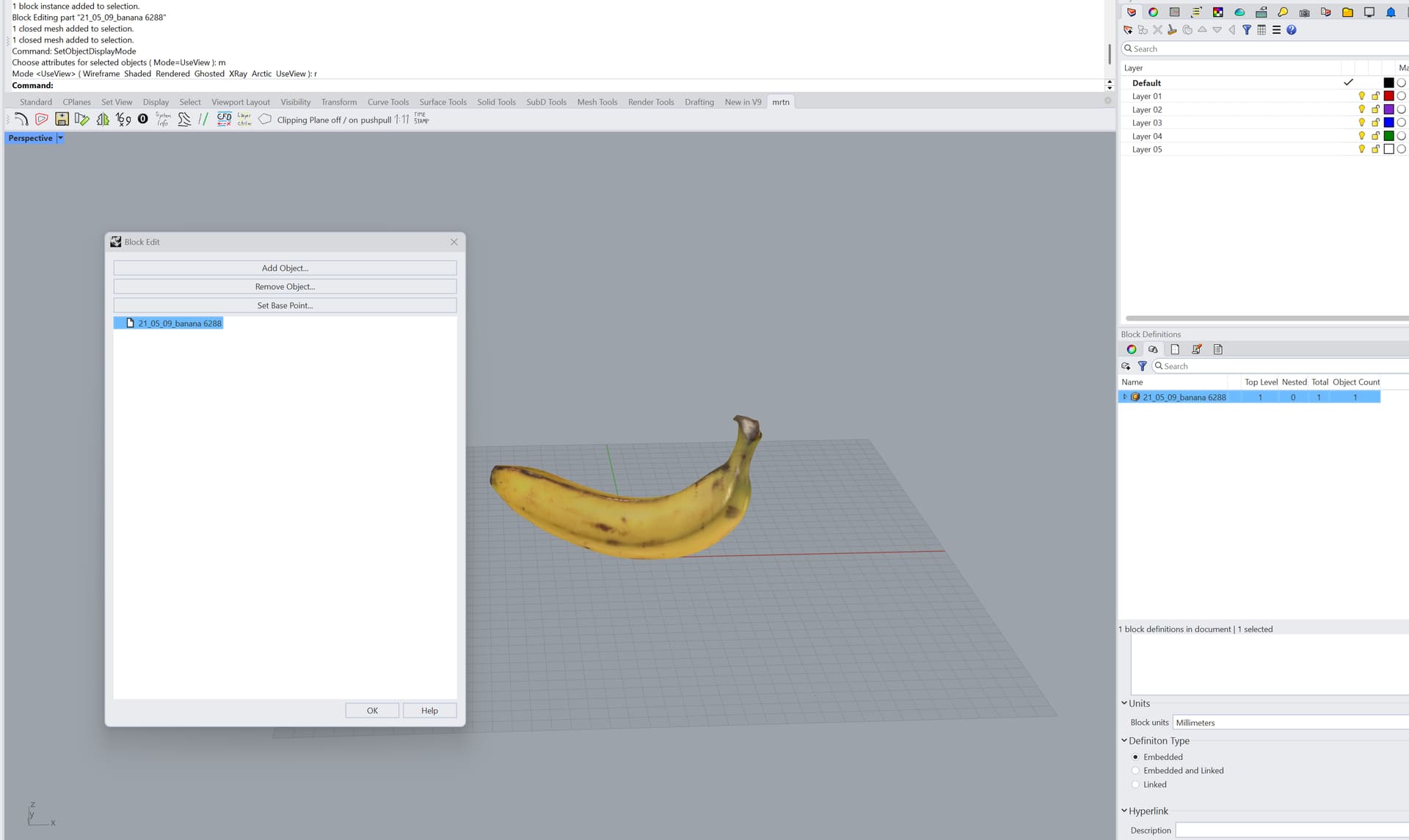
so try insert block, embed and link, then double click ut, and see this
so what to choose in this dialog box ?
then what will appear next and what there to choose, etc ?
linked would seem a quicker way than embedded items , am I right ?
less Mb to save for starters.
so Embed and link puzzles me. how can one have both, whats the advantage ?
This one, is a better view of a brake assy.
Its a wheel with brake assembly, torched off a trolley.
I have had to work with the import one, as I can see it.
Its slow already. This is cruel.
I have oriented it , with sections (project line) sorted out datums, then scale it to dia of brake drum. Then run sections through any areas I need for better shape input for the main project.
Just sussing some radii on its castings where the other was poor as couldnt turn the thing upside down, weighing many cwt. to get photos of every nook and cranny.
I reverse engineer items.need max detail, so decimation is for pretty, and not detail.
though I must find a way of having flat areas with far lesss polys, this one is so dense its yellow.
but I am not paying subs of $1900 just to do that, I dont make any money at all on all this.
This is the end of the tunnel, its where I have been heading for years, and its doing my head in trying to ger Rhino to be slick and quick, with meshes. with a custim built PC spec for rhino.
as Bobi says, its flawed. @Rhino_Bulgaria
The easiest way to crash Rhino is to open a 3d scanned model with at least 1-2 million polygons, them make a History-enabled mirror model, then add another colour to the copied model to distinguish it from the original, then move the original to adjust it in the space so that the History-enabled mirrored copy will align with the original. Repeat the moving/rotating several times and Rhino will either freeze or crash due to super fast memory leakage caused by the undo stack.
A possible reason for the bad viewport performance may be the OpenGL nature of Rhino. Recently I read somewhere in the forum that Rhino 9 will offer an alternative DirectX support.
My experience is considerably different than Steve’s experience.
I create large meshes (up to 10 million faces, occasionally larger) using Metasahpe, import or insert them into Rhino, and manipulate them in Rhino without the problems or frustation which Steve describes. I do not use any third party plug-ins for meshes, reverse engineering or similar. The imported meshes are used as reference in creating NURBS models.
Creation of the meshes in Metashape:
I create a dense point cloud in Metashape, trim superfulous points, then create a mesh from the point cloud. I trim the mesh if needed, decimate it as appropriate. If the decimated mesh will be substantially over 10 million faces I usually split it into two or more meshes. If an area needes higher resolution (less decimation) I create a smaller mesh with less decimation. The final meshes are textured in Metashape. I do not edit the textures created by Metashape.
Export of the meshes:
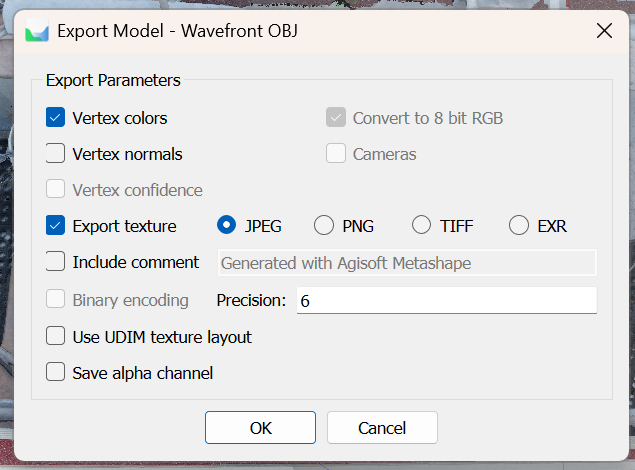
I have been exporting meshes from Metashape in .obj format. My usual settings are:
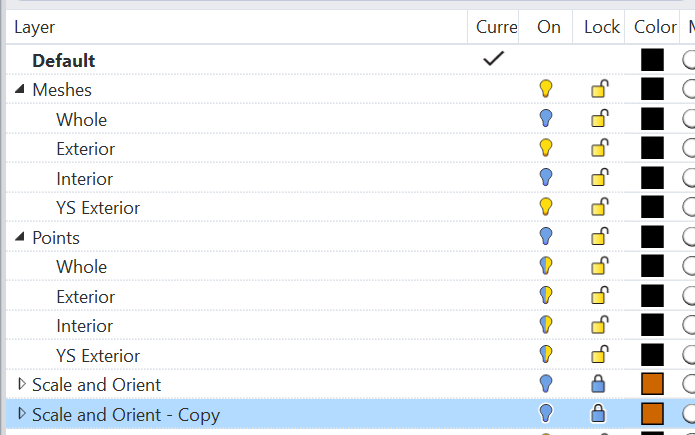
Typically all the reference meshes associated with a project are saved in different layers in a .3dm file. I frequently also export the dense point clouds from Metashape and import them into Rhino.
Scaling and orienteing the meshes (and point clouds).:
I measure a known distance in a mesh, for example the nominal 34 inches between the 1 inch and 35 inch marks on a yardstick. Then Scale is used scale the mesh with the scale factor of desired length/measured length. A set of reference orthogonal reference lines are scaled at the same time.
The meshes are then rotated and moved to the desired orientation. The scaled reference orthogonal lines are rotated and moved at the same time.
The scaled and oriented orthogonal reference lines allow for simple scaling and positioning in Rhino of additional meshes from the same Metashape model if needed.
Using the meshes (and point clouds) as references:
I have been using Worksession with the NURBS models in a .3dm file and the reference meshes and point clouds in a separate .3dm file.
Recently I have been experimenting with inserting the meshes as linked blocks, primarily to allow for re-orienting the meshes.
I feel your pain, but it’s not only meshes that grind rhino to a standstill. My experience is that once a file has tons of stuff in it Rhino chokes. Mostly it seems display related and materials related. I wasn’t aware there was a memory leak but you would think that would be a priority to fix.
I sometimes create large files and found I can only use all my models as intended using work sessions or send them to Blender or Unreal. Unreal is really the best at handling large files but of course it sucks because you can’t model in it.
Blender I found has these great capabilities that Rhino totally lacks.
Blender has the ability to open files as links but you can still edit and move them unlike Rhino ws.
Blender has scenes where you can open entire other models and the best part is you can render them with different render engines at the same time and composite them easily all at once. You could have a detailed car interior in one scene and the car exterior in the other, and an exterior scene with terrain in another. You can easily copy layers between scenes.
I can import all my models and add crowds and other animated characters, in Rhino I can only do one scene or model at a time even with worksessions and no animation or extra animated characters or vfx.
Unreal is maybe the easiest beast I just throw all my models, animation, fx and it keeps going in real time.
I love rhino, for the most part one just has to work around this shortcoming and I don’t always do huge files. I think rhino’s strength is building real world objects that a person or company wants to fabricate neither blender or unreal comes close to rhino for fabrication and ease of modeling but we still need better viewport and response when files get large its not just a mesh thing.
Hi,
Just to check, as I am about to bring 2 meshes into my project which already has 3, I fear the save time and navigating time will be like wading through molasses.
is it true…that there is no way to Insert mesh and then in shaded mode give it rendered mode, as I currently do.
using SetObjectDisplayMode rendered.
Its not possible with Insert>BlockInstance, , just tried again. into a NEW file.
taking 2 mins to save,
try technical drawing view mode and 3 mins later still rotating blue ring. 4 mins and I abort the session. Rhino and insert and a mesh and hopeless.
so Insert doesnt speed this up at all.
I need my normal working environment of shaded mode, as well as X ray and Ghosted, and wireframe, all with the real high res texture showing.
Try making a block out of it. Transforming those are much faster. You can also save the mesh in a separate file and insert that so you don’t bloat the file (saves faster). We do the latter all the time.