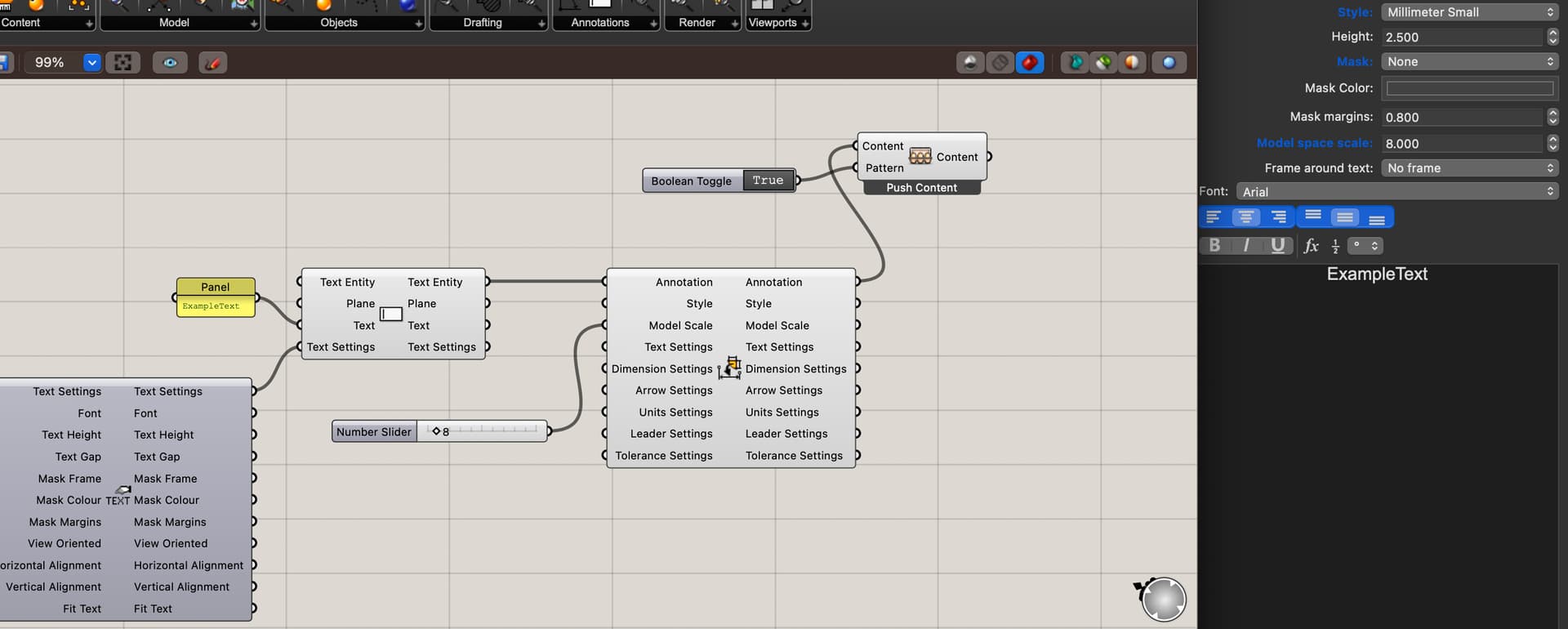
Did I miss something ?
Is there a secret way to activate that extra input on the “Annotation text settings” component ?
Like in an escape game ?
By the way, for my annotation needs, I couldn’t care less about most of the options proposed on this component, but “Model Space Scale” could sure come in handy to prevent this :
When I opened your file and baked the text into the document, the text shows a height of 100.0 and a model space scale of 1.0… which are the same settings used in Grasshopper. Am I missing something?
Hi Andy.
That’s weird. In my case, the scaling becomes 10.
I have worked over 10 years making detailed and annotated drawings in Solidworks. I NEVER worried about scaling factors for text, leaders or dimensions.
By contrast, in AutoCad and thus Rhino, management of annotations is a job in and of itself ; a boring, soul crushing one at that, leading to silly discussions like this one.
I’d also like to report a new bug : invisible text edits.
I can’t see the text I’m typing while editing an existing text, yet the updated text appears in Rhino viewport. Not systematic.
I seem to remember having run into that in the past but am not able to reproduce that at this point. Which version of Rhino are you currently running?
-wim