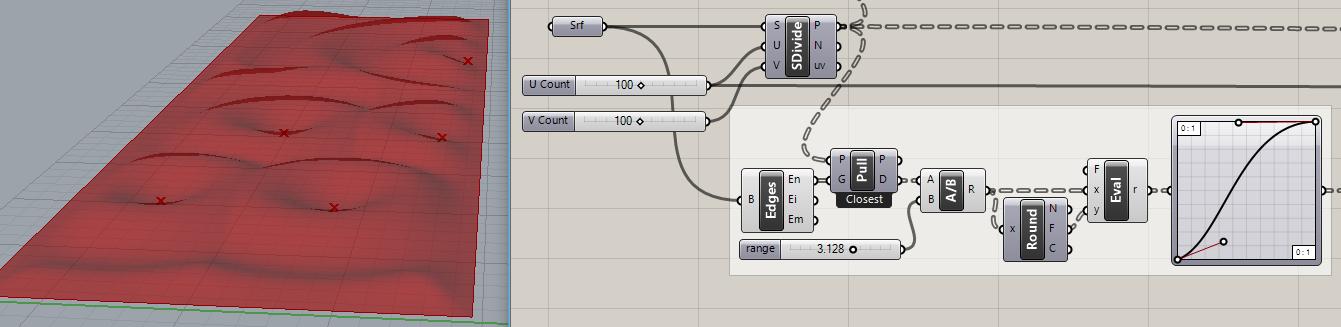
etj
August 23, 2022, 10:20am
1
Hi,
I am new to Grasshopper and am using books and online videos to try to teach myself how to use Grasshopper.
Thanks in advance
surface offset 1.gh (24.4 KB)
Use the ‘addition’ component if you want to move a point with a vector.
surface offset 1.gh (10.0 KB)
2 Likes
etj
August 23, 2022, 1:49pm
3
Thank you, Antoine!
Do you have any idea, why they would not have the +1, that you added - and it made it work quite wonderfully - in the Figure in the book??
This has helped me heaps! Thank you for your fast reply
They must have i think…
Here is a source that details a bit morehttp://wiki.bk.tudelft.nl/toi-pedia/Surfaces_from_Points
Is their component with this little " * "?
etj
August 23, 2022, 2:13pm
5
Hmmm, no there is not. There is only the “Flatten” on the “P”.
But this has helped me a lot, and made it a lot clearer to me.
Thanks again!
lander
February 13, 2023, 1:58am
6
how do I get control over the offset distance?
lander
February 13, 2023, 8:22pm
8
I need control over the offset across the entire area.
I need people to ask politely and elaborate.
lander
February 13, 2023, 9:35pm
10
connotations are in the mind of the beholder.
Antoine Maes:
ask politely
i want.
lander
February 13, 2023, 9:36pm
11
I’ll try providing more details asap.
Some kind of attractor function, perhaps? Choose attractor point with MD Slider in cyan group:
variable_Offset_2023Feb13a.gh (66.3 KB)
There is probably an easier way to do that…
If I had more time, I would have written a shorter letter.Blaise Pascal? John Locke? Benjamin Franklin? Henry David Thoreau? Cicero? Woodrow Wilson?
1 Like
lander
February 14, 2023, 9:19am
13
I just want to be able to control the variance of the offset. I think Rhino already has some function in this regard.
I merely expect grasshopper to add parametric control is all.
antoinemaes
February 14, 2023, 9:31am
14
You’re still using the old definition, did you try the last one I posted?
If it’s not what you’re looking for, I still don’t get the question.
lander
February 14, 2023, 9:33am
15
Joseph_Oster:
MD Slider
k, I wasn’t sure what you meant but after I messed with your file, I think I got excited.
But how do I make more of those all over the surface in order to control every point? edges, etc.?
And yes, I need it to be simple to implement so less skilled users can benefit from it’s power.
lander
February 14, 2023, 9:46am
16
K this kind of works to do what I want, but not very intuitive yet.
Also, I want/need control over the variance relative to each edge per say.
You can have multiple attractors, curves as attractors, formulas that produce patterns and damp the attractor effect when near an edge. All standard stuff but you have to write it:
lander
February 14, 2023, 4:17pm
18
I don’t like the attractor effect already. Maybe there’s a better way to write it…
I was hoping I’d not have to be a software programmer just to be able to interpret what I’m seeing ppl doing with grasshopper.
I’ve been trying to be a grasshopper user for years now, and it’s still not intuitive as much as it should be.
lander
February 14, 2023, 4:20pm
19
I should probably just try using regular Rhino offset tools and see how it goes, but then it wont be parametric at all…
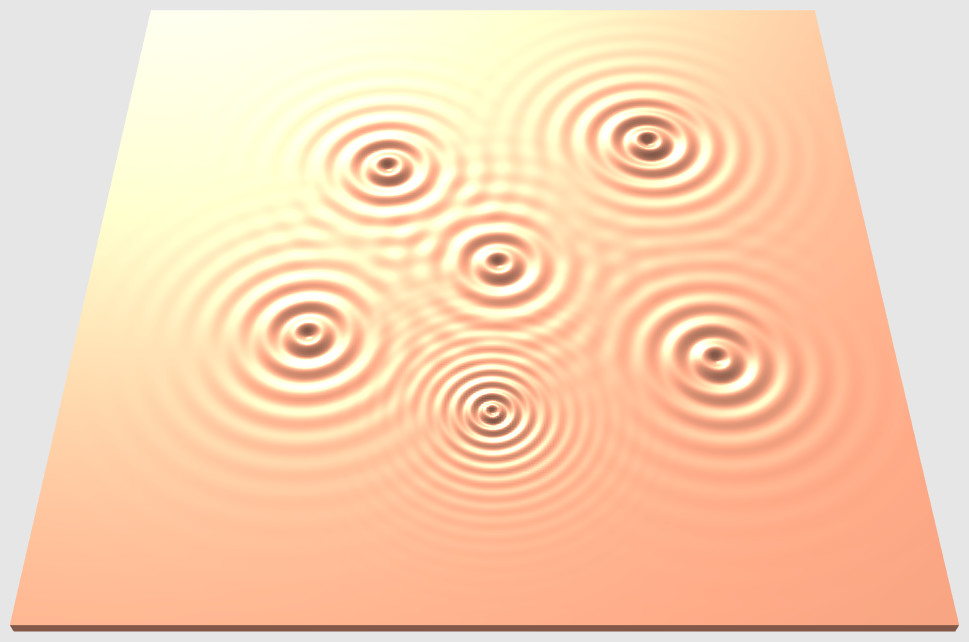
Grasshopper is programming. Not everyone has the aptitude for it. What I posted here is only one simple example of attractors. The alternative (sometimes combined) is formulas (“expressions”) that produce patterns (“ripples”, bumps, whatever) .
Search: Search results for 'ripples @Joseph_Oster' - McNeel Forum
More like a scale factor than damping factor, actually. The idea was for the points to represent different sized stones and pebbles, so to speak.
In addition to the X/Y position for each point, the scale needs to be set for each one too. It could have been written differently, I can see several flaws and ways to improve it. Found and fixed an error just now regarding the ‘U’ input to ‘SrfGrid’.
This version (attached) uses ‘Random’ for location of points and their scale factors:
ripples_2…
1 Like


 Wishing doesn’t make it so.