Hi everyone,
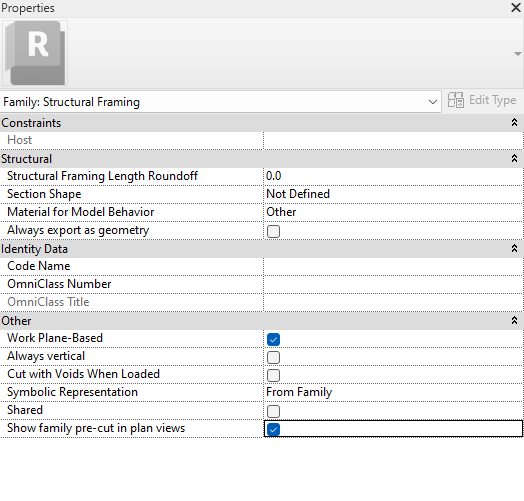
I have several families that I’m trying to toggle these property settings in(under Other). How can we access these and modify these en-masse?
Any direction on this is much appreciated.
Shortcuts:
Shift+Double Click to expose all parameters
Ctrl+Double Click to hide unused parameters
Thank you,
But I’m looking for the property of the family - for ex: Show family pre-cut in plans
I couldn’t find it in the inspect elements. (maybe I’m missing something)
Sorry Its a Family Parameter, Can’t be accessed through the Inspect Element.
Let me see if we can find a way through Revit API.
@MSAwan this is perfect! Thanks a lot.
Have fun 
Hi Muhammad, I am trying to do something similar but am unable to discern how to adapt your code to my situation. I have a gh script started that extracts data from an excel sheet. My goal is to take a generic annotation tag, create new types (using information from the excel) and then assign parameters to the types (using infromation from the excel). I have been able to script this when they are instance parameters, but not when they are type parameters. Let me know if you have any ideas. Thanks
Hi Sarah, are you doing this in a project (the tag is loaded and placed), or with the tag family open in the Family Editor? In a project, the fix is to set the values on the types, not the placed tags (Duplicate Type → Element Parameter). In the Family Editor, the types have to be made through FamilyManager in a script.
Are we talking about family template parameters?
Can you post the example files or screenshots?
@Sarah_Edwards here you are not providing the the parameters input thats why you are getting a warning
Yes, I know, because everything I tried could not access the paramters imbedded in the family types. Inspect element does not show the parameters ELEM#, ELEMENT NAME, or SCENE #
Can you post the file if not send me in DMs