Hi
I am a new learner of GH, I’m trying to build a brick wall made of randomly sized bricks (like below). The size of these bricks varies randomly along the x and y axes simultaneously,Some of them are rotated,and some of them are protrude or recede randomly. I try my best to restore it,but However, I failed to complete the first step. I think my thinking may be wrong.
Please help me


Thanks a lot, I’ll trying to finish this with your help! and I’ll post it if i have difficulties.
Thanks again!
Hey - wondering how this can be mapped to a surface
Hello
as you can get UV coordinates you can map to a surface.
This is a very impressive script. And I have been trying to apply its to a wavy surface. And all I am producing is errors. Note, I am also using v-ray as a renderer. I am trying to achieve a surface like this brick facade but for a small bench.
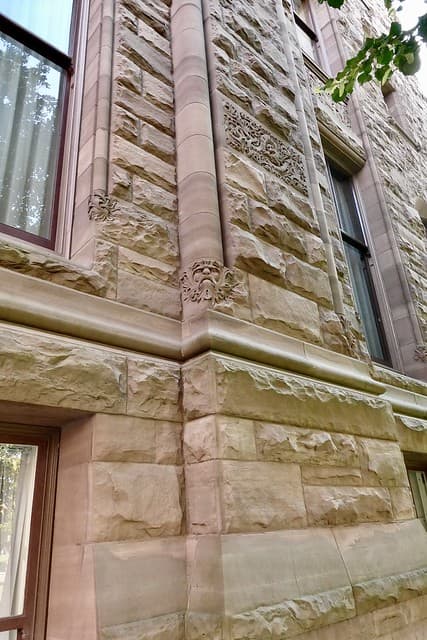
There are many scripts that does quite the same things. Depending on that it is quite difficult to know where is your problem. Also wavy or not if it is a surface, the parametrization in U and V can be normalized so it could be possible to apply a “brick pattern”, also if it is a cylinder it is possible to have a nice pattern without the seam.
If you want some better answer post a script with the surface you are working on or a similar one (UV speaking) if you want to protect your work.
Where in the real world does one get “randomly sized bricks” 
Good luck stacking bricks of random thickness. And what good will it do to create a CAD model unless randomly sized bricks can be made to order to match the CAD?
P.S. Two lists of thickness and length, randomly chosen, might have a chance of being built.
Are you replying to 2019 OP who referenced a project built from precast concrete modules?
i did something similar to the masonry texture in vray a while ago. went something like this:
- start with a generic material
- create base Tile pattern with a color and scale to the bench
- apply a UVWRandomizer modifier (if memory serves me right) to the Tile diffuse (will generate random colors, of course you have control over the hue range, saturation range, and value range)
- apply a UVWRandomizer modifier (if memory serves me right) to the Tile extents (will generate random range of brick sizes. i think it only works in one dimension)
- create a base Marble in grayscale
- Repeat Marble so that the overall Marble texture is proportional to the Tile texture. note you don’t need to have the same number of units in both Tile and Marble. also in real life, the weathering and discoloration can span across joint lines
- apply UVWRandomizer modifier to Marble so there’s variation in the depth/intensity of the veining
- apply Marble as your bump map to the material
the UVW modifier is how you create the randomness inside the layers of a texture in vray. way easier than manually doing the work in grasshopper or rhino. whether the base pattern for the diffuse or bump is Tile, Leather, Marble, Granite or something else, you’ll need to find out through trial and error. i used this workflow to render some wood boards that were weathered.
Hi Laurent, here is th
Sandstone Bench_2025.3dm (4.6 MB)
e rhino file! I am trying to get this texture/profile on the sides of it.
Hello
I looked at your file, your “surface” are not Rhino Surface but polysurface/Brep and some faces are trimmed. I tried some ideas but at the moment I don’t know how to apply my script or similar ones to your objects. I can make some “bricks” but just on untrimmed surface
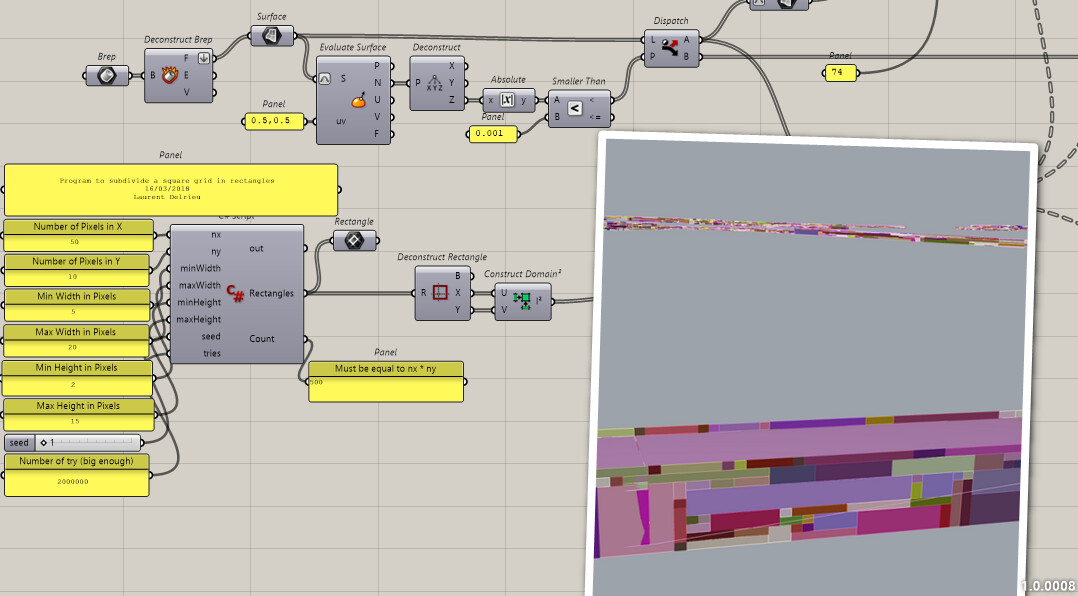
IsoTrim is working but outputs surfaces, in order to use it it should be better if it outputted trimmed surface that could perhaps be “cut” by “Retrim” component.
bricks.gh (189.1 KB)
So if just for rendering the best is surely to follow @BTH advice.
It is possible to do something like that, a bit “Capillotracted’“

bricks_2.gh (31.6 KB)