I will keep the fix in VisualARQ, but I think you still need to fix this, as this may affect stability in Rhino or other plugins. The DispatchMessage issue will execute a Dragcommand in the middle of a Save operation, which will modify the document, so data saved before the drag could be different than data saved after the drag. IMHO this is not safe.
I’m running VA 2.6.1 and I’m having a similar problem. I just installed VRAY Next and my model started disapearing slabs and walls and other random objects. not even elements I had dragged or edited in any way.
I am using the most recent Vray next as i downloaded it off the website today. the objects are disapearing from the model permanently while I am working in the model, before I even tried to use Vray to render anything.
Can you attach a screenshot of the VRay version? Are you using VisualARQ 2.6.1? What Rhino version do you have? (please we need the version numbers, not just “the last version”, just to be sure we can reproduce this error with the same versions).
I just finished a final review, I ended up having to open my model on my mac side without visual arq and explode all the blocks to prevent futher curruption of my file, I will try and replicate the problem shortly and send you all the information I can.
@clacortese, what VRay version do you have? This issue should not happen with the current VisuaLARQ version and with the VRay 4.10.01 or later version.
I was having a similar if not the same issue…if I closed the file I was working on and re-opened it, elements such as cabinets and so forth had disappeared.
Very weird, however I found if I isolated an object, any object, then unisolated they all appeared again. Simply trying to un-isolate objects did nothing, I had to isolate something first, then un-isolate and they all magically reappeared.
I used Gumball to copy VAobjects (Beams)
Then I edited the beamstyle of the beams.
Now I can’t see them. I can select them through “vaSelBeam”, hide them, and show them again, but I still cannot see them.
When I select the beams (with “vaselbeam”) and try to zoom on the objects, it prompts “No object selected”, though it previously prompted “5 beams selected”.
Any solution ?
I am using
Windows 10 (last version)
Rhino 6 (last version) in French
VA 2.10.1.14725 in French
Grasshopper (no recently added new plugin, though I never had this problem with visualarq before), with Human, VisuarlArq, Kangaroo2, Human UI, TT Toolbox, Dlubal, and an Excel reader.
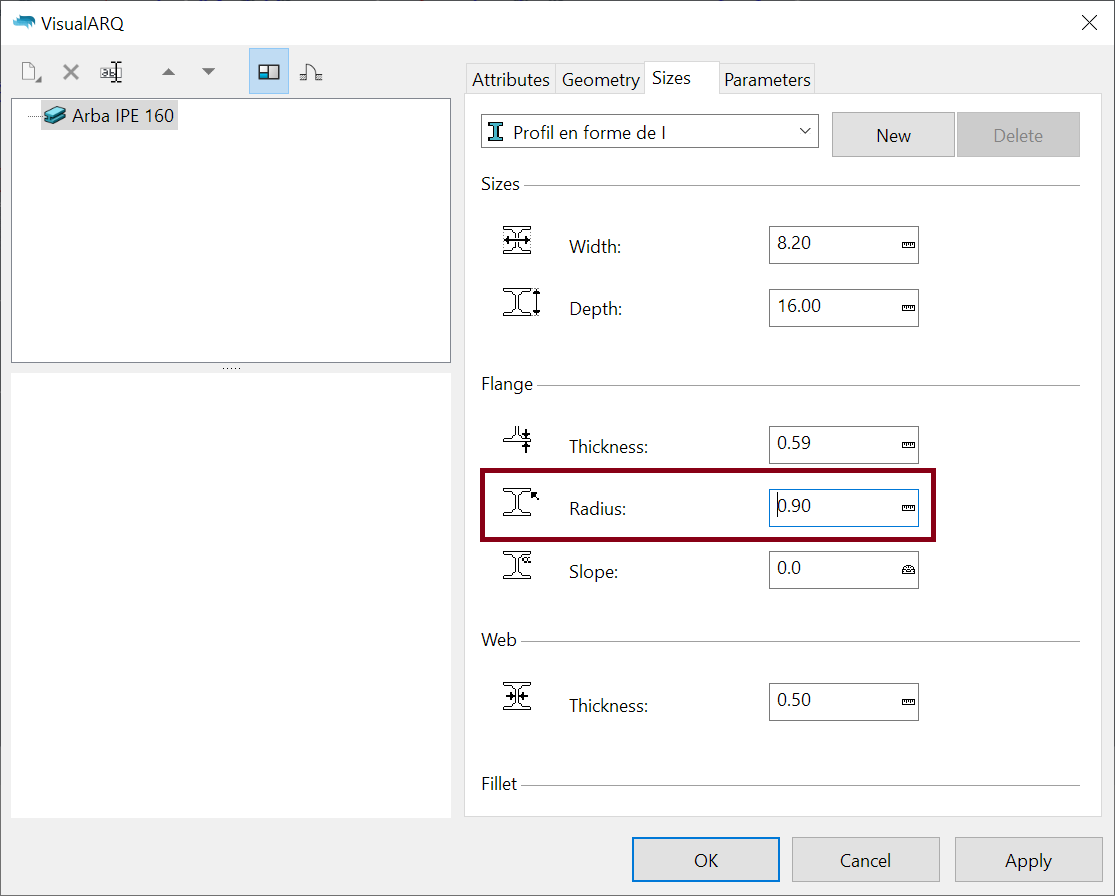
Now when I change the style of the beam I can see them again… but when I switch back to old style it does not work… Maybe a problem with the style "Arbalétrier IPE 160 in the model).
Well, I said that the radius is not correct, but the real problem is the combination of all dimensions. I mean, with greater Width and Depth values, 0.90 radius may be valid also.
If you think the introduced values are correct, I can check why the curve fails to be generated. Maybe there is a bug in VisualARQ.
I seem to be experiencing a similar issue to the one discussed earlier. I am working with Rhino 8 and VisualARQ 3.8 Beta, and I have nearly completed my project. Now, a wall has suddenly disappeared after I remodeled the floor slab next to it.
The wall is still there, but I can’t select or edit it. As shown in the picture, the window is still visible and the intersections with adjacent walls are also present.
Is there a solution to somehow delete the wall? I would like to remodel it.
I tried the update, but unfortunately, nothing happened.
Interestingly, when I attempted to draw a new wall, I noticed something odd: it seems like there’s an overlap or interference causing the wall to disappear in that specific area.