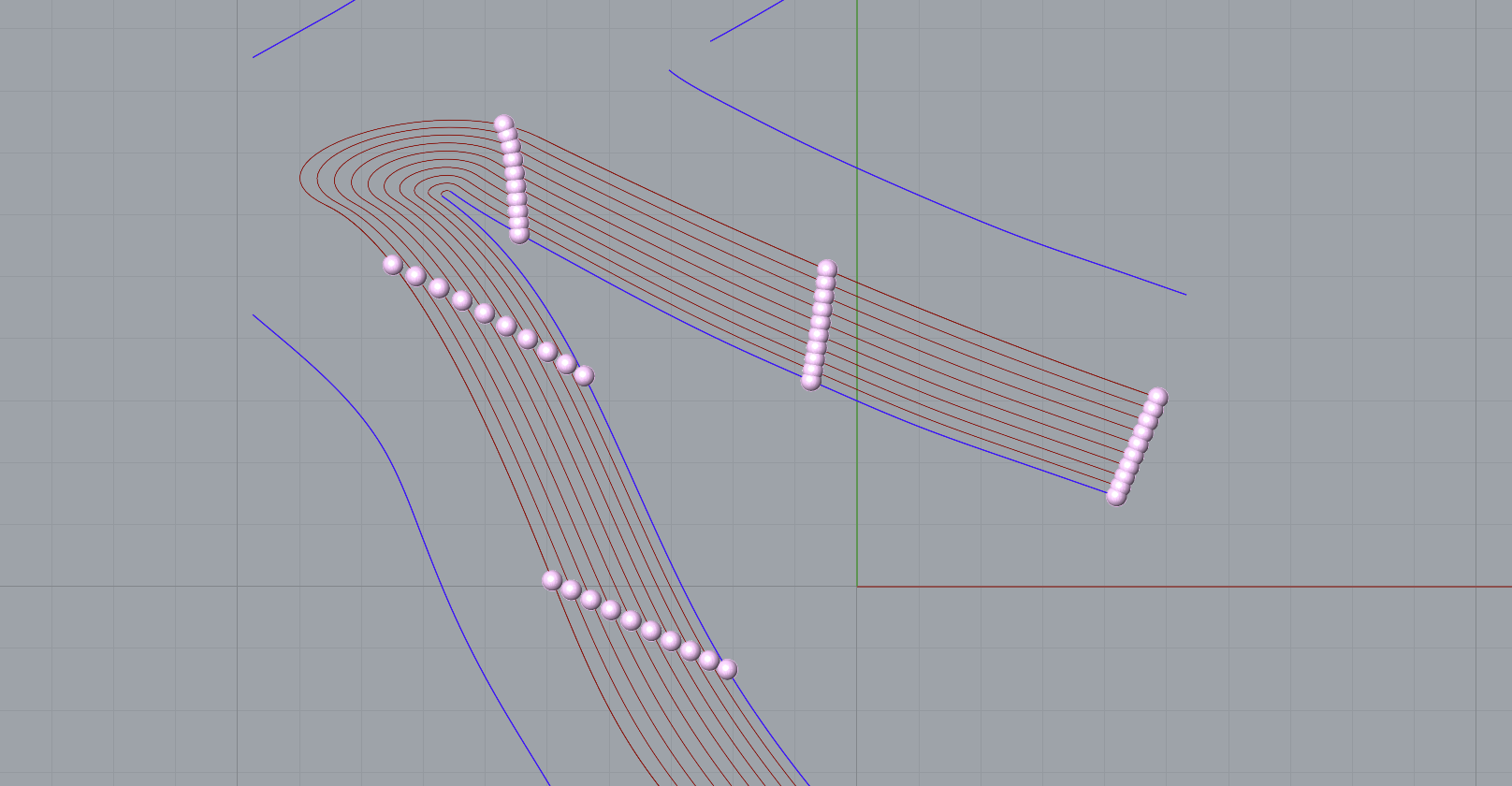
I’m generating tween curves between an outer outline and one or more guide curves in the middle. I can get nice transitions (blends/tweens), but I’m stuck on (1) joining the split segments in the correct order and (2) cloning a motif along those curves to get a pattern.
My Goal:
Creating pattern:
-
Inputs: outline curves (boundary) and guide curve(s) in the center.
-
Generate tween curves between outline and guide(s).
-
Where tweens split, maintain a clean, smooth connection.
-
Finally, divide the resulting paths and map a shape/motif onto the division points so it orients to the curve (to build a seamless pattern).
What I have working
-
Tweening between outline and guide curves (and visually it looks good).
-
Using Rhino’s Blend (and GH Tween) I can get the curvature I want.
Where I’m stuck:
-
Ordering/Joining: When the tween curves split, I can’t reliably join/sequence the segments in the correct order to form continuous paths.
-
Shape mapping: I want to divide a path, clone a shape onto those division points, and have each clone follow the local tangent/normal so the pattern reads smoothly along the curve network.
Questions
-
Best practice to enforce consistent curve direction before ordering?
-
Robust strategy to order split segments along a “spine” or index curve? (e.g., sorting by intersection parameters vs. endpoints proximity, or a graph approach?)
-
A Recommended way to orient geometry along divided curves so it doesn’t flip and optionally scales by local spacing?

TweenCurvesBlend_autosave.gh (7.1 KB)
FIT_Curves_00.3dm (2.9 MB)