When creating a project in the script editor I would like to run a script on startup of Rhino. Is this possible? According to what I can find it seems that it is, but I guess my question is where the code for it belongs in the project folder structure as it is not a command or component.
Sorry, what I meant was I have a plugin that I have built and packaged into an rhp. Is it possible from within my plugin application to run a command on startup?
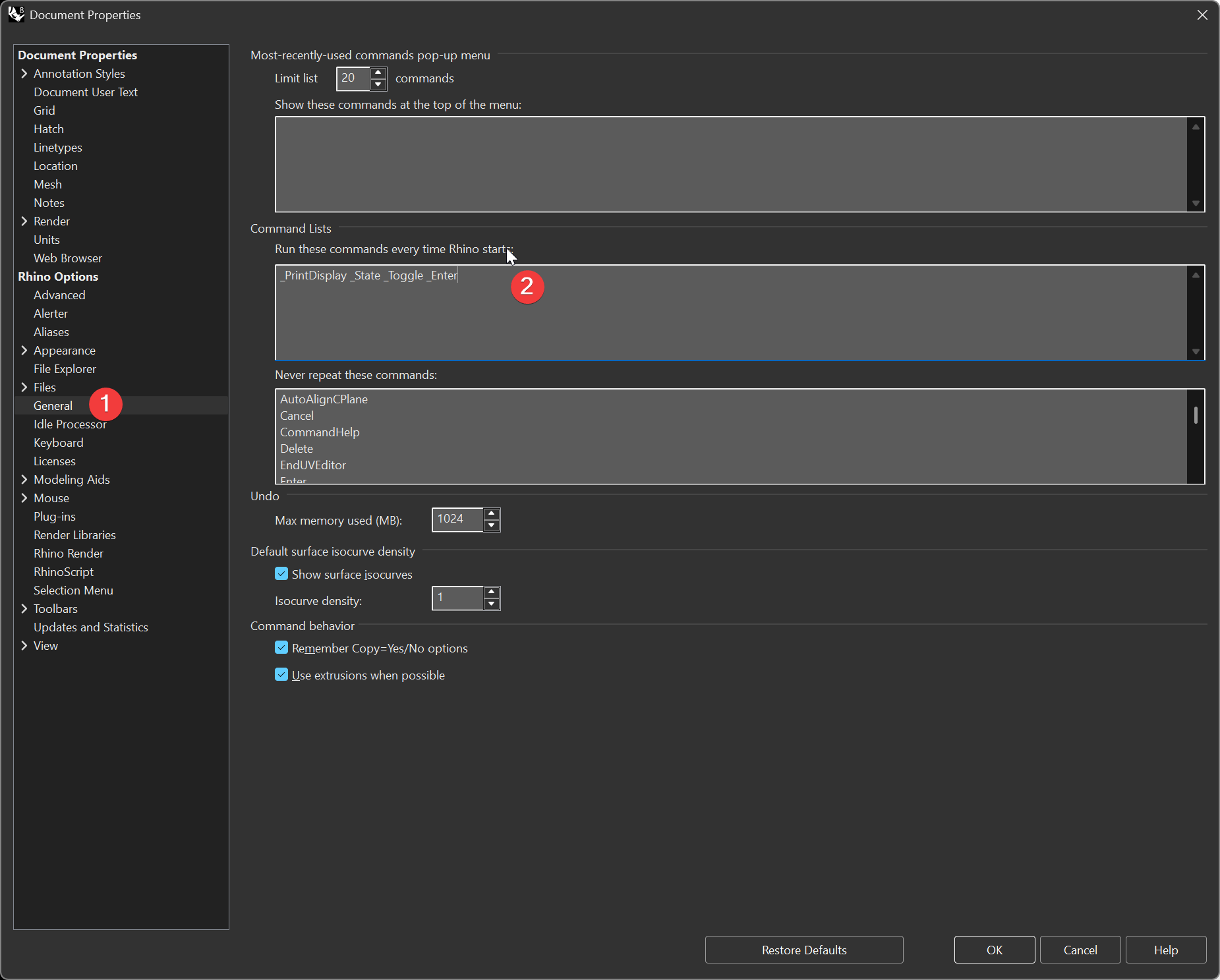
Ah, I see.. I can’t answer, if an plugin can run something on startup (from a point of security i would say no), but rhino can run it for you.
If you made it with the script editor, then no. In the RhinoCommon SDK you could have your plugin Load at Startup and add some function into the OnLoad function, but I would avoid this as it doesn’t let the user chose this.
@dn.aur has the right idea, have users add it to the Run at Start Commands
Ok. I will have to see if I can figure something out then. It has to do with distributing company settings and would be best if I could initially put that in there so it would perform a check on every open if there are any new settings to be copied.