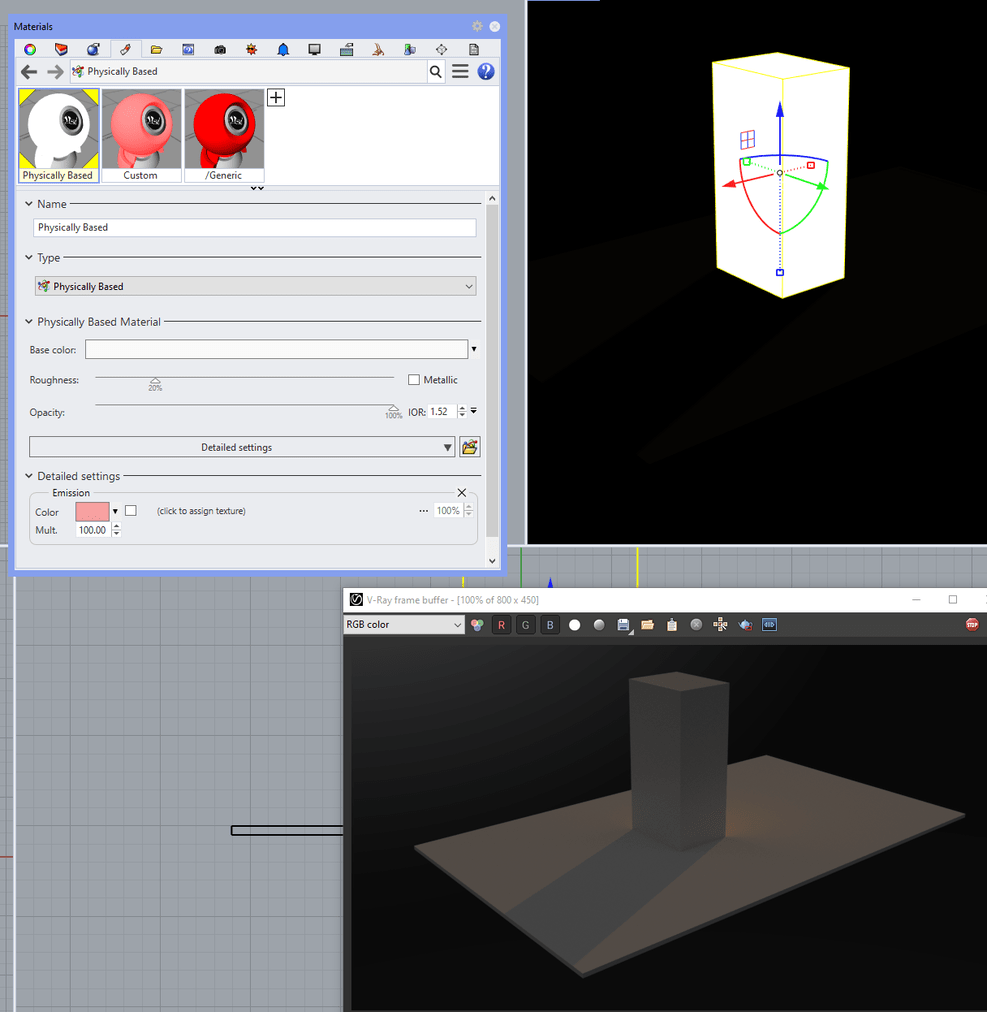
I’m wanting to create an animation where the sun goes down and lights slowly turn on.
Sun isn’t a problem, but for some reason vray is not rendering Rhino emissive materials (or PBMs).
It will render it’s own emissive materials but there is no way of animating those in Bongo (that I know of).
Vray will render a material as emissive if it’s ‘self illuminated’, but that setting is on or off, I can’t slowly bring it up or down.
I tried using a rhino rectangular light instead of a material, but Bongo doesn’t seem to support animating light settings.
Any clues? I have a deadline for a presentation soon.
The standard Rhino material has “Emission” property, but that merely adds to the diffuse color. It does not emit any light, unless you turn the self-illumination on. This is also matched in V-Ray.
Here is an example:
Matching the Rhino material properties to the V-Ray terms is not an easy task, and we are constantly improving the compatibility. I’ll be glad if you point out what exactly is not rendering correctly in regard to the emission property, and I will make sure it is fixed if possible.
Furthermore you can achieve what you want with V-Ray materials too. You simply have to script the Bongo animation, and between the frames update the V-Ray material as you wish. There is general script I posted some time ago on how to render Bongo 3 WIP scene with V-Ray. And here is the same script slightly modified to modify the material for each frame. (I don’t claim any proficiency in 3D modelling nor lighting)