Thanks!!
I’m a bit biased, but you can get great product renderings with FluidRay RT. Rhino integration is built-in and lets you render and adjust easily. Checkout the gallery or the free trial to see what it can do. Here are a couple of product renders (1 from the gallery, 1 from the forums).
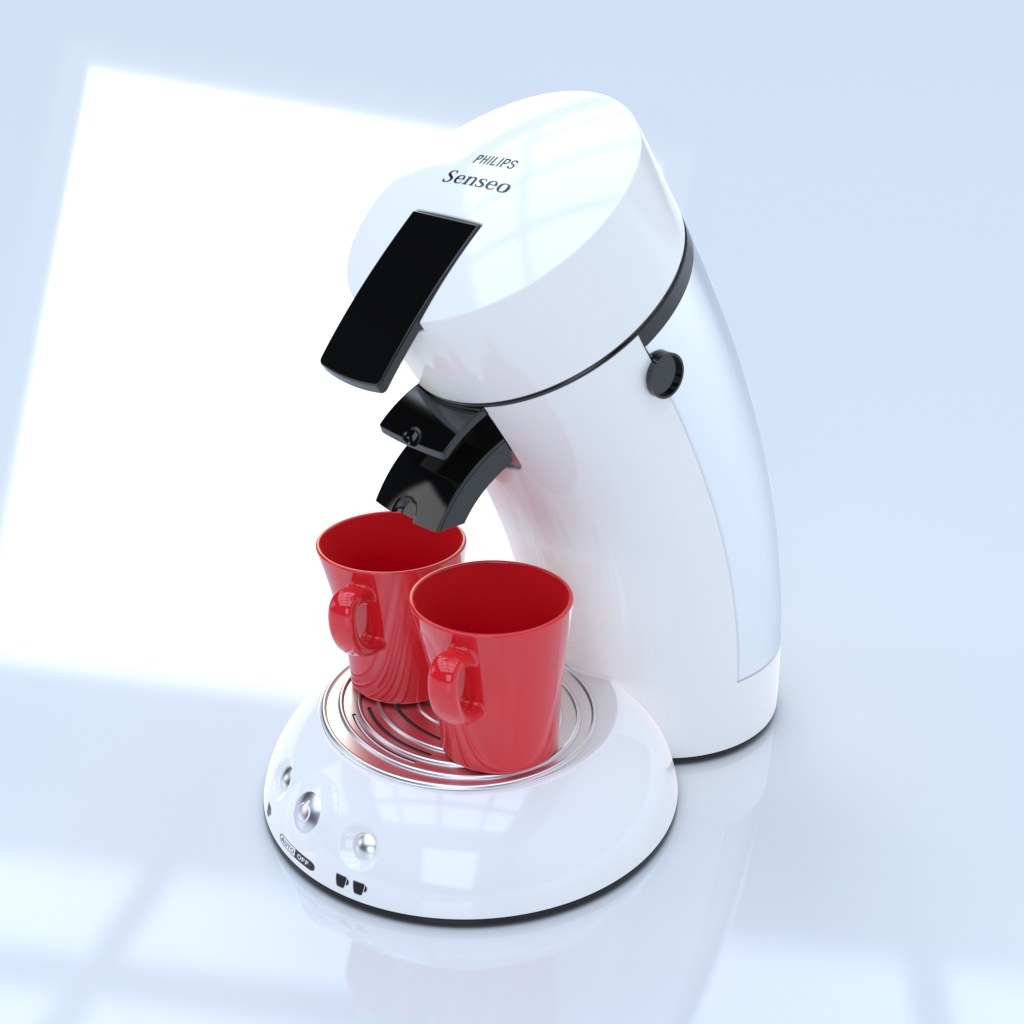
http://discourse.fluidray.com/uploads/default/_optimized/9ea/428/1ebb64ca8a_690x363.png
@fpedrogo this is fantastic! I would very much like to try beta version of VRay 3.0. Is it available and possible? Please let me know!
Hi David
You just have to join the beta group.
https://www.chaosgroup.com/vray/rhino
best!
Hi
m also working on jewellery rendering.
but m getting diamond render output getting black.
can u help me for thet prob.
regards
hitesh khona
Sorry I missed this post. Please let me know if you still need help.
I do apologize. My email is fernando.rentas@chaosgroup.com
Rendering is like taking camera in your hand and shooting photos.
If you want to take photos of jewelry (metal) and gemstones almost everything taht matters is reflection of your envirnoment and proper lightning. Usually all modernt rendering sw are good with materials “reproduction” in renderings. But I find lot of jewlery “poor”-prepared for rendering - lot of sharp edges, flat areas/surfaces which do not exist in real piece of jewlery. etc.
My expirience:
-
KeyShot… easy to learn/“fast” learnig curve, very good for jewlery. Excelent choice for industrial design, product viz, and concept prototyping. It is probably the most user-friendly rendering software on the market. It is a biased raytracer.
-
V-Ray…very successfull becasue of versatility - it’s powerful enough to be used in relatively large-scale production but also easy enough to use that a single individual user can wield it to great effect. Vray is a biased raytracer and it seems to me that it has better reproduction of gemsstone (some biased “algorithm” for gemstone-like material is used to produce realz good result for human eye even if less phisicaly correct)

Rendering of three rings in “neutral” envirnoment. It is not one render - it is composed of more renderings becasue it is not possible to have all gesmtoens to sparkle in one “shooting”. The same issue is with reflections on rings…

Here rings are placed in colorfull envirnoment which reflects in the mettal…
Maxwell render, Arion render, Vray, Thea render, that is sorting by beautiful reason.
don’t forget brazil for rhino


You might give Thea a spin
Jewellery render should use Arion render:wink:
and more than 64 cores
sorry couldn’t resist
I use V-Ray and Thea. Both highly recommended. Thea is much less expensive but very versatile and fast.
hi i love your your rendering .i am a jewellery cad desjiner i want to contact you so plese mail me ratancad18@gmail.com
Hello
Good time
How can I render renderer vray 3.4 for rhino more clearly?
My rendering is dark and dirty


Disable the default Antialiasing filter and the image will not look so blurry anymore. Enable the denoiser and you get a cleaner image without the need of longer render times.
Try to use a HDRI landscape environment (or the physical sky) and you get a more natural lighting through the windows.
What is the default Antialiasing filter?
You find it under the advanced raytrace options. 