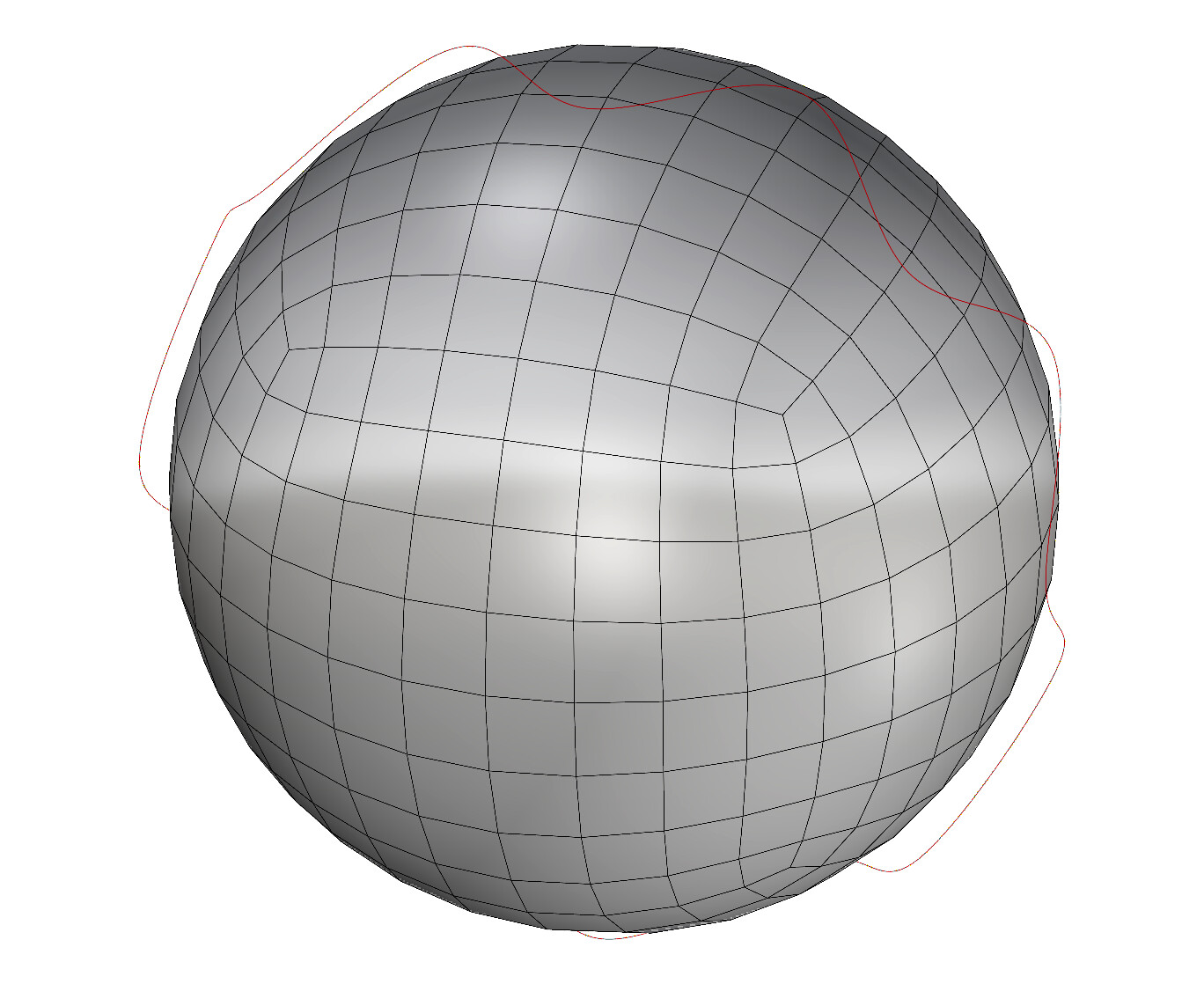
_pull command is not very smart when pulling a simple continuous curve to a rough mesh.
maybe we need some more options to not get more expected (human/design) results ?
As the result is a Polyline - i would love to have a “max number (one ?) of segments per face / edge” approach. Maybe a minimum segment-length ?
Some more background info (and maybe influence) on how the sampling is done would be helpful.
the green polyline is more or less what i would expect from a human / visual point of view - interpreting the mesh as a approximation of a smooth surface.
@scottd
hopefully the following 2 examples show more precisely what i am after.
The project I am working on is some medtech-data, the issue is about preparing mesh data further construction / geometry can relate to.
the samples are simplified but show the issues i see with smaller deviations / scales:
continous curve cuts zick-zack
input data / setup: a “smooth” curves cuts a “smooth mesh”
(_splitMeshWithCurve)
the result i would expect should be similar to this.
still missing a tolerance and minimum edge length setting
still missing to handle some special cases
splitting with a helper-Surface - i would call it workaround. and that s exactly what i recommended my customer.
For this specific case also _extrudeCrvToPoint (the center of the sphere) does a nice job.
For other scenarios Sweep1 would be a nice choice… but i came along this bug.
(i did a small script that does “piece/segment”-wise sweep1 's …)
Is there any documentation which tessellation is used, when a mesh is split with a nurbs surface ?
future development
i think there should be an option “pull to smoothed Mesh Angle Threshold in degrees”…
PullToSmoothMeshAngle = 180 would be the current behaviour - all mesh edges are considered as sharp and face normals are used. And would allow best Performance (Mesh Closest Point).
PullToSmoothMeshAngle = 15 would be be what i need / question - with less performance - but all edges < 15 degree would be considered as smooth.
PullToSmoothMeshAngle = 0 is what i implemented as a fast c# prototype. looks quite promissing…
…
to be continued