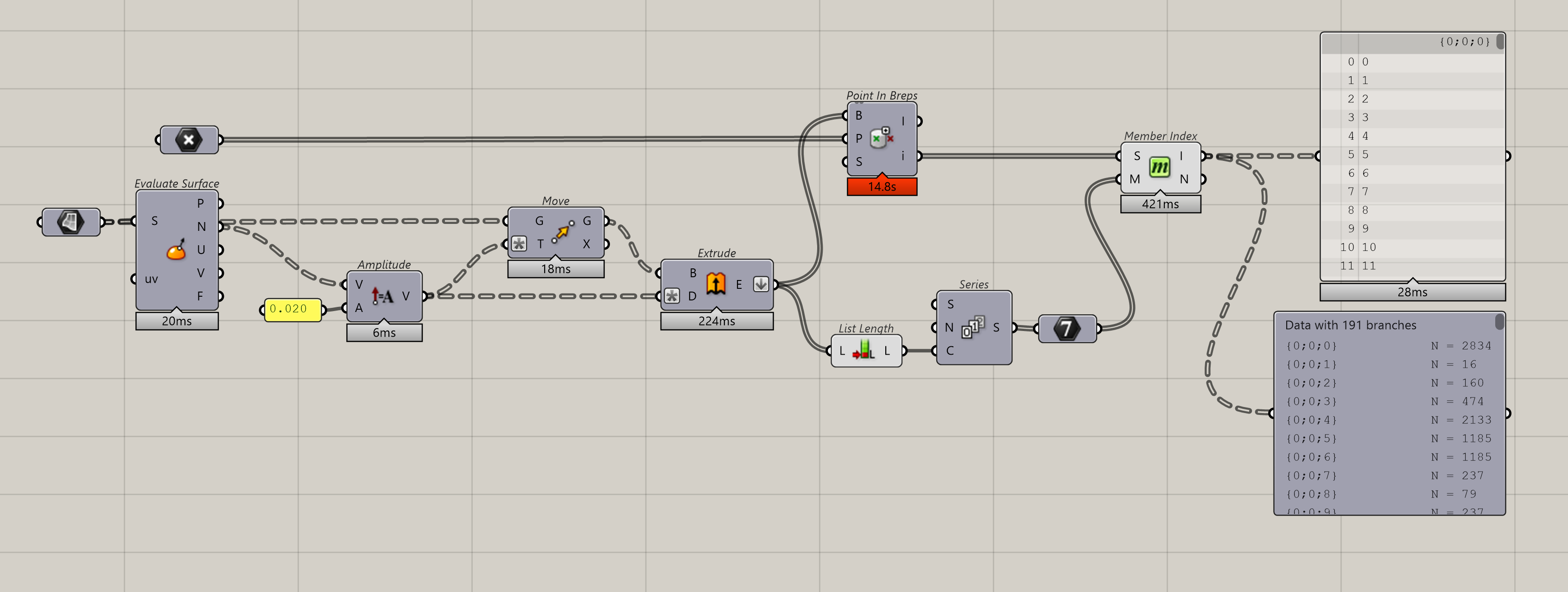
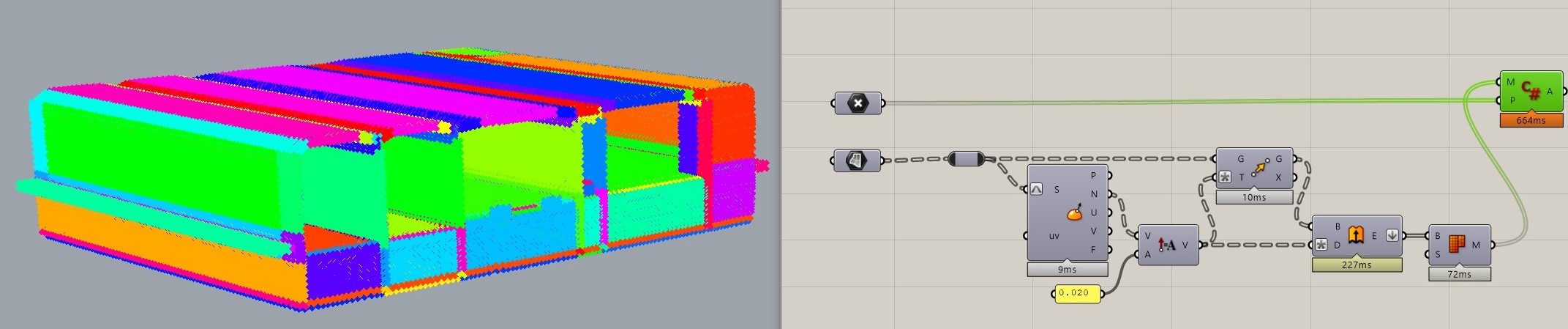
Looks like there is something funny in branching of the original data. I flattened both the points and the curves and cut time in by about the same amount as @ale2x72
I have worked with some large point clouds in rhino (I would qualify 45k as large personally) and find that working in chunks is just easier than performance optimization in Native Grasshopper. Point in breps_Test.gh (592.5 KB)
Thank you for your answers @ale2x72 and @eliwilliams1337 . Just as a clarification, I was using trees since my goal was to create as an output a data structure like this:
{0} Points inside of brep in the branch {0}
{1} Points inside of brep in the branch {1}
…
I am not sure if with flattening the inputs I can get that, anyway good to know about the index.
@PeterFotiadis I am not familiar with C#…I do not know how to start what you say, although I have to warn you that the strategy of boxes maybe works for rectangular volumes but in this case I have non rectangular volumes. Then I am not sure if that can be apply. Anyway you are the master of C# so I am pretty sure you can make it work faster.
What about the Brep.IsPointInside method? Is it feasible in this case?
So the pt is inside the Box. This is the classic way to get random points inside any closed Brep/Mesh be that “orthogonal” or some Blob like thing. If you want “equally as possible” spaced Points … well … that requires a variation of the above technique (say using a “distorted” 3d grid done also via the Box Vectors)
Now … the inclusion part: testing having a Mesh on hand is way faster (VS the Brep.IsPointInside Method). Remember that Meshes are float based things. Anyway for both cases there’s RC Methods exposed (but I don’t use’m in C#'s that are strictly internal).
Last … one should consider some proper // stragegy - obviously thread safe . Meaning that if you have a CPU with 666 cores … you can obtain - in theory - faster results.
BTW: your thread label is wrong: should be Point inside Brep … blah, blah, “In” could mean Point in Brep’s Faces (a totally different animal solved with a “similar” way)
@ale2x72 thanks for the help, that is what I was looking for although the computational time seems to be still quite high.
@ThomasE The speed of the component you did is awesome! I just found a small problem. If we compare the solution using the Point inside brep command and the solution you did, there is a difference of 4 points. In your case, 4 extra nodes are added to the result. I analysed them and they should not be there since actually they are outside of the mesh…seems strange. I uploaded the script if you wanna take a look
@PeterFotiadis I understand what you mean but my c# knowledge does not allow me to program that. I would appreciate it if you could share what you have in mind
@ThomasE I tried to modify the tolerance but nothing happens. It seems it is a bug in the Mesh Inclusion component due to having too many decimals. I forced the points to have 6 decimals and it worked
I found in this post the problem I am experiencing:
Accepts GeometryBase Types (Breps/Meshes). If the object is Brep is converted to a Mesh (If the Mesh is not closed [i.e. the RC Method failed] is skipped - same with Brep). Notice the prop(ortional) user option. Play with the inflate as well.
Modes are: (1) rnd - non uniform - pts, (2) grid - distorted - pts (this does “evenly”" spaced pts according a rnd distort value used as amplitude on the x/y/z Vectors). Is one of my Interview things for implementing a thread safe parallel solution (not the obvious).
Inclusion tolerance is: RhinoDoc.ActiveDoc.ModelAbsoluteTolerance;
Changing this … well … let’s say that I wouldn’t do it.
@ThomasE
Nice component - it is what I need! Can we have as a result the ‘inside flag for point inclusion -boolean’ instead of the points?
Thank you in advance!