This is a shape off of a plan (I don’t make these weird ones up). I need to fillet the red edges by 3". But I get gaping holes and daggers sticking out.
Problem Fillet.3dm.zip (68.8 KB)
This is a shape off of a plan (I don’t make these weird ones up). I need to fillet the red edges by 3". But I get gaping holes and daggers sticking out.
Problem Fillet.3dm.zip (68.8 KB)
dear @miano
are you expecting to much from filletEdge ?
what do you expect as a result at this corner ?
pure ball like fillets will not be able to offer a nice transition at this edge.
it s a geometrical problem.
a possible approach:
instead of using constant R3.0
use the RailType distance from edge (_variableFilletSrf or _filletEdge)
the missing cone-like transition can be done with loft (tangent,tangent) or loft + pull + matchSrf
(sorry for not posting a final result, i did not finish the object - just looked at one corner )
if you need more support - please sketch the desired result
kind regards -tom
My expectations are low due to history. However, I used ACIS for years and it had no problem filleting edges like these. One of the few things ACIS does better than rhino (shelling, offsets, and converting to 2d competing the list).
but still - this does not answer my question - what geometry / result do you expect at this corners ?
5 edges / surfaces with different orientation
2 get fillet
Tried to fillet the edges you highlight in Alibre that I think uses the ACIS kernel and it fails!

Also tried Fusion and ZW3d, they fail as well so don’t know what sort of result you think is possible.
I assume Miano is using plans for a ship which predate 3D CAD (computers may not have been invented). The drawings were intended to communicate design direction and requirements, not contain complete geometry for every detail. The details would have been worked out on the “shop floor” using the knowledge of the craftsman and any standard practices.
This is intended to be a plausible solution which may be close to how the part would have been built based on the information available on the drawing.
Short summary of how it was done.
FilletSrf all pairs of surfaces along edges where fillets are needed. Extend the fillets but do not trim.
Create trim curves on the fillets using ExtractIsocurve and ShortPath
Trim the fillets
BlendCrv between edges of fillets.
Pull the blend curves onto the surfaces.
Trim the surfaces.
I am not surprised this geometry is difficult to fillet automatically.

more or less the same approach as I sketched above.
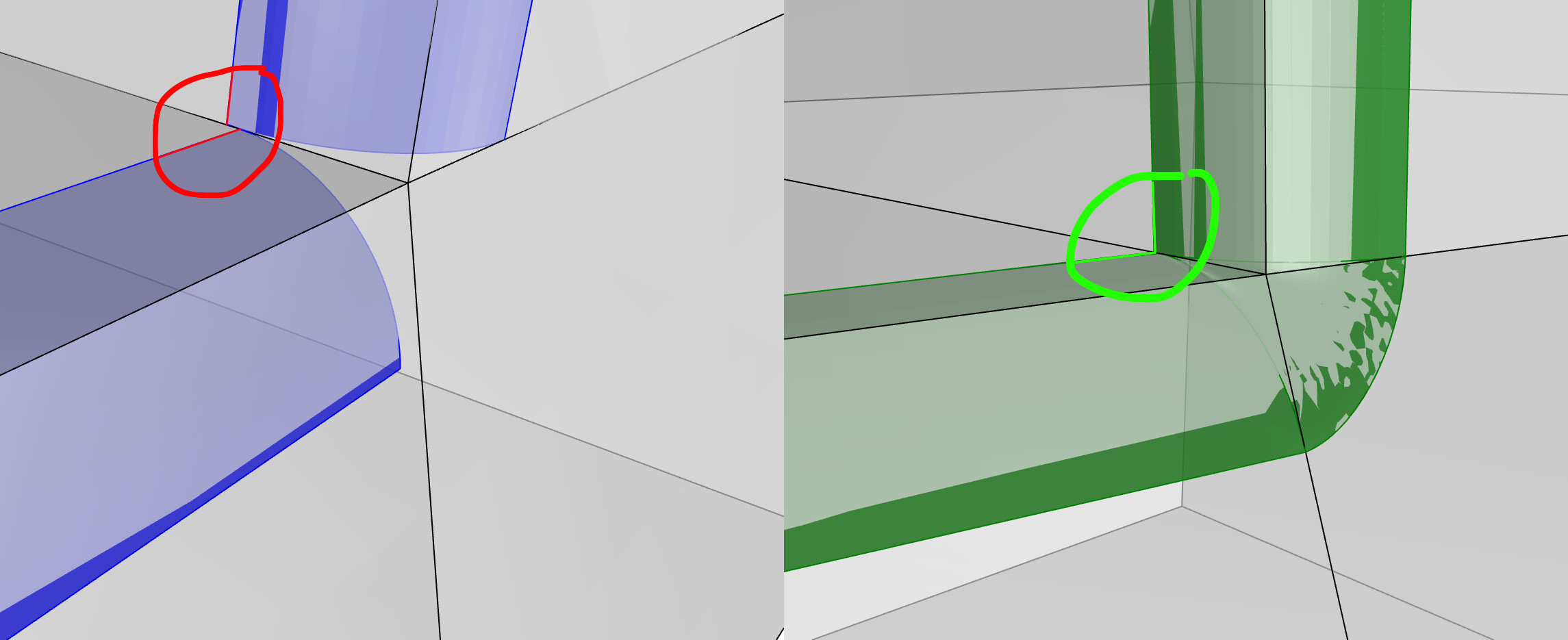
as I wrote above - the rail type “distance from edge” will give a nicer intersection of the rails
(compare the blue fillets “ball”, vs green fillets “distance from edge”)
Since your tolerance is so very loose its not that difficult to cobble something together.
Here are two possibilities:
problemx.3dm (499.9 KB)
I have a lot of variants on this that I have tried. Here is a simplified version. No matter what I tried, I get a “dagger” in this location.
Problem Edge Fillet.3dm.zip (207.2 KB)
This is for a book project to illustrate features that are not photographable because there is no place to get a view. The book shows the plans so the illustrations need to match the plans.
maybe ‘pure ball like fillets’ are the problem.
when has a craftsman while using sand paper or a file ever said, “gee I sure hope I’m making these edges round enough to be pure ball like”…
or hb a toolpath creator / CNC machine operator said, “gee I hope my ball tool diameter and stepover will make inner radii that will be pure ball like / true fillet like”…
or post op polisher finisher, “gee I can’t believe these tool marks, gouges and scallops, gosh I have to polish these to be pure ball like now”…
from cnc cookbook dot com:


indeed
perhaps a ‘blend’ is desired…
Hello- This one is hard for the automatic figure-outer - the four converging edges alternate convex/concave and that case is unsolved here as far as I know.
-Pascal
typical example of Rhino not knowing what to do with adjacent vertices, edges, faces – scenario.
if only the devs could figure out how to get Rhino to trim and extend things…
and maybe delete or add faces etc… move, add, delete edges … 

brb, testing this in plasticity lol.
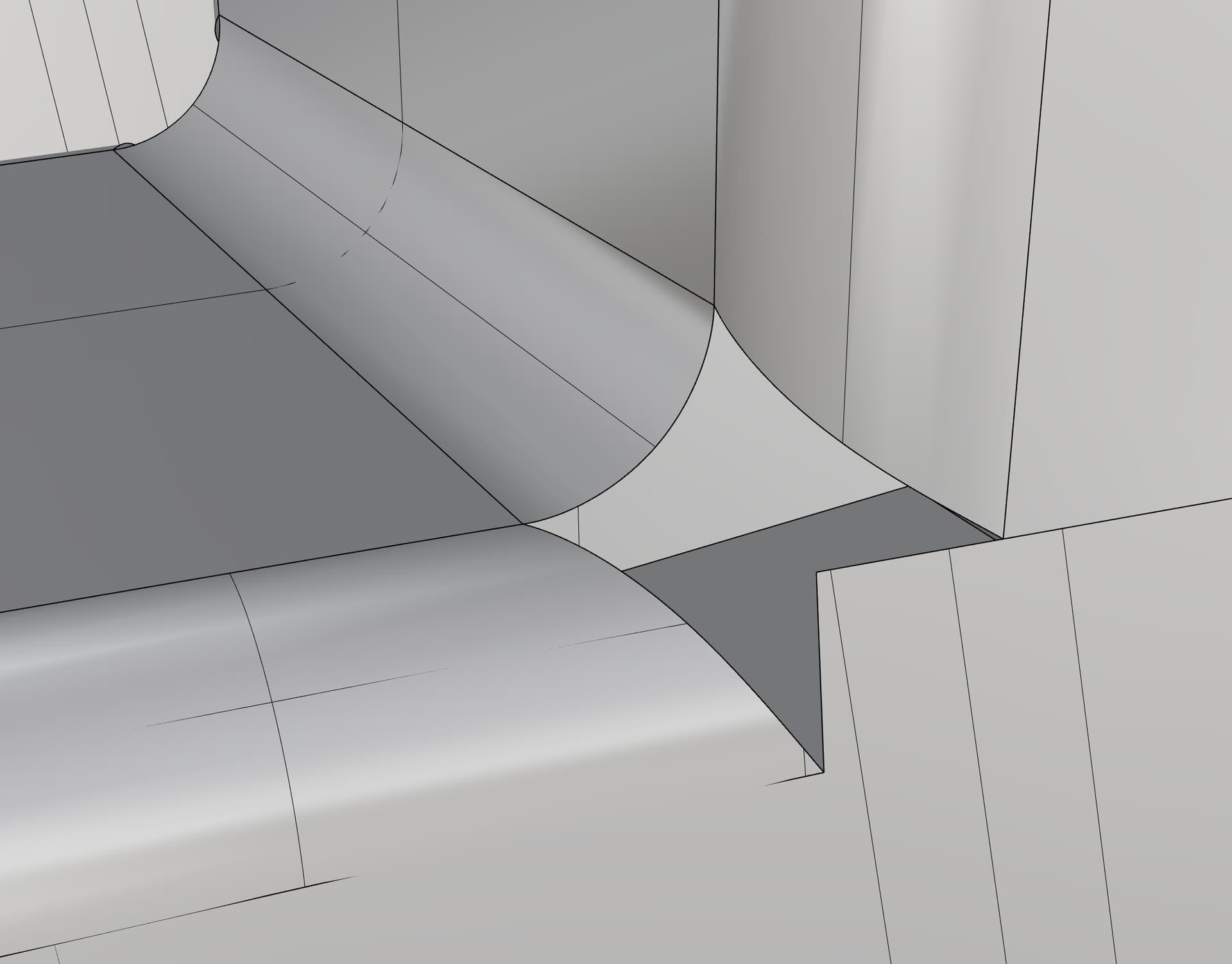
ew, even parasolid failed:

 we’re still in the stone ages lol bbl…
BlendCrv between the edges of the fillets.
Pull the blend curve onto the surface.
Trim
@miano If you want to recreate the part “as built” you will need to think like the folks who built it rather than hoping there is an automatic or semi-automatic method.
pipe trim. The unsung hero for situations like this-

eto framework pipe trim 
Thanks all for the suggestions and pointers for knowledge growth here.