C_DelReal
May 23, 2025, 2:37pm
1
Hi everyone,
I’m trying to work with point cloud data in Rhino and I have an Autodesk Recap (.rcp) file that I’d like to import. Does anyone know if it’s possible to import .rcp files directly into Rhino, or if there’s a recommended workflow or plugin to do this?
Additionally, once the point cloud is in Rhino, I’m interested in converting it into a usable 3D model or mesh. What would be the best approach or tools for that process?
Any advice or experiences would be greatly appreciated!
Thanks in advance!
POINTCLOUD.zip (2.9 KB)
Japhy
May 23, 2025, 2:52pm
2
That is a proprietary autodesk format.
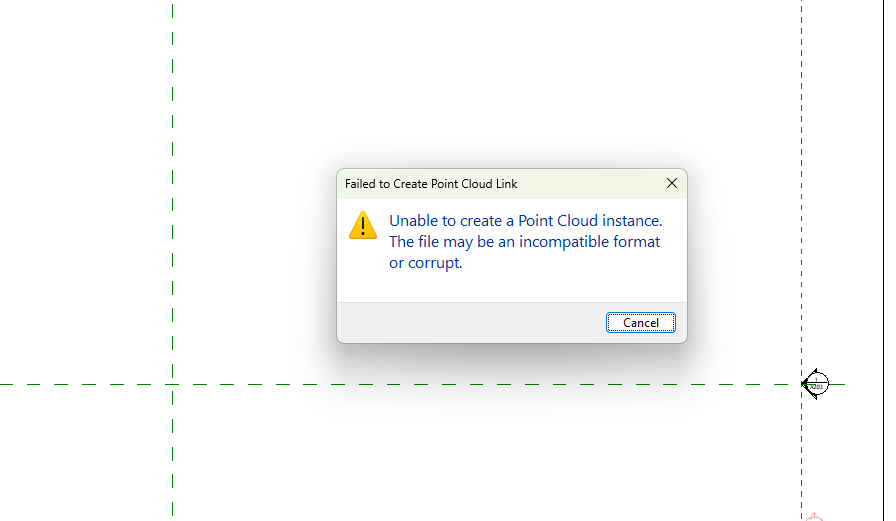
Note that Revit didn’t like that particular file…
exporting to a pts is pretty straight forward..
C_DelReal
May 23, 2025, 3:01pm
3
You need to do this for import in revit
Japhy
May 23, 2025, 3:04pm
4
That was the process, what version rcp? i tried in Revit 2024 & 2026
Japhy
May 23, 2025, 3:10pm
5
Once in revit you can use Rhino.Inside - Revit Query Cloud Points component
C_DelReal
May 23, 2025, 3:17pm
6
I tried, but I can`t convert this points in a model, do you know how I can do that?
Japhy
May 23, 2025, 3:19pm
7
what is the error on the component say?
All the recommendations provided by the pinned Grasshopper post apply to Rhino.Inside.Revit as well.
The addition of multiple versions of Rhino/Grasshopper along with supporting these in Revit 2019-2024 require users to provide a little more info so that you can help us help you.
We understand that even simple workflows can be complex for beginners (be it in Rhino/GH, Revit or both) and will continue to work on documentation and workflow guides as things progress.
Thanks to everyone who hel…
C_DelReal
May 23, 2025, 4:10pm
8
It’s only the color that I have to select components in grasshopper, no an error