I made myself a pretty light Grasshopper Style of Shutters with blinds. I am designing a facade where shutters make a big role and wanted to test how it will look in the realistic scenario when different shutters may be set different (fully closed, fully opened, partially opened, etc.), more of, there are different sizes and number of panels - in short: a lot of variations of the same Grasshopper Style.
This of course made my file size skyrocketed by instantaneous addition of a couple of hundred MB… Shutters aren’t any complicated geometry but they consist of a lot of repetitive elements - extrusions of the blinds.
From what I see, when every instance shares the same parameters, file size is under control - this leads me to test Save Small option.
Test file - many copies of 3 variants of the same Grasshopper Style - saved with regular “Save” command - 122 MB
In the test file, Save Small made a huge difference in File size and Saving time, but it is a very simplified scenario.
In real-life - Save Small of 80 shutters with different parameters still gives me a 126 MB file. - After exploding everything to native Rhino elements it grows to 250 MB - Baking 16 992 polysurfaces into Revit (by Add Brep DirectShape) produces 17,5 MB rvt file. - but that’s just a fun fact, not fair comparsion.
Even a simple Shutter with blinds will have many Blinds (Breps).
I had an idea, that it can be solved by making every blind as a Block Definition and made my definition in a way that every blind would be a non-uniformly scaled Block Instance, but using Block Instances as an output of Grasshopper Style isn’t possible.
Test file which I failed to load as Grasshopper Style
Another problem is that Grasshopper does not work with extrusions, so each object is a polysurface, which consumes much more memory, and it’s a little slower to draw.
Yes, this feature is planned for VisualARQ 3. I’ve added a vote to this entry, so you’ll be notified when we implement it.
Block instances will not make any difference in display speed, because display speed depends on the number of primitive objects drawn (extrusions, polysurfaces, curves, etc.), no matter if those objects come from blocks or model geometry.
File size will be smaller, as block instances require much less disk space.
I guess that the same techniques that normal Rhino geometry. A Grasshopper style will just use the definition to create the geometry. Once the geometry has been created and added to the document, it’s just like regular geometry created by a user.
Hi @Czaja I’d like to update you with this request. In VisualARQ 3 it is still not possible to use block instances as Input or output parameters in the Grasshopper styles. However, you can retrieve block definitions by Name in the Grasshopper file, get its geometry, and connect it to a Geometry Param as Output parameter in the Grasshopper file.
In Rhino I can use many different Blocks composed of nested Blocks and this makes the Rhino file small and fast. For example I can have 10 instances of different blocks in the scene for different beam lengths:
Block consisting of 6 elements
Block consisting of 10 elements
Block consisting of 12 elements
Block consisting of 16 elements
Block consisting of 18 elements
…
etc.
Each VA GH Style Element that is slightly different will be treated as a completely separate geometry, it doesn’t matter that inside there is identical array of e.g. 10 Rhino Block Instances.
NATIVE RHINO BLOCKS:
3 instances for each of 5 different Rhino Block Definitions with nested Block module - only 500 kB.
VA GH STYLE ELEMENTS WITH ARRAYED BLOCKS INSIDE - 22 MB !
This is a 40 times difference in this very simplified example!
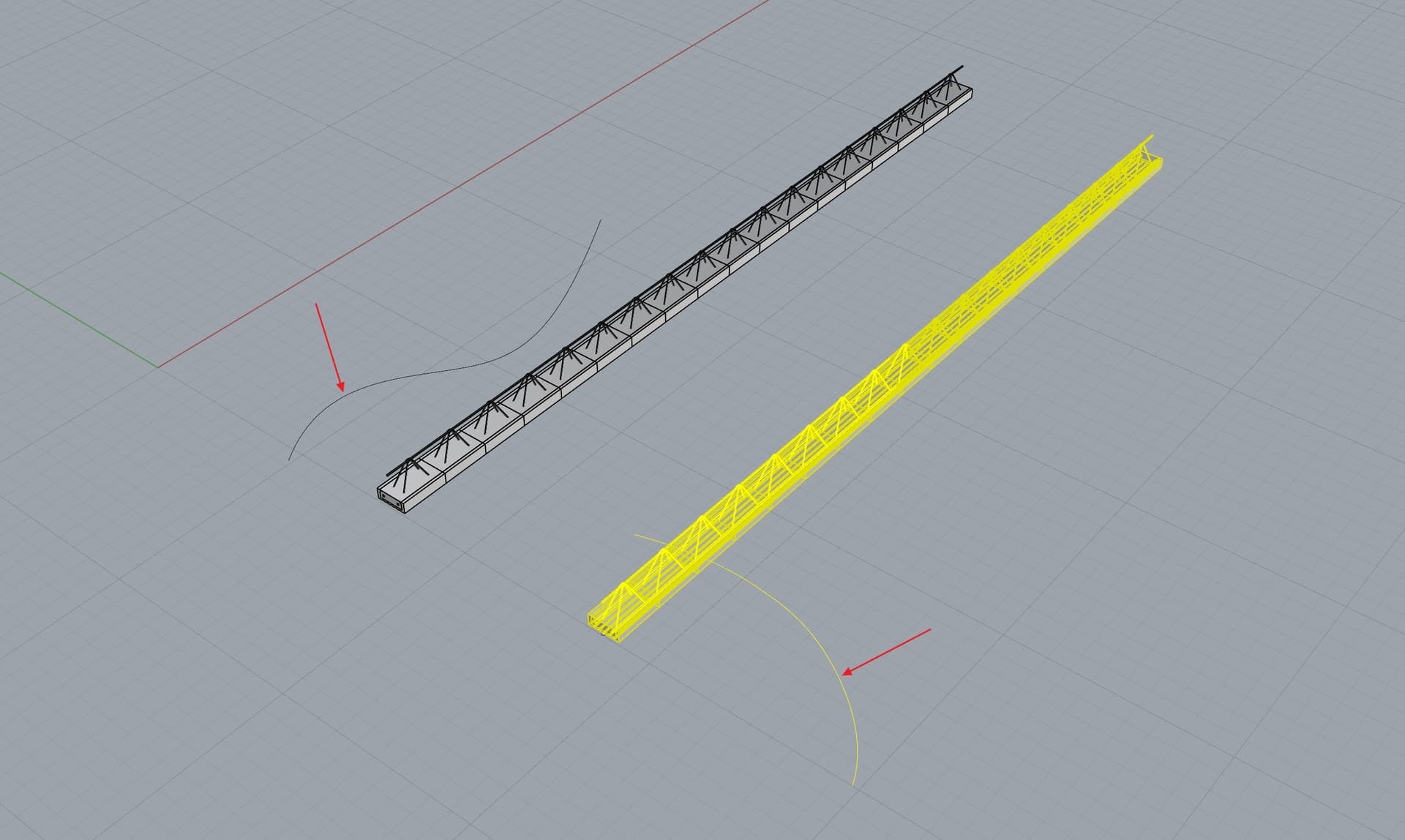
Two VA GH Style Elements with only differences that they have different Per Object Curve. Because of that file doubles in size…
So right now it’s impossible to have efficient VA GH Style Elements that are built out of repetetive elements. For example beams that are built out of various number of identical modules (Rhino Blocks), or Shutters that might also be built out of Rhino Blocks (each blind might be a block) but placements of these blocks are different due to the different opening position (1st post in this thread).
I understand the problem. I’ve checked our code, and for some reason, block instances are being exploded when computing the geometry for a VisualARQ GH Style. This doesn’t make any sense. I’m now looking into why we’re exploding them instead of keeping the block instance, but I need to make sure we’re not breaking anything else.
Great news, thanks Enric.
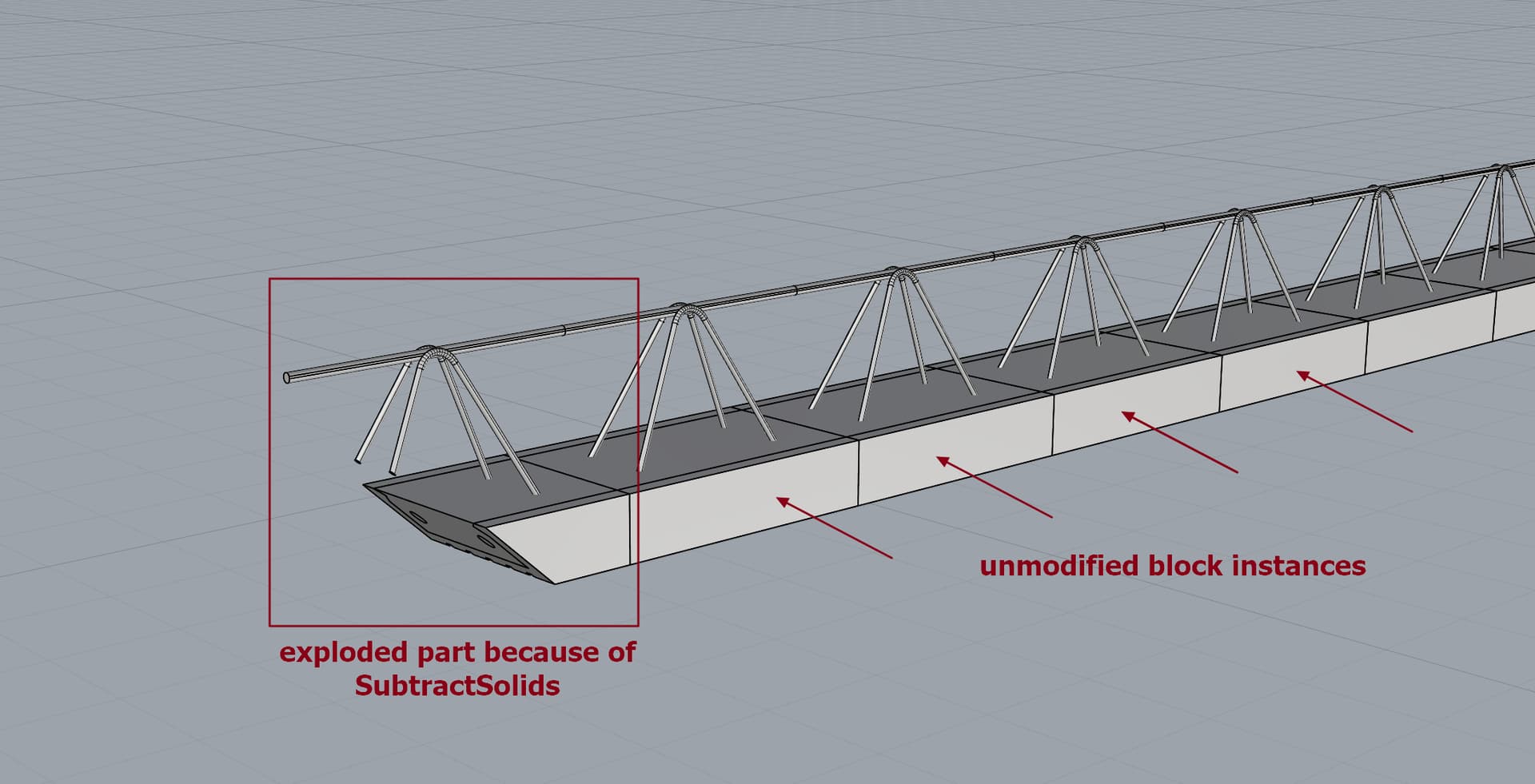
Maybe I should point out now that it would be cool if SubtractSolids only exploded the Block Instances that it collides with to create new geometry (in which case, if I understand correctly, exploding is unavoidable) and the rest remained Block Instances.
You’re right. I forgot to implement that part, sorry. I’ll do it tomorrow, so it will be fixed for the next RC. I just need to explode the block when the bounding box of the block intersects any of the subtracted geometry. Any block instance that doesn’t intersect won’t be exploded, of course.