Grasshopper output text missing spaces

Hello all,

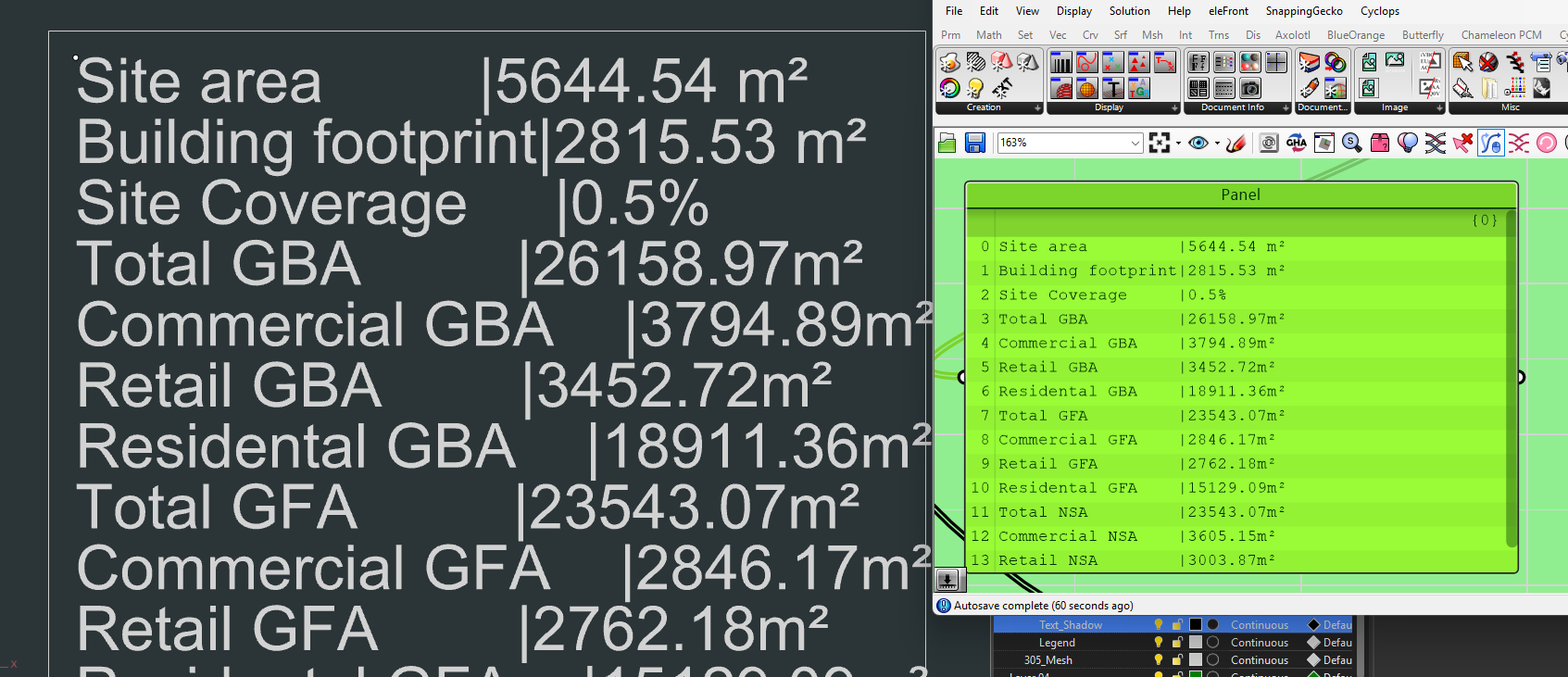
I add spaces to my input list of texts , for alignment with the seperator | , but when bake to text the spaces missing. I tried Rhino components, also Human, Elefront but all give me this same problem.

Please help me, thanks in advance !!!

I think the issue may be the font. Try using Courier.

oh yes, magic! thanks !

I have another question, do you know why I can not change the annotation text height?

This should work. Are you use the Content Cache component to push it final text entity? A regular bake wouldn’t work as it wont edit the Annotation Style that you are editing.

I use content cache and set the font “consolas”, but everytime I click “push”, it uses Arial

I tested almost font I have and only Courier and Consolas work. Is this a bug?

Share a minimal version of your script please, its not possible to help much without it.

Hi, now it works but I have another question, I can not push it into assigned layer. It came to Grasshopper::Annotation

ask_text.gh (19.6 KB)

ask_text_inno.gh (20.6 KB)

not relevant to this topic question, but I have question of content cache. What is the difference between Object and Geometry ? and I also can not push / bake to the right layers.

Model object includes layer information and all other attributes. In order to cache / bake to layer you will have to specify a layer.

This topic has some explanations:

Content Cache Updated Guide - Grasshopper - McNeel Forum

Hi, can I push text to the layout ?

So as I understood, I can make 2 object A and B from, let say, a circle and a rectangle, like this?
but when I run this gh, the result has only ONE object, the circle/rectangle will be replaced by the other. How can I push both of them by change the index ?

You can push both by eliminating the List item components.

yes I knew I can push both, my question is can I push separately like that and I have 2 different objects. For bigger case, I would like to use “record” component to make, let say, 100 geometries with 100 name and I just drag the slider and the object will be added with the according names?
Dragging a slider manually for baking operations is not a good idea.

A better way would be to automate a slider wwhich makes it iterate as many times as you specify.

thanks. and another question: can I put geometries/objects into group, same as the Human plugin “create attributes” does ?

Hi Vu -

No, that feature request is on the list as RH-81707 Groups as Model Content
-wim