rodwyll
August 24, 2022, 8:55am
1
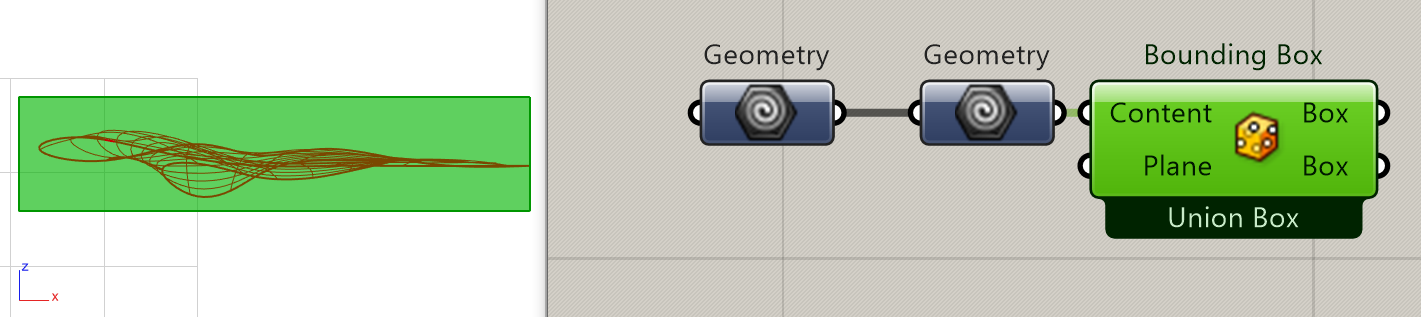
For some Geometries, the bounding box calculated in Grasshopper differs from the one I get in Rhino. The one in Grasshopper is actually too big and extends past the extents of the geometry in some directions.
Bounding Box in Grasshopper
Bounding Box from Rhino
I am sure this is a known phenomenon but couldnt find a discussion about it so far.
Are you certain you are not referring to more than one geometry in the 2 Geometry components?
Have you tried inputting a plane into the other BoundingBox Input?
rodwyll
August 24, 2022, 9:06am
3
Are you certain you are not referring to more than one geometry in the 2 Geometry components?
Very certain.
The input Gemetry:
Adding Planes to the BBox component does not change the output as far as I can tell.
It also seems as though this is also not a bounding box of the Surface points/control points of the Brep
And if you re-orientate the geometry does the resulting Bounding Box still stay the same (i.e. too large)?
rodwyll
August 24, 2022, 9:10am
5
Re-orienting the Brep in Rhino still results in an oversized bounding Box
I’m clutching at straws now but what happens if you change the Union Box setting?
rodwyll
August 24, 2022, 9:14am
7
Per object and Union Box produce the same output
rodwyll
August 24, 2022, 9:16am
8
Here is the GH file with internalised geometryBoundingBoxTest.gh (136.5 KB)
Very strange
What you get with legacy component is with accurate set to true.
private void RunScript(GeometryBase geom, bool accurate, ref object A)
  {
    A = geom.GetBoundingBox(accurate);
  }
And when accurate is set to false, it is the control points BoundingBox !!!
MeanWhile I recommand transforming your Brep to a mesh
1 Like
wim
August 24, 2022, 9:27am
10
Hi Robin -
For bounding boxes that are too small - RH-31903 Bounding Box in GH is Results not accurateRH-69696 Grasshopper: BoundingBox is larger than expected
1 Like
maje90
August 24, 2022, 9:28am
11
Changing the surface seam (to a “int” in the wireframe) a couple of times remove the problem…
rodwyll
August 24, 2022, 9:35am
12
This appears to be the best workaround so far even though I dislike the fact that I have to convert between geometry types.
inno
August 24, 2022, 9:57am
13
it looks like a similar problem from this discussion (same youtrack log indeed
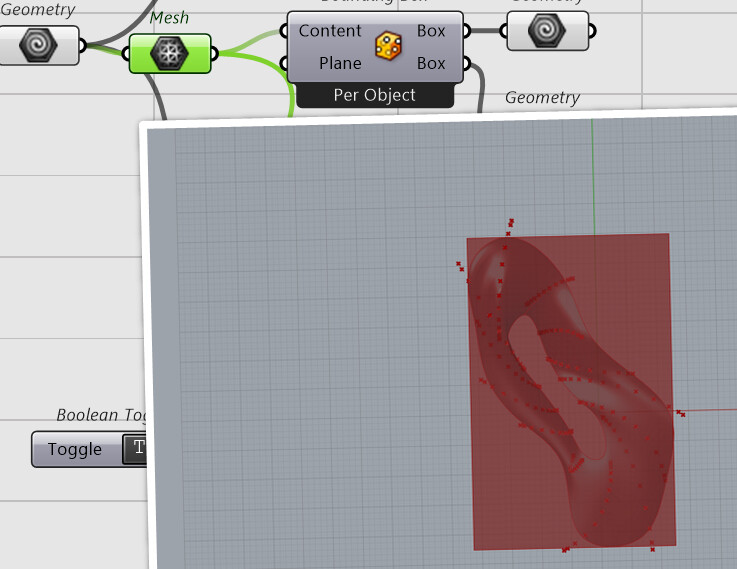
I have a brep geometry that is aligned to the world XY axis and is generated from boolean operations with other breps.
When I want to calculate the Box of that object using a reference plane that is oriented along the YX axis, the dimensions of the box do not match the brep anymore. See the image below.
[image]
The issue is solved when I explode the brep and join it again in Rhino. But I would like to understand a bit better what the problem is and how I can avoid it in the future. Is there …
in that discussion there was a polysurface that could be exploded and rejoined (solving the problem)
but here there is a single untrimmed surface, can’t explode and rejoin, so I thought applying a zero-amount transormation could work:
BoundingBoxTest_Re.gh (145.9 KB)
2 Likes


 )
)